PORTABLE MULTIMEDIA PLAYER
MENU
CH+
CH-
Fav- Fav+
OK
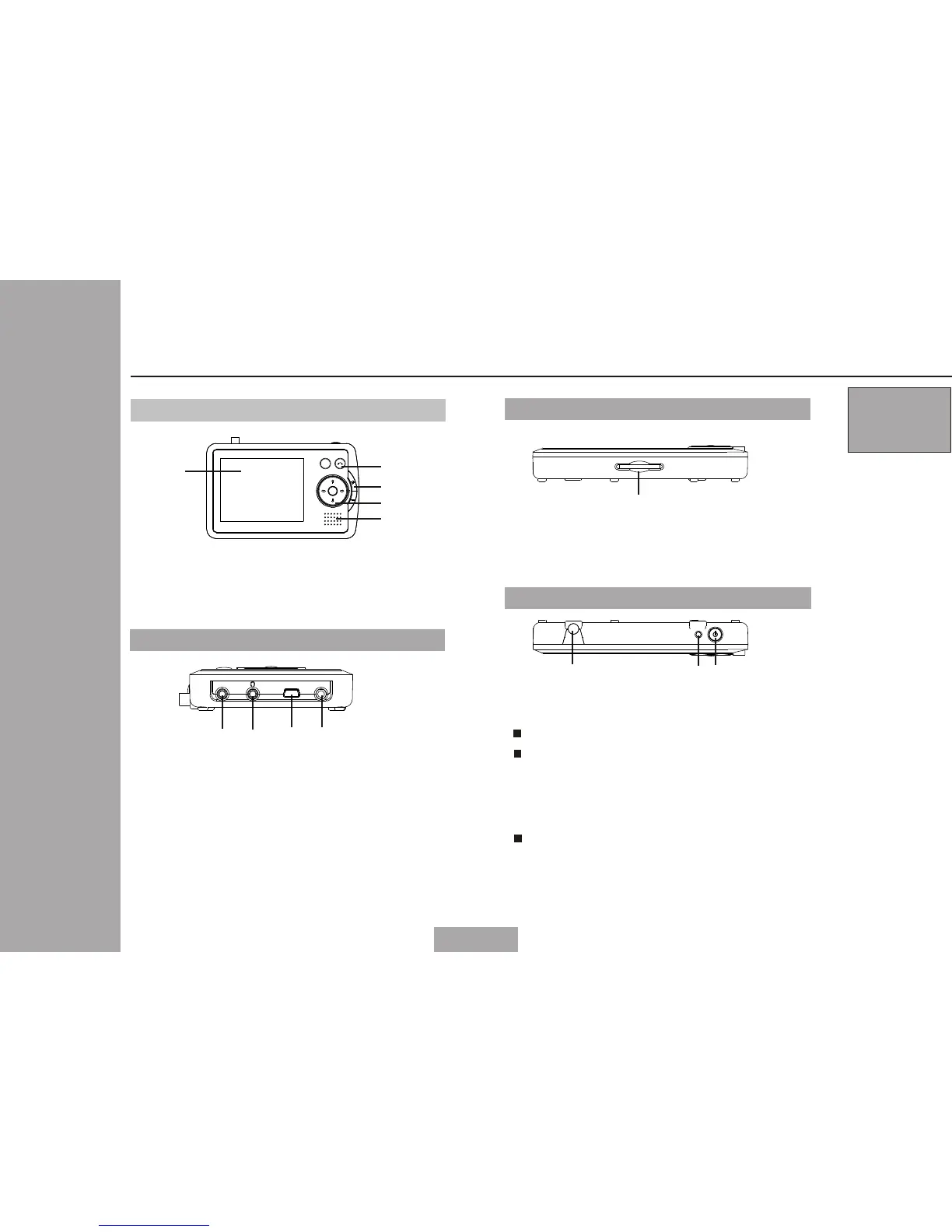
Parts in the top of the main unit
Antenna socket
1.
1
Parts & Functions
Pa rts in th e front of the main unit
2
1.
2.
3.
2.
LCD display
Speakers
Control keypad
3.
Parts in the bottom of the main unit
1
1
2
3
3
3
03
2
3
5V DC input
Connecting to AC-DC adapter
Earphone jack
1.
2.
3.
4.
USB(1.1) socket
Video output
Output video signal
Parts in the left of the main unit
1
2
3
4
USB DC INVIDEO OUT
SD CARD
Memory card socket
1.
Suit fo r SD/MM C car d re ade r
Po wer LED i ndica to r
Po wer but ton
When power on, the LED is light
When power off, the LED:
Flash: when charging the battery
Dim: when battery is fully charged
Off : when no use AC/DC adapter
Press the button for 1.5 second to power
on/off the unit



 To Next Page