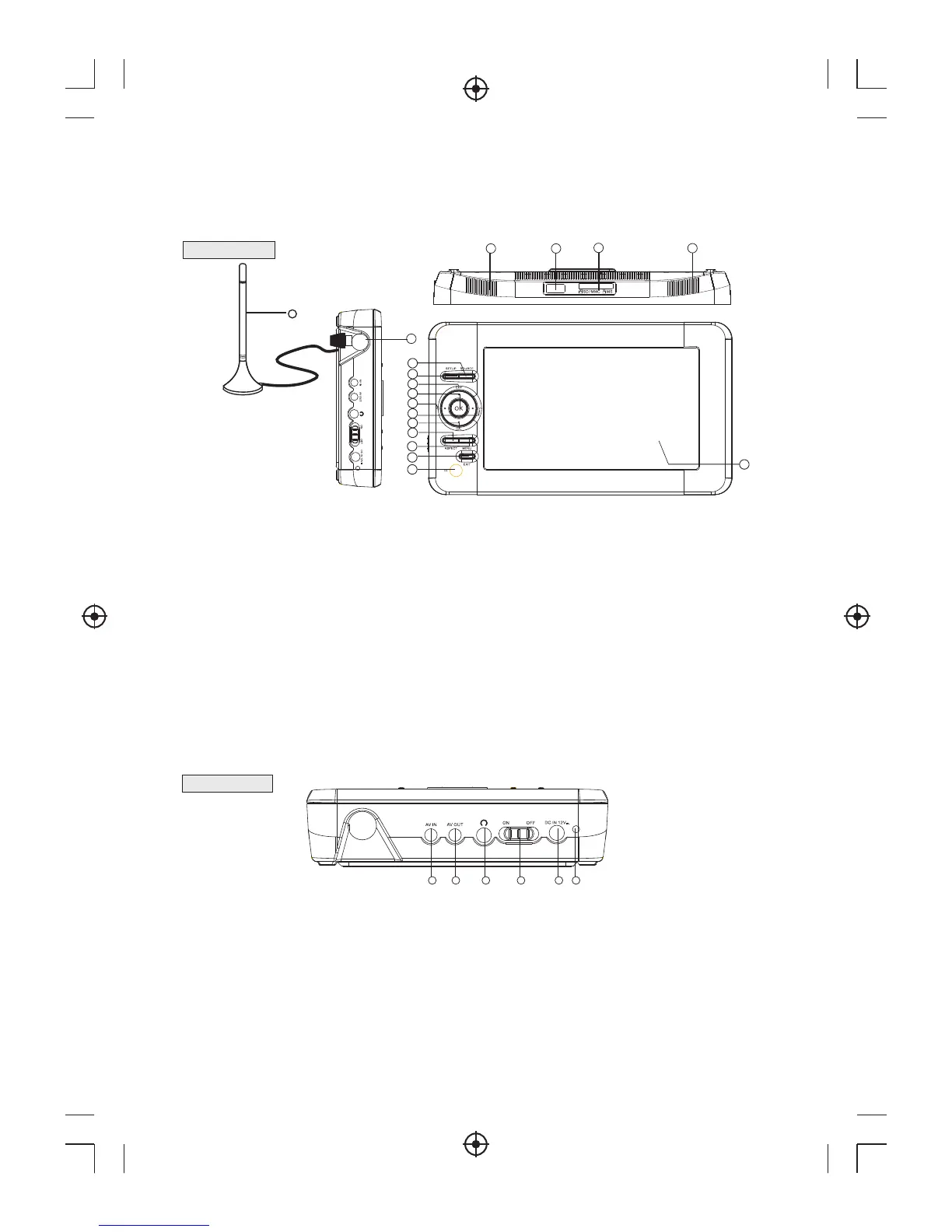
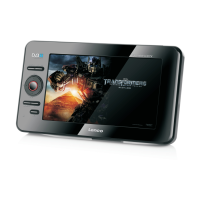
1. Front View
2. Right View
1) AV IN JACK : This jack used to connect a external CVBS video and analog audio input.
2) AV OUT JACK: This jack outputs CVBS video and analog audio signal.
) EARPHONE JACK: This jack outputs analog audio L/R signal to earphone.
) POWER SWITCH: This switch used to switch on/off the system.
) DC IN JACK: This is used for AC-DC adaptor input, the voltage range is 12V.
) CHARGE INDICATOR: The system is in charging state when red LED is lighting, it will turn
into green when full charged.
3
4
5
6
Panel illustration
6
13
16
14 15
16
17
1) SOURCE: To select input source.
2) SETUP:Used to adjust the brightness/contrast/color/hue parameter of TFT screen when there is no menu on the
screen.
3) CH+: Move around the menu screens or selecting the channels in non-menu state.
4) OK: Confirm a selection within a menu.
5) VOL-: Move around the menu screens or changing the volume in non-menu state.
6) VOL+: Move around the menu screens or changing the volume in non-menu state.
7) CH-: Move around the menu screens or selecting the channels in non-menu state.
8) ASPECT: To change picture aspect.
9) MENU:Open the main menu window.
10) EXIT: Exit menu.
11) REMOTE CONTROL SENSOR: Receive the signal from the remote control
12) TFT screen: Display the TFT widescreen display.
13) Antenna input: Connect to an external RF signal.
14) Speaker Left: The left speaker.
17) Speaker Right: The right speaker.
15) USB
16) Memory Card slot
10
9
1
2
3
4
5
6
7
8
11
12
1 2 3 4 5 6


 To Next Page