EasyManua.ls Logo

LENCO XEMIO-250 - User Manual

LENCO XEMIO-250
4 pages
Print Icon
To Next Page IconTo Next Page
Loading...
XEMIO-250/260
USER MANUAL
1
Special Features
Elegant appearance and easy to use.
Multi-Code Player - Supporting MP1, MP2, MP3, WMA, formats.
Drive Free U Disk - You may manage your files directly through “Portable Device”
in “My Computer” on Windows 2000 Operating System or above without driver.
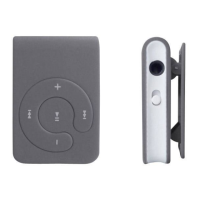
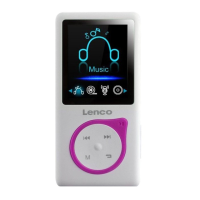
Brief view of player
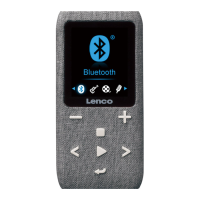
Appearance
A. Key function of buttons
Pre : To previous song or skip
backward
Next : To the next song or speed play
PLAY : To Play/ Pause/ Stop
VOL- : To decrease the volume
Shuffle mode/ VOL + : play songs in order or Shuffle mode / To increase the
volume
On/off : To turn/on the player
B. MP3 Mode
1
Turn On/ Off
1.1 Make sure the switch is ON and not connect with computer. Long press II to
turn on and play the music directly. Long press II button to turn off.
Press II button to start playing the music.
2. Adjust the volume
Pressing +/s or button ( for +/s button less then one second) to increase or
decrease the volume during play mode.


Questions and Answers

  • R
    Ruben RamirezAug 12, 2025
    Why is my LENCO XEMIO-250 failing to download music?
    • B
      Brittney OwenAug 12, 2025
      A failure in music download may be caused by a damaged or improperly connected USB cable. Also, check if the driver is installed correctly and if there is enough memory space available.
  • K
    Kristin RamirezAug 19, 2025
    Why is there no sound from my LENCO Media Player when using earphones?
    • C
      Christopher BryantAug 19, 2025
      If your LENCO Media Player has no sound when using earphones, first ensure that the volume isn't set to “0” and that the earphone is properly connected. Also, make sure your earphones are clean and in good working order. Finally, verify that the MP3 files you are trying to play are not damaged.
  • M
    Morgan MoralesAug 27, 2025
    What to do if my LENCO Media Player fails to download music?
    • J
      John EllisAug 27, 2025
      If your LENCO Media Player fails to download music, check if the USB cable is damaged or not connected properly. Also, check if the driver is installed correctly and if there is enough memory space available.
  • C
    Candice MartinezSep 3, 2025
    What to do if there is no sound from the earphone on my LENCO MP3 Player?
    • C
      Christine GreenSep 3, 2025
      If you're not getting any sound from your earphones, first, ensure the volume isn't set to '0' and that the earphone is properly connected. Also, make sure the earphone is clean and in good condition. Finally, verify that the music files you're trying to play aren't damaged.

LENCO XEMIO-250 Specifications

General IconGeneral
BrandLENCO
ModelXEMIO-250
CategoryMP3 Player
LanguageEnglish

Related product manuals