EasyManua.ls Logo

Lenel LNL-300XA - User Manual

Lenel LNL-300XA
6 pages
Print Icon
To Next Page IconTo Next Page
Loading...
© 2020 Carrier. All Rights Reserved. LenelS2 is a part of Carrier. 1 DOC-6013-EN-US — revision 1.002
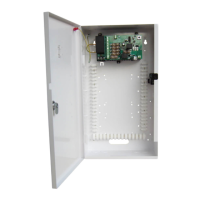
The LNL-300XA 13.8 VDC 4 A Battery Monitoring
Switched Mode PSU
The LNL-300XA is a high-efficiency and cost-effective power supply
designed for use within a Lenel access control system.
Featuring a regulated 13.8 VDC output, the LNL-300XA supplies
continuous full rated current to load, and a universal mains voltage input.
Maximum battery life is assured using deep discharge protection to prevent
premature battery failure when operating in standby mode for extended
periods. Two sets of volt-free contacts are provided to signal (i) loss of
mains and (ii) battery and loss of output faults.
Other features of the LNL-300XA include:
Continuous full-rated current-to-load
Universal mains input voltage 90 to 264 VAC
High-efficiency electronics for reduced running costs and lower
operating temperatures
Mains transient protection circuit
Lid and removal from wall tamper detection
Green mains present LED
Red fault diagnostic LED
Volt-free contact signaling mains failure (EPS)
Volt-free contact signaling output and batter faults (GEN)
Full electronic short circuit and overload protection on load output
under mains operation
Individual battery and output fuse protection
Installation Instructions
This unit is only suitable for installation as permanently connected
equipment. The PSU is NOT SUITABLE for external installation.
This unit must be fed from a mains power source that has a separate
(approved) disconnect device and is fitted with a fuse or other over-current
protection device rated at 3 A maximum. Ensure that the disconnect device
used has appropriate earth fault protection to the applicable standard.
Before connecting the PSU to the mains power source, verify that the
external disconnect device is OFF.
Install the PSU according to all relevant safety regulations applicable to the
application. EQUIPMENT MUST BE EARTHED.
Mounting
1. Mount the PSU securely in correct orientation allowing minimum
clearance.
Mounting the Power Supply
2. Route mains and low voltage output cables via different knockouts
and/or cable entry holes.
Note: Use bushes and cable glands rated to UL94 HB minimum.
Mains Power-up
1. Attach the appropriately-rated mains cable (minimum 0.5mm
2
[3A],
300/500 VAC) and fasten using cable ties.
2. Apply mains power. Check for 13.8 VDC on load outputs. Ensure that
the green Mains LED is on.
3. Disconnect mains power.
Load Output
1. Attach the appropriately-rated load cable and fasten using cable ties.
Note polarity.
2. Apply mains power. Check green Mains LED is on.
Note: The red LED on the PSU may flash to indicate that no battery
has been connected. This is normal.
3. Verify load is operating correctly.
4. Disconnect mains power.
Signaling
1. Connect EPS and GEN fault outputs to appropriate inputs of control
and indicating equipment (CIE).
Standby Battery
1. Attach supplied battery cables to terminal block and batteries.
Note: Ensure correct polarity of battery connections: +BAT use red
lead, -BAT use black lead.
LNL-300XA 13.8 VDC 4 A Battery Monitoring
Switched Mode PSU Quick Reference
Question and Answer IconNeed help?

Do you have a question about the Lenel LNL-300XA and is the answer not in the manual?

Summary

Installation Instructions

Mounting

Mount the PSU securely in correct orientation allowing minimum clearance.

Mains Power-up

Connect mains cable, apply power, and verify green Mains LED is on.

Load Output

Attach load cable, apply power, and verify load is operating correctly.

Signaling

Connect EPS and GEN fault outputs to appropriate inputs of control equipment.

Standby Battery

Attach battery cables to terminal block, ensuring correct polarity for connections.

Tamper

Tamper Switch Operation

Verify tamper switch is closed when lid is closed and open when lid is removed.

Tamper Arrangement Check

Ensure rear tamper is positioned correctly and circuit is closed at control panel.

Operating Instructions

Fault Handling

Understand fault signals and investigate output failures, rectifying before restoring power.

Fuse Replacement

Ensure correct fuse rating and type is used when replacing any fuses.

FireFOM Operation and Configuration

FireFOM Functionality

FireFOM provides individual control of fused outputs via volt-free contact or low-voltage signal.

FireFOM Trigger Modes

Configures trigger operation using jumpers for Contact (N/O, N/C) or Voltage modes.

FireFOM Output Configuration

Defines output state (open/closed) and LED status based on mode and trigger inputs.

Specifications

Input Specifications

Details input voltage, frequency, maximum current, and mains input fuse.

Output Specifications

Details output voltage, maximum load current, ripple, load output fuses, and overload.

Standby Battery Specifications

Details battery type, capacity, charging, and fuse protection.

Mechanical Specifications

Details enclosure dimensions, weight, material, and battery capacity.

Environmental Specifications

Details operating and storage temperature and humidity ranges.

Signaling Outputs and Connections

Signaling Output Ratings

Describes rating and conditions for GEN Fault, EPS Fault, and Tamper relay contacts.

Connection Terminals

Details power connections (O/P, -, BATT, -) and fault relay outputs (EPS, GEN).

Maintenance, Compliance, and Disposal

Maintenance Requirements

Unit is for Service Personnel only; periodic testing and battery replacement are key.

Compliance Directives

Lists European Directives the power supply unit meets: Low Voltage, EMC, WEEE, RoHs2.

Disposal of Product at End of Life

Follows WEEE and Battery directives; requires separate battery removal and disposal.

Summary

Installation Instructions

Mounting

Mount the PSU securely in correct orientation allowing minimum clearance.

Mains Power-up

Connect mains cable, apply power, and verify green Mains LED is on.

Load Output

Attach load cable, apply power, and verify load is operating correctly.

Signaling

Connect EPS and GEN fault outputs to appropriate inputs of control equipment.

Standby Battery

Attach battery cables to terminal block, ensuring correct polarity for connections.

Tamper

Tamper Switch Operation

Verify tamper switch is closed when lid is closed and open when lid is removed.

Tamper Arrangement Check

Ensure rear tamper is positioned correctly and circuit is closed at control panel.

Operating Instructions

Fault Handling

Understand fault signals and investigate output failures, rectifying before restoring power.

Fuse Replacement

Ensure correct fuse rating and type is used when replacing any fuses.

FireFOM Operation and Configuration

FireFOM Functionality

FireFOM provides individual control of fused outputs via volt-free contact or low-voltage signal.

FireFOM Trigger Modes

Configures trigger operation using jumpers for Contact (N/O, N/C) or Voltage modes.

FireFOM Output Configuration

Defines output state (open/closed) and LED status based on mode and trigger inputs.

Specifications

Input Specifications

Details input voltage, frequency, maximum current, and mains input fuse.

Output Specifications

Details output voltage, maximum load current, ripple, load output fuses, and overload.

Standby Battery Specifications

Details battery type, capacity, charging, and fuse protection.

Mechanical Specifications

Details enclosure dimensions, weight, material, and battery capacity.

Environmental Specifications

Details operating and storage temperature and humidity ranges.

Signaling Outputs and Connections

Signaling Output Ratings

Describes rating and conditions for GEN Fault, EPS Fault, and Tamper relay contacts.

Connection Terminals

Details power connections (O/P, -, BATT, -) and fault relay outputs (EPS, GEN).

Maintenance, Compliance, and Disposal

Maintenance Requirements

Unit is for Service Personnel only; periodic testing and battery replacement are key.

Compliance Directives

Lists European Directives the power supply unit meets: Low Voltage, EMC, WEEE, RoHs2.

Disposal of Product at End of Life

Follows WEEE and Battery directives; requires separate battery removal and disposal.

Overview

The LNL-300XA 13.8 VDC 4 A Battery Monitoring Switched Mode PSU is a high-efficiency and cost-effective power supply designed for use within a Lenel access control system. It provides a regulated 13.8 VDC output and supplies continuous full-rated current to the load, with a universal mains voltage input. The unit ensures maximum battery life through deep discharge protection, preventing premature battery failure during extended standby periods. It also features two sets of volt-free contacts to signal mains loss, battery faults, and output faults.

Key Features:

  • Continuous Full-Rated Current-to-Load: Ensures consistent power delivery.
  • Universal Mains Input Voltage: Operates with a wide range from 90 to 264 VAC.
  • High-Efficiency Electronics: Reduces running costs and operating temperatures.
  • Mains Transient Protection Circuit: Protects against power surges.
  • Lid and Removal from Wall Tamper Detection: Enhances security.
  • LED Indicators: Includes a green "Mains Present" LED and a red "Fault Diagnostic" LED.
  • Volt-Free Contacts: Signals mains failure (EPS) and output/battery faults (GEN).
  • Electronic Protection: Full electronic short-circuit and overload protection on the load output during mains operation.
  • Individual Fuse Protection: Separate fuses for battery and output.

Installation Instructions:

This unit is intended for permanent connection only and is not suitable for external installation. It must be fed from a mains power source with a separate, approved disconnect device and a fuse or over-current protection device rated at 3 A maximum. Ensure the disconnect device has appropriate earth fault protection. Before connecting, verify the external disconnect device is OFF. The PSU must be installed according to all relevant safety regulations and must be earthed.

Mounting:

  1. Mount the PSU securely in the correct orientation, allowing a minimum clearance of 10 cm.
  2. Route mains and low voltage output cables through different knockouts or cable entry holes. Use bushes and cable glands rated to UL94 HB minimum.

Mains Power-up:

  1. Attach the appropriately-rated mains cable (minimum 0.5mm² [3A], 300/500 VAC) and fasten with cable ties.
  2. Apply mains power. Check for 13.8 VDC on load outputs and ensure the green Mains LED is on.
  3. Disconnect mains power.

Load Output:

  1. Attach the appropriately-rated load cable and fasten with cable ties, observing polarity.
  2. Apply mains power. Check the green Mains LED is on. The red LED may flash if no battery is connected, which is normal.
  3. Verify the load is operating correctly.
  4. Disconnect mains power.

Signaling:

  1. Connect EPS and GEN fault outputs to appropriate inputs of control and indicating equipment (CIE).

Standby Battery:

  1. Attach the supplied battery cables to the terminal block and batteries. Ensure correct polarity: +BAT uses the red lead, -BAT uses the black lead.

Tamper:

  1. Close the lid/cover and fasten with the supplied lid fixing screw (#1, which sets the tamper switch).
  2. With the unit mounted, check that the rear tamper is not obstructed.
  3. Verify the tamper switch is CLOSED when the lid/cover is closed and screws are fitted (adjust with fine adjustment screw #2 and set position indicator #3). The tamper should be OPEN when screws are removed and the lid/cover is open.
  4. Close the lid/cover and fasten the screws.
  5. Confirm the tamper circuit (#4) is closed at the control panel.

Operating Instructions:

In case of mains loss, battery fault, or GEN fault, the corresponding fault signal contacts will open. If the PSU output fails (e.g., short circuit load, deeply discharged battery), investigate and rectify the cause before restoring power. If fuses need replacement, ensure the correct rating and type are used.

Fault Diagnostic Table (LED Status):

  • OFF (Red LED), ON (Green LED): Normal. Battery fully charged.
  • One short flash every second (Red LED), ON (Green LED): Normal. Battery charging but not fully charged.
  • Flashing: one second ON, one second OFF (Red LED), ON (Green LED): Fault. Output fuse or battery fuse blown, or battery missing.
  • OFF (Red LED), OFF (Green LED): Fault. No mains, output fuse blown.
  • One short flash every 3 seconds (Red LED), OFF (Green LED): Fault. No mains, battery supplying load.
  • OFF (Red LED), OFF (Green LED): Fault. No mains, no output, batteries disconnected or completely discharged.

FireFOM Operation:

The FireFOM functionality, provided on the daughter card of the power module, allows individual control of the four fused outputs on the 4 A PSU. This is achieved via a volt-free contact (N/O or N/C) or a low-voltage signal (12 VDC/24 VDC). A typical application is to keep the ACU powered during a fire alarm activation that requires power removal from certain system parts (e.g., door lock power removed).

FireFOM Connections and Jumpers:

  • TRIG +: Trigger I/P from control device (+VE or Contact).
  • TRIG -: Trigger I/P from control device (0V or Contact).
  • Trigger Modes: Configured by onboard jumpers.
    • Contact Mode (Normally Open): Jumper across Pins 2 and 3.
    • Contact Mode (Normally Closed): Jumpers across Pins 1 and 2, and Pins 3 and 4.
    • Voltage Mode: Jumper across Pins 3 and 4.
  • Each channel can be configured using jumpers next to the relevant fuse.
    • Channel Always ON (+V)
    • Channel Isolated on TRIGGER (Relay)
  • To disable a channel (no output), remove the jumper.

Output State Table (Mode, Trigger Select, Jumpers, Trigger + & -, Output, Amber LED):

  • Contact Mode N/O, NO, 2 and 3:
    • Open: No output, OFF
    • Closed: 12 VDC, ON
  • Contact Mode N/C, NC, 1 and 2:
    • Open: 12 VDC, ON
  • Contact Mode N/C, NC, 3 and 4:
    • Closed: No output, OFF
  • Voltage Mode, +VE, 3 and 4:
    • +V applied: 12 VDC, ON
    • Removed: No output, OFF
  • Note: Trigger input terminals + and - are polarity conscious only in Voltage mode.

Specifications:

Input Specifications:

  • Voltage (rated): 100 to 240 VAC
  • Voltage (operating): 90 to 264 VAC
  • Frequency: 50 to 60 Hz
  • Maximum Current: < 2.0A at Full load
  • Mains Input Fuse: T3.15 A (20 mm 250 VAC HBC)

Output Specifications:

  • Voltage: 12.8 to 14.2 VDC (13.8 VDC nominal) on mains power; 9.8 to 13.0 VDC on battery standby.
  • Maximum Load Current: 4 A (F4.0A (20 mm glass))
  • Ripple: 150 mV-p max
  • Load Output Fuses: 4 # F1.0A (20 mm glass)
  • Overload: Electronic shutdown until overload or short circuit removed (under mains power only).

Standby Battery:

  • Battery Type: 12 V valve regulated lead acid
  • Battery Capacity: 17/18 Ah (max)
  • Battery Charging Fuse Protection: F4.0A (20 mm glass)

Mechanical:

  • Enclosure Dimensions: 437 H x 245 W x 110 D (mm)
  • Weight (excluding battery): 4.6 kg
  • Enclosure Material: Steel - white powder coated
  • Battery Capacity (max): 17/18 Ah

Environmental:

  • Temperature (operating): -10 to +40° C, 75% RH non-condensing.
  • Temperature (storage): -20 to +80° C.

Signaling Outputs:

  • GEN Fault (general): 0.1 A at 60 VDC 16 Ohm solid state relay contacts, volt-free. Open if battery terminal voltage is < 11.5 VDC (when operating in standby with no mains present), battery not present, or output/battery fuse blown.
  • EPS Fault (mains): Open if Loss of mains for > 8s.
  • Tamper: 0.5A at 30 VDC volt-free contact. Open when lid is open or enclosure removed from surface.

Connections:

  • O/P +, -: Power connection to equipment (observe polarity).
  • EPS Fault: Relay output for mains fail. Open if loss of mains.
  • GEN Fault: Relay output for General Fault. Open in fault condition.
  • BATT +, -: Connection to standby battery. Use provided cables (observe polarity).

Maintenance:

This unit is for use by Service Personnel only; there are no user-serviceable parts inside. Regular maintenance is not required, other than periodic testing and replacement of standby batteries. Refer to the battery manufacturer's documentation for typical/expected battery life and replacement schedule.

Compliance:

This power supply unit meets the essential requirements of the following European Directives:

  • Low Voltage 2014/35/EU
  • EMC 2014/30/EU
  • WEEE 2012/19/EU
  • RoHs2 2011/65/EU

Disposal of Product at End of Life:

This product falls within the scope of EU Directives 2012/19/EU Waste Electrical and Electronic Equipment (WEEE) and 2013/56/EU (Battery). At the end of life, the product must be separated from domestic waste and disposed of via an appropriate approved WEEE disposal route in accordance with national and local regulations. Before disposal, any batteries must be removed and disposed of separately via an appropriate approved battery disposal route. Package used batteries safely for onward transport to your supplier, collection point, or disposal facility. Note: Risk of fire or explosion if bare battery wires are allowed to touch.

Explanation of Symbols:

  • Fault Indication
  • Mains Present
  • Protective Earth
  • Shock Risk - Isolate before attempting access
  • CE: Certification Level
  • Do not dispose of in unsorted waste

Controller and Module Layouts:

The LNL-300XA includes fixing positions for a range of OnGuard® controllers and modules, including:

  • LNL-1300e, LNL-X2210
  • LNL-500, LNL-X3300, LNL-8000, LNL-1300 Series 3, LNL-1300-U
  • LNL-1000, LNL-1100 Series 3, LNL-1200 Series 3, LNL-1320 Series 3, LNL-2000, LNL-X2220, LNL-X4420

Lenel LNL-300XA Specifications

General IconGeneral
BrandLenel
ModelLNL-300XA
CategoryPower Supply
LanguageEnglish