Need help?
Do you have a question about the Lenovo 3000 and is the answer not in the manual?
Identify computer, battery pack, power cord, AC adapter, and manuals.
Follow step-by-step instructions for initial computer setup.
Details on Instant On button and Fn key functionality.
Utilize Lenovo Care for setup, maintenance, and enhancement tools.
Find detailed information via online Access Help or printed manuals.
Guide to Safety, Warranty, and Service/Troubleshooting information.
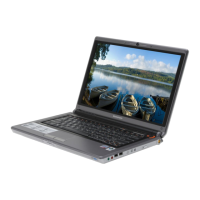
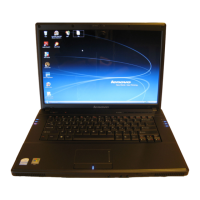
The Lenovo 3000 V200 is a portable computer designed for a range of users, from those needing basic computing to individuals requiring more advanced features for productivity and entertainment. Its design emphasizes ease of use, with several integrated features and software tools to enhance the user experience, simplify setup, and provide ongoing support.
The Lenovo 3000 V200 serves as a complete personal computing solution, allowing users to perform tasks such as document creation, internet browsing, multimedia consumption, and communication. It is equipped with a display, keyboard, and integrated pointing device, making it a self-contained unit. The computer runs an operating system that needs initial configuration, guiding the user through the setup process to personalize their experience.
The initial setup of the Lenovo 3000 V200 is designed to be straightforward. Users begin by installing the battery pack, which is pre-charged and ready for immediate use. Connecting the computer to a power source using the provided power cord and AC adapter ensures continuous operation and battery charging. The power button, typically located on the top right of the keyboard area, is used to turn the computer on. Once powered on, the system guides the user through configuring the operating system, a process that takes several minutes.
The computer features a built-in keyboard for text input and commands. Below the keyboard, a touch pad serves as the primary pointing device. Users can move the pointer by sliding their finger across the touch pad, and the integrated left and right buttons function like mouse buttons for clicking and selecting items.
For wireless communication, the Lenovo 3000 V200 includes Wireless LAN antennas, with some models featuring an additional third antenna for enhanced reception. A wireless radio switch allows users to quickly enable or disable wireless connections, conserving power when not needed. The Access Connections™ software further simplifies managing wireless environments, enabling seamless switching between wired and wireless networks and automatically handling security settings, printers, and location-specific preferences.
Certain models of the Lenovo 3000 V200 come with an integrated camera, facilitating video conferencing and capturing images. The computer also includes volume and mute buttons, providing quick control over audio output. For an enhanced multimedia experience, the "Instant on" button allows users to launch media applications even when the computer is powered off, providing quick access to entertainment.
The Fn key, located on the keyboard, works in combination with other keys to access special features and shortcuts. These include:
Some models of the Lenovo 3000 V200 are equipped with a fingerprint reader, offering an additional layer of security for user authentication and data protection.
The Lenovo 3000 V200 integrates several software tools designed to enhance usability, provide support, and manage system health:
The Lenovo 3000 V200 comes with a set of manuals to assist users with setup and maintenance. These include:
A significant maintenance feature is the absence of a physical recovery disc. All factory-installed files and applications are stored on the hard disk. The "Recovery options" section in the Service and Troubleshooting Guide provides detailed information on how to access and utilize these recovery features, ensuring users can restore their system to its original state if needed.
The initial unpacking instructions emphasize checking the contents against a list of expected items, including the computer, battery pack, power cord, AC adapter, and various manuals. Users are advised to contact their place of purchase if any item is missing or damaged, ensuring they have all necessary components for proper operation and maintenance.
In summary, the Lenovo 3000 V200 is designed as a user-friendly and robust portable computer, offering a blend of essential computing functions, convenient usage features, and comprehensive support tools to ensure a smooth and productive experience.
 General
| Battery Life | Up to 3 hours |
|---|---|
| Chipset | Intel 945GM |
| Memory | Up to 2GB DDR2 SDRAM |
| Display | 15.4" WXGA (1280 x 800) |
| Graphics | Intel GMA 950 |
| Hard Drive | 80 GB HDD |
| Optical Drive | DVD Burner |
| Operating System | Windows XP Home |
| Weight | 2.8 kg |
| Ports | 3 USB 2.0, VGA, Ethernet, Modem, Headphone, Microphone |
| CPU | Intel Core Duo |

 To Next Page