Chapter 1. Getting to know your computer
9
C
onnecting USB devices
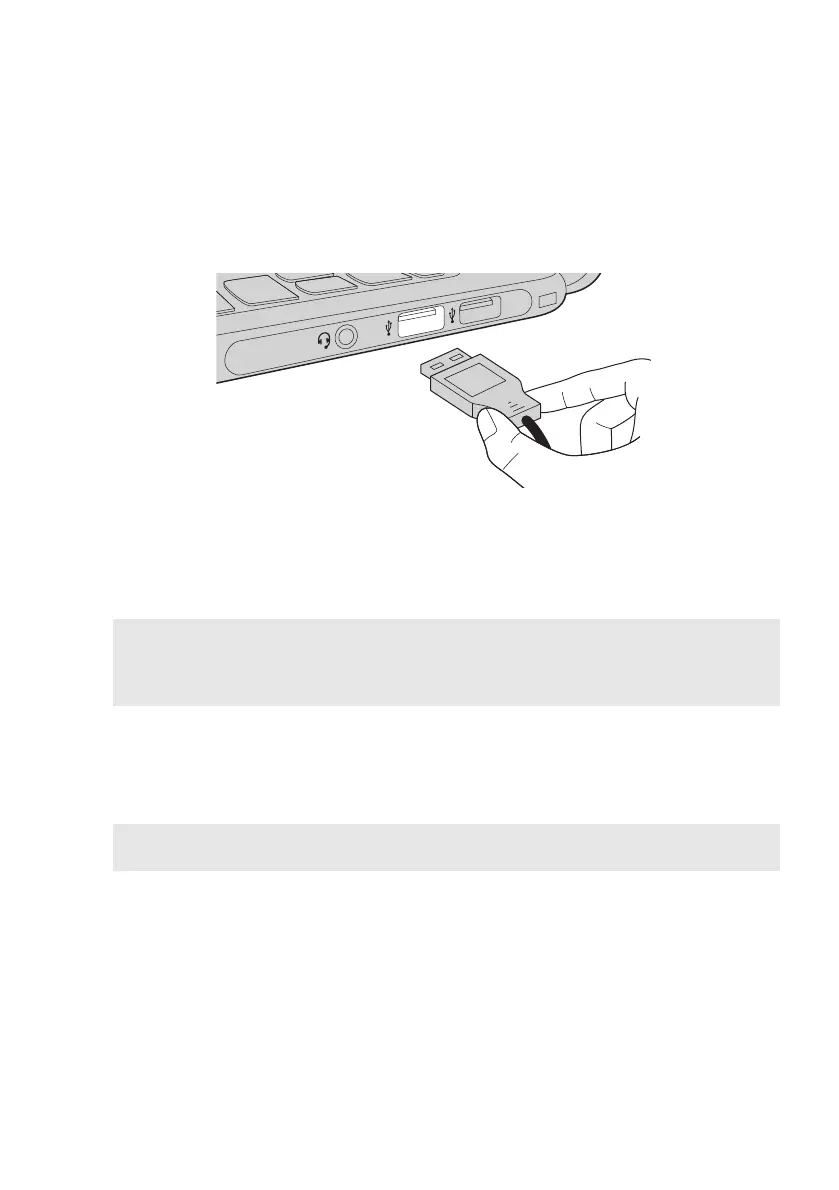
YoucanconnectaUSBdevicetoyourcomputerbyinsertingitsUSBplug
(TypeA)intotheUSBportonyourcomputer.
ThefirsttimeyouplugaUSBdeviceintoaparticularUSBportonyour
computer,Windowsautomaticallyinstallsadriverforthatdevice.Afterthe
driverhasbeeninstalled,youcandisconnectandreconnectthedevice
withoutperforminganyadditionalsteps.
Note: Typically,Windowsdetectsanewdeviceafterithasbeenconnected,andtheninstalls
thedriverautomatically.However,somedevicesmayrequireyoutoinstallthedriver
beforeconnecting.Checkthedocumentationprovidedbythedevice’smanufacturer
beforeconnectingthedevice.
BeforedisconnectingaUSBstoragedevice,makesureyourcomputerhas
finishedtransferringdatatothatdevice.ClicktheSafelyRemoveHardware
andEjectMediaiconintheWindowsnotificationareatoremovethedevice
beforedisconnecting.
Note: IfyourUSBdeviceusesapowercord,connectthedevicetoapowersourcebefore
connectingit.Otherwise,thedevicemaynotberecognized.


 To Next Page