Chapter 2. Starting to use Windows 10
17
Connecting to a wireless network - - - - - - - - - - - - - - - - - - - - - - - - - - -
Enabling wireless connection
Toenablewirelessfunctions,dooneofthefollowing:
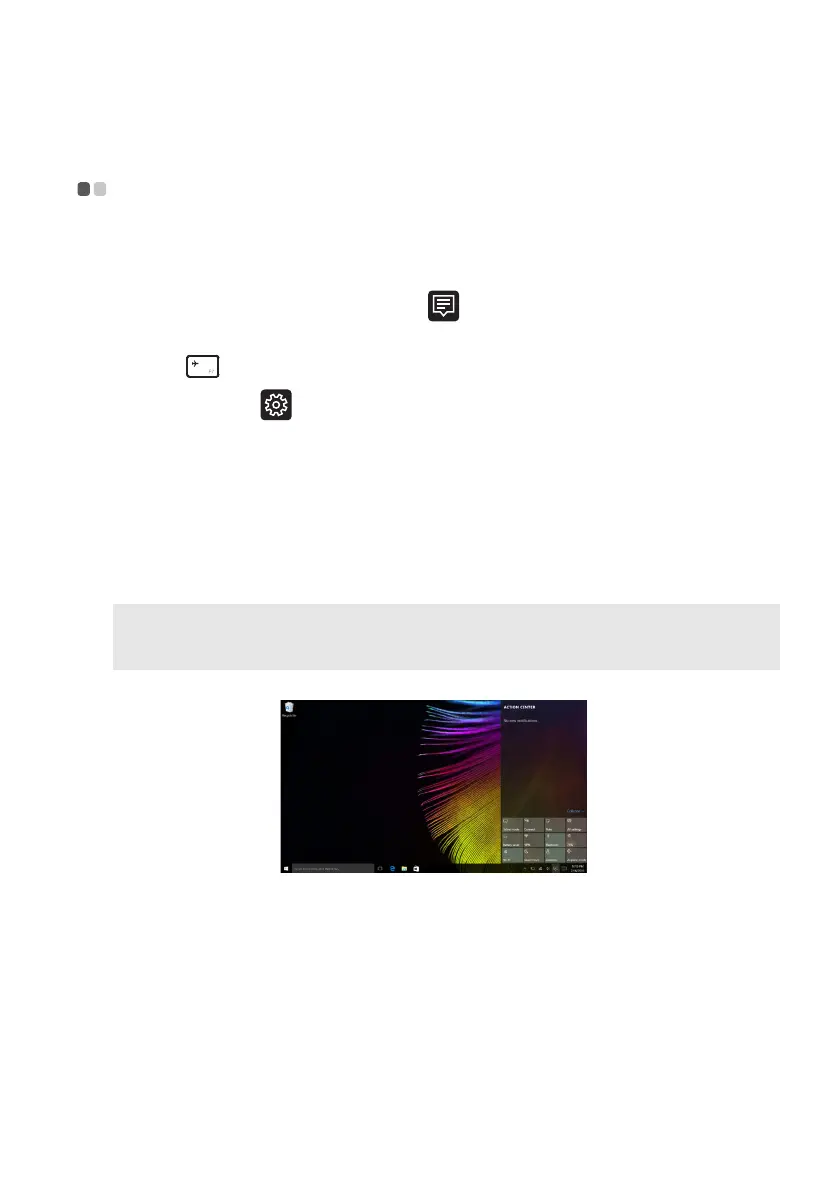
• ClicktheACTIONCENTERicon
inthenotificationarea,andthen
deselectAirplanemode.
•Press
todisableairplanemode.
• ClickSe
ttings Network&InternetAirplanemodetoopenthe
networkconf
igurationpage.ThentoggletheairplanemodeswitchtoOff.
Connecting to a wireless network
Afterwirelesshasbeenenabled,thecomputerwillaut omaticallyscanfor
availablewirelessnetworksanddisplaytheminthe wirelessnetworklist.To
connecttoawirelessnetwork,clickthenetworknameinthelist,andthen
clickConnect.
Note: Somenetworksrequireanetworksecuritykeyorpassphraseforconnection.To
connecttooneofthosenetworks,askthenetworkadministratorortheInternetservice
provider(ISP)forthesecuritykeyorpassphrase.


 To Next Page