Chapter 2. Starting to use Windows 10
16
Sh
utting down the computer
Ifyouarenotgoingtouseyourcomputerforalongtime,shutitdown.
Toshutdownyo
urcomputer,dooneofthefollowing:
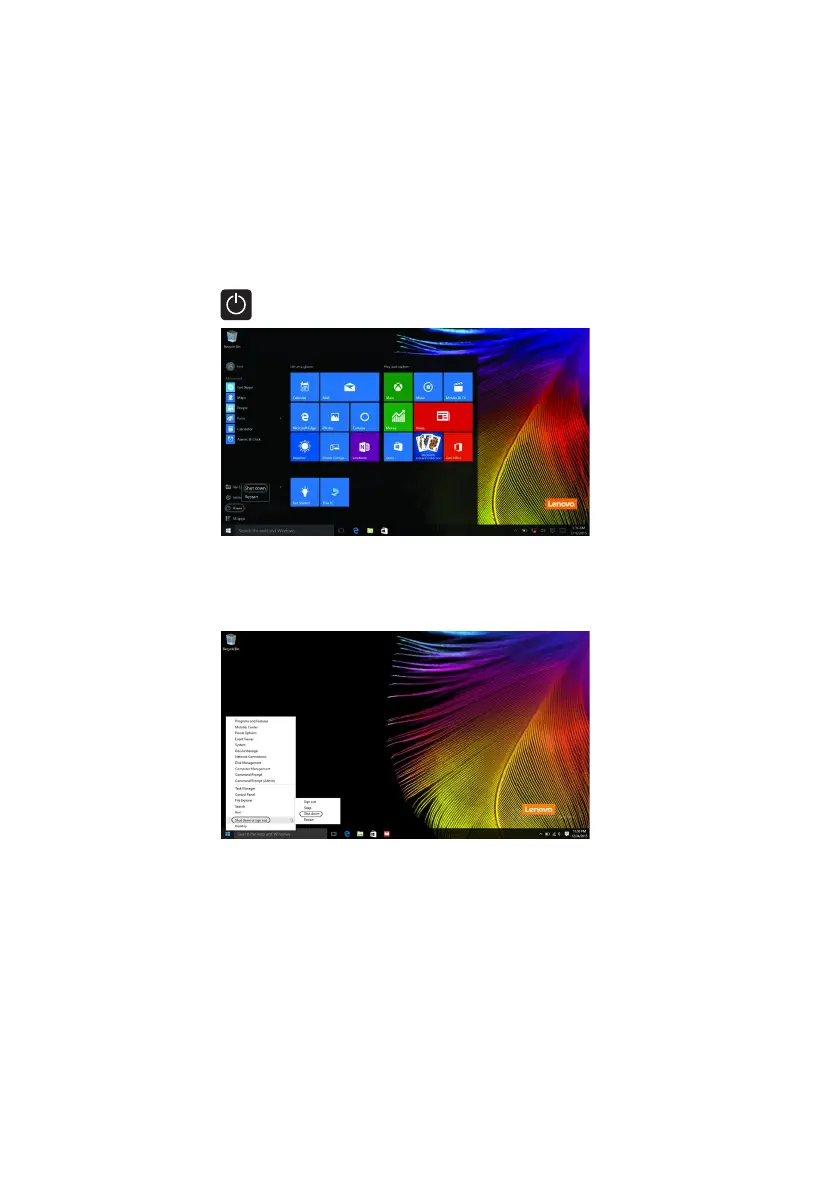
•Movethecur
sortothelower‐leftcorner,andthenselecttheStartbutton.
SelectPower Shutdown.
•Right‐clickthe Startbuttoninthelower‐leftcornerand selectShutdownor
signoutShutdown.



 To Next Page