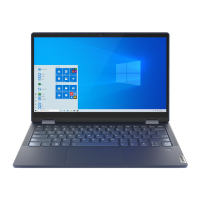
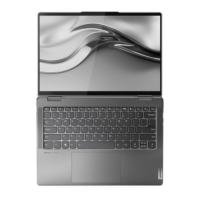
This document serves as a User Guide for the Lenovo Legion 5 Pro (16", 6) series of computers. It provides comprehensive information on the device's functions, technical specifications, usage, and maintenance.
Function Description
The Lenovo Legion 5 Pro is a high-performance computer designed for various tasks, including gaming, productivity, and multimedia. It features a robust design with multiple ports for connectivity and efficient cooling systems. The device supports Windows operating systems and includes pre-installed Lenovo applications like Lenovo Vantage and Lenovo PC Manager for system management and updates.
Key functions include:
- Wireless Connectivity: Equipped with a built-in wireless LAN (local area network) and Bluetooth module for sending and receiving radio waves.
- Power Management: Features a power button to turn the computer on/off or put it into sleep mode, and a power light that indicates the power status and currently activated performance mode (white for balance, red for performance, blue for quiet). The computer can also be turned on by flipping open the LCD screen if "Flip to Boot" is enabled.
- Input Devices: Includes a numeric keypad, a multi-touch touchpad, and a keyboard with hotkeys and function keys for quick settings and tasks.
- Display: Features a screen for displaying text, graphics, and videos, with adjustable display refresh rates.
- Camera and Audio: Integrated camera with a camera light and microphones for capturing still and moving images, video chatting, and recording sound/voice.
- Cooling System: Equipped with ventilation slots (inlet and outlet) to maintain optimal operating temperatures and dissipate internal heat.
- Security: Supports UEFI/BIOS passwords (Administrator, User, Master hard disk, User hard disk) and power-on password for enhanced security.
- Performance Modes: Allows users to switch between different performance modes (balance, performance, quiet) to optimize power consumption and performance.
- Windows Integration: Provides seamless integration with Windows settings, including Wi-Fi connectivity, airplane mode, night light mode, color temperature adjustment, and Windows Updates.
- Lenovo Software: Utilizes Lenovo Vantage and Lenovo PC Manager for product information, system status, device settings management, and driver/system updates.
- Novo Button Menu: Offers access to BIOS/UEFI setup utility, boot device selection, and Windows startup options (recovery drive, reset, advanced options) before the operating system starts.
- FnLock Switch: A switch that reverses the default and hidden functions of hotkeys, allowing users to choose between the F1 function or Mute/Unmute sound.
Important Technical Specifications
The Lenovo Legion 5 Pro series includes several models, each with specific machine types and configurations.
Model Names and Machine Types:
- Legion 5 Pro 16ACH6H: 82JQ
- Lenovo Legion 5 Pro 16ACH6H: 82JQ
- Legion 5 Pro 16ACH6: 82JS
- Lenovo Legion 5 Pro 16ACH6: 82JS
- Legion 5 Pro 16ITH6H: 82JD
- Lenovo Legion 5 Pro 16ITH6H: 82JD
- Legion 5 Pro 16ITH6: 82JF
- Lenovo Legion 5 Pro 16ITH6: 82JF
Dimensions:
- Width: 356 mm (14.02 inches)
- Depth: 264.2 mm (10.40 inches)
- Thickness: 21.7 mm (0.85 inches) for 16ACH6H/16ITH6H models, and 26.15 mm (1.03 inches) for 16ACH6/16ITH6 models.
AC Power Adapter:
- Input: 100 V ac–240 V ac, 50 Hz–60 Hz
- Output: 20 V dc, 15 A/20 V dc, 11.5 A
- Power: 300 W/230 W for 16ACH6H/16ITH6H models, and 230 V W/170 W for 16ACH6/16ITH6 models.
Battery Pack:
- Capacity: 80 Wh
- Number of cells: 4
- Note: Battery capacity is typical; actual capacity may vary based on test environment and other factors.
Microprocessor:
- To view microprocessor information, type "system information" in Windows search box.
Memory:
- Type: Double data rate 4 (DDR4) small outline dual in-line memory module (SODIMM)
- Number of slots: 2
Storage Device:
- Type: Solid-state drive
- Form factor: M.2 (2242 or 2280)
- Bus: PCI Express
Screen:
- Size: 406.4 mm (16 inches)
- Display resolution: 2560 × 1600 pixels (QHD model)
Connectors and Slots:
- USB-C® connector: Multi-purpose, supports USB data devices and display devices.
- USB-C (Thunderbolt™ 4 enabled) connector: Multi-purpose, supports USB data devices, display devices, and Thunderbolt-enabled docks/eGPUs. (Specific to Legion 5 Pro 16ITH6H, Lenovo Legion 5 Pro 16ITH6H, Legion 5 Pro 16ITH6, and Lenovo Legion 5 Pro 16ITH6 models).
- Combo audio jack: Connects to headphones or headsets with a 3.5 mm (0.14 inch), 4-pole plug. Does not support standalone external microphones.
- USB (3.2 Gen 1) Type-A connector: Connects to USB-compatible devices (keyboard, mouse, storage, printer).
- USB (3.2 Gen 1) Type-A connector (always-on): Can charge external devices even when the computer is off, in sleep, or hibernation mode.
- Ethernet connector: Connects to a local area network (LAN).
- HDMI™ connector: Connects to compatible digital audio/video devices or monitors (e.g., HDTV).
- Power connector: Connects to power with the included power cord and AC power adapter.
- USB-C connector (rear-side only): Supports power input up to 20 V and 5 A, power output up to 5 V and 3 A, and USB data transfer rate up to 10 Gbps for USB 3.2 Gen 2. Also supports DisplayPort 1.4 with maximum output resolution of 5120 x 3200 at 60 Hz frame rate and 24 bpp color depth.
- USB-C (Thunderbolt 4 enabled) connector (rear-side only): Supports power input up to 20 V and 5 A, power output up to 5 V and 3 A, up to 40 Gbps bi-directional data transfer rate in Thunderbolt mode. Also supports DisplayPort 1.4 with maximum output resolution of 5120 x 3200 at 60 Hz frame rate and 24 bpp color depth.
- USB (3.2 Gen 1) Type-A connector (2): Connects to USB-compatible devices.
USB Transfer Rates:
- USB 3.2 Gen 1: 5 Gbit/s
- USB 3.2 Gen 2: 10 Gbit/s
- Note: Actual transfer rates may vary depending on various factors.
Operating Environment:
- Maximum altitude (without pressurization): 3048 m (10,000 ft)
- Temperature:
- Operating: 5°C to 35°C (41°F to 95°F)
- Storage: 5°C to 43°C (41°F to 109°F)
- At altitudes above 2438 m (8000 ft): Maximum temperature when operating under unpressurized condition is 31.3°C (88°F).
- Note: When charging the battery, its temperature must not be lower than 10°C (50°F).
- Relative humidity:
- Operating: 8% to 95% at wet-bulb temperature 23°C (73°F)
- Storage: 5% to 95% at wet-bulb temperature 27°C (81°F)
Usage Features
- Camera Switch: Turn the camera on or off.
- Hotkeys: Use Fn key combinations to activate hidden functions such as mute/unmute sound, adjust volume, mute microphone, adjust screen brightness, switch display devices, turn airplane mode on/off, open Lenovo Vantage/PC Manager/app launch bar, bring up Novo Button menu, enable/disable touchpad, display thumbnails of open apps, open Calculator/Snipping tool, control media playback, and adjust keyboard backlight brightness/color/effect.
- FnLock Switch: Reverses the default and hidden functions of hotkeys, allowing for flexible use of F1 function or Mute/Unmute sound.
- Performance Mode Switching: Press Fn + Q to cycle through different performance modes.
- UEFI/BIOS Setup Utility: Access and modify system settings like boot order, security features, and power management options.
- Flip to Boot: Enable this feature to turn on the computer by simply opening the LCD screen.
- Always-On USB: Configure specific USB ports to provide power to external devices even when the computer is off.
- Windows Help Information: Access online Windows help via Get Help/Tips app or Microsoft support website.
- Lenovo Vantage/PC Manager: Utilize these applications for system health checks, driver updates, hardware settings, and warranty information.
- USB-C Power Input: The rear USB-C port can receive power input, allowing for flexible charging options.
Maintenance Features
- Ventilation Slots: Ensure ventilation slots are not blocked to prevent overheating.
- Software Updates: Regularly check for and install Windows Updates and driver updates via Lenovo Vantage/PC Manager or Lenovo Support website.
- Troubleshooting: Refer to frequently asked questions and self-help resources on the Lenovo support website for common issues.
- Liquid Spill Protocol: In case of a liquid spill, immediately unplug the AC power adapter and turn off the computer. Wait until the liquid is completely dry before turning it on again. Do not attempt to drain liquid by turning the computer over.
- Device Drivers and UEFI/BIOS: Obtain the latest device drivers and UEFI/BIOS updates from Lenovo Vantage/PC Manager or the Lenovo Support website.
- Reset or Restore Windows: Use Lenovo recovery options or Windows recovery options to reset or restore the operating system.
- Customer Replaceable Units (CRUs): Certain parts are designed to be replaced or upgraded by the customer (Self-service CRU) or by trained service technicians (Optional-service CRU). Lenovo provides CRUs with instructions and may require return of defective parts.
- Warranty Services: Lenovo offers problem determination, hardware repair, and engineering change management services during the warranty period. Additional services can be purchased.
- Hard Disk Password: Set a hard disk password in the UEFI/BIOS setup utility to protect data. Be cautious, as forgetting this password may lead to data loss and require replacement of the hard disk drive by authorized personnel.

 Need help?

 To Next Page
 General