
 Need help?
Do you have a question about the Lenovo A7010a48 and is the answer not in the manual?
Guide to initiating calls by dialing, using call log, or selecting contacts.
How to answer, reject, or silence incoming phone calls.
Steps to add new contact information to the phone.
Detailed steps for sending text and multimedia messages.
Explains basic camera functions like taking photos, recording videos, and flash modes.
How to navigate, view, zoom, and play media files in albums.
Guide to connecting to Wi-Fi networks.
Instructions for enabling and using mobile data.
Steps to reset the phone to factory default settings.
Crucial handling advice, warnings against water exposure, and care instructions.
Safety advice for using the phone while driving or cycling.
Warning about small parts posing a choking risk to children.
Precautions against using the phone in potentially explosive environments.
Advice regarding electromagnetic field interference with pacemakers and medical devices.
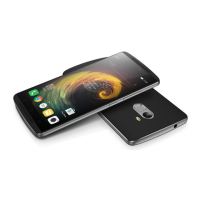
The Lenovo A7010a48 is a smartphone designed for communication, multimedia consumption, and various productivity tasks. It runs on a mobile operating system and offers a range of features to enhance user experience.
The primary functions of the Lenovo A7010a48 include making and receiving calls, sending and receiving text and multimedia messages, capturing photos and videos, browsing the internet, and managing contacts. It also supports various connectivity options such as WLAN, Bluetooth, GPS, and GLONASS. The device is equipped with a fingerprint sensor for quick and secure unlocking, and NFC for sharing content with other NFC-enabled devices.
The home screen serves as the central hub for accessing applications and widgets. Users can customize their home screens by adding, moving, or deleting screens. Widgets can be added to display information at a glance, and app folders can be created to organize applications. Applications can be uninstalled directly from the edit mode. Wallpapers can be changed from the gallery or by selecting a pre-installed option.
The phone features three main screen buttons:
The screen can be manually locked by pressing the On/Off button. To unlock, users swipe up from the bottom of the screen. The default locking method is a swipe, but users can configure other screen lock options like patterns, PINs, or passwords in the settings.
The Notification panel provides alerts for missed calls, new messages, and ongoing activities like file downloads. It can be accessed by swiping down from the top of the screen with one finger. Notifications can be dismissed individually by swiping left or right, or all at once. The Quick Settings panel, accessed by swiping down twice with one finger or once with two fingers, allows quick access to frequently used settings such as the WLAN switch.
When connected to a computer via USB, the Notification panel displays options for data transfer. Users can choose between:
Calls can be made manually by dialing a number, from the call log by tapping an entry, or by selecting a contact from the Contacts list. When receiving a call, users can answer or reject it by dragging the contact image. Calls can be silenced by pressing the volume buttons, the On/Off button, or by placing the phone face down. During a call, options such as adding another call, holding/unholding, muting, recording, displaying/hiding the dialpad, and turning the speaker on/off are available. The call log stores missed, outgoing, and received calls, and entries can be added to contacts.
Contacts can be created by entering information and saving it. Searching for contacts can be done by scrolling the list or by using the search function. The Contacts list includes an index for quick navigation. Existing contacts can be edited, and contacts can be deleted by pressing and holding an entry. The device supports importing contacts from storage and exporting contacts to storage.
The Messaging app allows users to send text and multimedia messages. Recipients can be entered by name or phone number, and matching contacts are displayed. Multimedia messages can include pictures or video clips. Messages can be searched by contact name, phone number, or message content. Individual or multiple messages can be deleted from conversation threads.
The Camera app is used for taking photos and recording videos. Users can choose different camera modes, flash modes, and use HDR (High Dynamic Range). It's possible to switch between front-facing and rear-facing cameras and configure other camera settings. Photos and videos are viewed in the Gallery app, where they can be grouped by time or location. Users can zoom in/out of photos, swipe to view next/previous media, and play videos. Photos and videos can be shared via various channels like Messaging or Bluetooth, either individually or in groups. Media can also be deleted from the Gallery.
Screenshots can be taken by simultaneously pressing and holding the power button and the volume down button. Screenshots are stored in the phone's internal storage and can be viewed in the Gallery's Screenshot album or through the File Browser.
The Chrome app allows internet browsing when connected to WLAN or a mobile network. Websites can be accessed by entering addresses or search keywords. While viewing web pages, users can refresh, navigate back/forward, and save images. Bookmarks can be added for quick access to frequently visited pages. Browser history can be cleared.
The Lenovo Phone should be handled with care to prevent damage. Avoid dropping, bending, or puncturing the device, and do not insert foreign objects or place heavy objects on it, as sensitive internal components can be damaged. The phone and its adapter should be kept away from water and other liquids.
The Lenovo Phone is a sealed unit with no end-user serviceable parts. Disassembly or modification will void the warranty. All internal repairs must be performed by a Lenovo-authorized repair facility or technician. The glass screen is fragile; if it chips or cracks, users should not touch the broken glass or attempt to remove it, and should contact Lenovo technical support for repair or replacement.
The internal battery can be recharged using an AC adapter or by connecting the phone to a computer or other USB 2.0 compliant devices via a USB cable. When charging with the AC adapter, the battery charges slowly if the display is on, but is supported. When charging via USB, power consumption is compensated, and the battery charges more slowly than usual, whether the display is on or off. Charging devices may become warm; adequate ventilation is necessary. The charging device should be unplugged if exposed to rain, liquid, excessive moisture, or if it shows signs of physical damage, or for cleaning. Only Lenovo-approved AC adapters and batteries should be used. The adapter should be easily accessible.
Clean the Lenovo Phone immediately if it comes into contact with substances that may cause stains, such as dirt, ink, makeup, or lotions. To clean:
Be aware of heat generated by the phone. Keep it away from hot or high-voltage environments. Use the phone within the temperature range of -10°C (14°F) to 35°C (95°F) to prevent damage. Parts of the phone may become hot during operation or charging, depending on system activity and battery charge level.
Do not delete unknown files or change the names of system files or directories, as this may cause the phone software to malfunction. Be aware of security risks when accessing network resources, such as computer viruses, hackers, spyware, and other malicious activities. Users are responsible for ensuring adequate protection with firewalls, antivirus, and anti-spyware software, and keeping it up to date. Keep electrical appliances away from the phone, as strong magnetic fields can damage the screen and data.
 General
| Processor | MediaTek MT6753 |
|---|---|
| CPU | Octa-core 1.3 GHz Cortex-A53 |
| GPU | Mali-T720MP3 |
| RAM | 2GB |
| Front Camera | 5 MP |
| Operating System | Android 5.1 (Lollipop) |
| SIM | Dual SIM (Micro-SIM, dual stand-by) |
| Network | GSM / HSPA / LTE |
| Weight | 160 g (5.64 oz) |
| Display | 5.5 inches, 1080 x 1920 pixels |
| Internal Storage | 16GB |
| Rear Camera | 13 MP |
| Dimensions | 153.6 x 76.5 x 9.2 mm |

 To Next Page