Need help?
Do you have a question about the Lenovo B50-70 and is the answer not in the manual?
Follow general safety rules to ensure safety during maintenance procedures.
Observe rules for working on electrical equipment to prevent hazards.
Checklist to identify potential unsafe conditions before servicing the computer.
Guidelines for protecting sensitive electronic components from ESD damage.
Information on electrical grounding for operator safety and system function.
Safety notices provided in multiple languages for user understanding.
Compliance statement regarding laser products used in optical drives.
Guidelines for planning and executing FRU replacements.
Procedure for replacing a hard disk drive, including data backup.
Precautions for handling sensitive system boards to prevent damage.
Information regarding RoHS compliance for replacement parts.
Information on recovering computer settings using recovery media.
Details on power-on, hard-disk, and supervisor passwords.
Explanation of power management modes like sleep and hibernation.
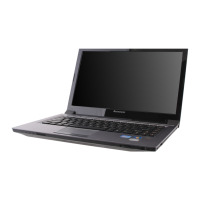
Technical specifications for the Lenovo B50 series laptops.
Explanation of system status indicators and their meanings.
List of functions accessed via Fn key combinations.
Description of system settings accessible via hotkeys.
Important notices and precautions for FRU replacement.
Step-by-step guide for removing and replacing Field Replaceable Units.
Diagrams showing the location of various computer components.
Comprehensive list of parts and their compatibility with different models.
 General
| RAM | Up to 16 GB DDR3L |
|---|---|
| Processor | Intel Core i3/i5/i7 |
| Display | 15.6 inch HD (1366 x 768) or FHD (1920 x 1080) |
| Storage | 500GB/1TB HDD or 128GB/256GB SSD (depending on model) |
| Graphics | Integrated Intel HD Graphics or AMD Radeon R5 M230 |
| Operating System | Windows 8.1 |
| Weight | 2.32 kg (5.1 lbs) |
| Battery | 4-Cell Li-Ion |
| Optical Drive | DVD-RW (depending on model) |
| Connectivity | Wi-Fi 802.11 b/g/n, Bluetooth 4.0 |
| Ports | 1 x USB 3.0, 2 x USB 2.0, HDMI, VGA, RJ45, 4-in-1 Card Reader (SD, SDHC, SDXC, MMC), Audio Combo Jack |


 To Next Page