Chapter 1. Meet your computer
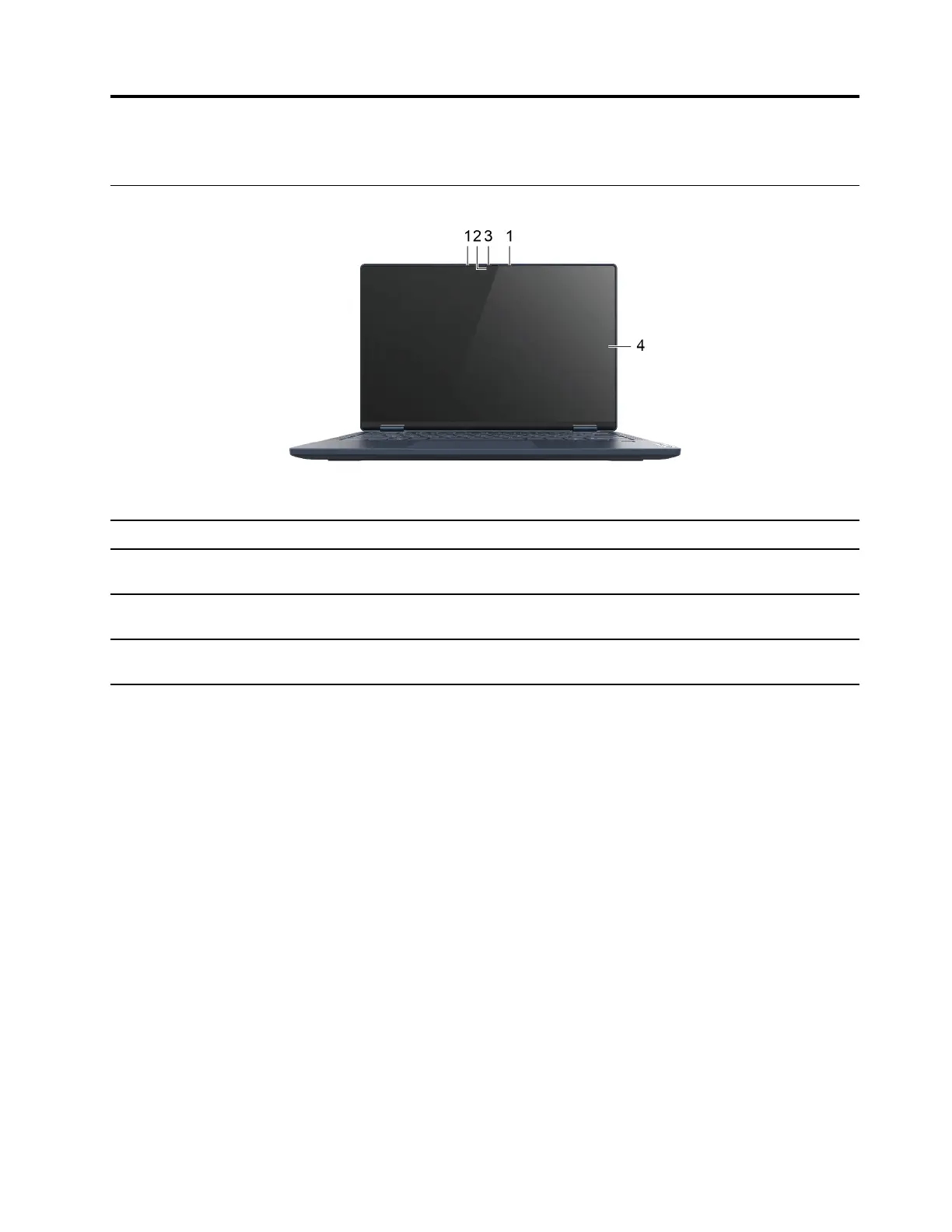
Front
1. Microphones
Capture or record sound and voice.
2. Camera Capture still and moving images for taking photos, recording videos,
and video chatting.
3. Camera cover slider
Move the slider to cover or uncover the camera lens.
Note: The camera cover helps you better protect your privacy.
4.Multi-touch screen Display text, graphics, and videos and supports multi-touch function.
See “Use the multi-touch screen” on page 17.
© Copyright Lenovo 2020 1







 To Next Page