
 Need help?
Do you have a question about the Lenovo E1 and is the answer not in the manual?
Guide to download and install the companion app for the smart watch via QR code.
Instructions on how to charge the device for the first time to activate it.
Steps to connect the smart watch to your smartphone via the app.
Tracks steps, calories, and distance, resetting at midnight.
Monitors sleep duration and quality, resetting at 8:00 PM.
Measures heart rate and displays data from the last 7 times.
Starts new training recording with 8 sport modes available.
Measures blood pressure and displays data from the last 7 times.
Measures SpO2 levels and displays data from the last 7 times.
Displays current and tomorrow's weather information synced via the app.
Syncs incoming notifications from social media and apps; stores last 3 messages.
Allows remote control of the phone's camera for taking pictures.
Enables remote control of the music player on the connected smartphone.
Includes stopwatch, brightness, mute mode, factory reset, and power options.
Starts and stops timing with a long press on the stopwatch page.
Set alarms via the app; the device vibrates to remind you on time.
Vibrates to remind users to relax after an hour of sitting.
Details water-resistance, suitable workouts, and drying instructions.
Explains single tap to wake/switch and long press for more functions.
Enables checking time/messages by turning the wrist without tapping.
Operating and non-operating temperature ranges for the device.
Specifies the wrist circumference range the device fits.
Consumer responsibility for proper electronic waste disposal and recycling.
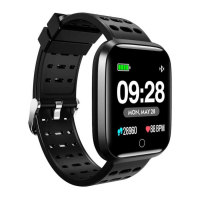
The Lenovo E1 Smart Watch is a versatile wearable device designed to track various health and fitness metrics, provide notifications, and offer convenient controls for your smartphone. It is accompanied by a user guide available in both English and Italian, with an associated app that can be downloaded by scanning a QR code provided in the manual.
The Smart Watch serves as a comprehensive personal activity tracker and notification hub. It automatically tracks steps taken, calories burned, and distance traveled, with daily movement statistics resetting at midnight. For sleep monitoring, the device records hours slept and sleep quality, with sleep statistics resetting at 8:00 PM. Health monitoring features include heart rate, blood pressure, and SpO2 (blood oxygen saturation) tests, which can be initiated by long-pressing on the respective pages. The device stores the last 7 measurements for these health metrics.
Beyond health tracking, the Smart Watch offers several smart features. It can display current and tomorrow's weather information, which is synced with the app and requires a connection to stay updated. For communication, it syncs incoming notifications from various social media platforms like Twitter, Facebook, Whatsapp, and Instagram, storing up to 3 recent messages. Users can manage notification preferences through the app. The watch also functions as a remote shutter for your phone's camera and a music player controller, allowing you to manage media playback directly from your wrist. Additional utilities include a stopwatch, brightness adjustment, mute mode, factory reset option, and power on/off control. It also features silent alarms that vibrate to remind you on time, and a "Remind to Move" feature that vibrates after an hour of inactivity, both configurable via the app.

 To Next Page
 General