Need help?
Do you have a question about the Lenovo HX106 and is the answer not in the manual?
Key technical details including model, Bluetooth version, battery, distance, and performance metrics.
Step-by-step instructions for connecting the headset via Bluetooth to devices.
Guidance on charging the headset, including indicator behavior and power requirements.
Details on button operations for music control, call management, and language settings.
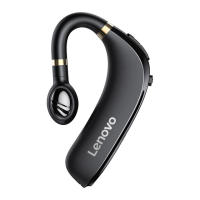
The Lenovo HX106 Business Bluetooth Headset is a sleek and functional audio device designed for business professionals and everyday users seeking a reliable and comfortable hands-free communication solution. This single-ear headset offers a blend of practicality and modern design, making it suitable for calls, music, and other audio playback. Its ergonomic shape is crafted to fit securely and comfortably in the ear, ensuring stability during extended periods of use. The headset's primary function is to provide wireless audio connectivity, allowing users to make and receive calls, listen to music, and interact with their device's voice assistant without the need for cumbersome wires.
One of the key usage features of the Lenovo HX106 is its intuitive control layout. The headset is equipped with an On/Off button, which serves as the primary power control. Adjacent to this, there are volume down and up buttons, which also double as controls for navigating between previous and next tracks during music playback. An LED light provides visual feedback on the headset's status, such as pairing mode or charging. A multifunction button is central to many operations, enabling users to answer or end calls, play or pause music, and perform other context-sensitive actions. For charging, the headset features charging contacts designed for a charging box (not explicitly detailed but implied by the contacts) and a standard USB charging interface, offering flexible charging options.
The pairing process for the Lenovo HX106 is straightforward and user-friendly. To initiate pairing, the headset must be turned on, at which point the LED indicator will flash red and blue, signaling that it is in pairing mode. Users then enable Bluetooth on their mobile device, search for the headset, and connect to it. A notable feature is the ability to connect the headset to two phones simultaneously. This is achieved by first pairing with the initial phone, then temporarily disabling Bluetooth on that phone, and proceeding to pair with the second phone. Once the second phone is connected, re-enabling Bluetooth on the first phone will allow it to connect to the headset as well, providing seamless switching between two devices. This dual-device connectivity is particularly useful for professionals who manage both a personal and a work phone.
Beyond basic connectivity, the headset offers a range of commands to enhance user experience. For music control, users can press and hold the volume down button to skip to the previous song, or press and hold the volume up button to advance to the next song. Call management is equally intuitive: a single click of the multifunction button allows users to answer or end a call. If an incoming call needs to be rejected, a double-click of the multifunction button will achieve this. The multifunction button also controls music playback, with a single click serving to play or pause a song. For users who require language switching, the headset supports a Chinese-English language change, which can be activated by pressing and holding both the multifunction button and the volume buttons simultaneously. These commands are designed to provide comprehensive control over audio and call functions directly from the headset, minimizing the need to interact with the connected device.
Maintenance of the Lenovo HX106 primarily revolves around its charging. The headset incorporates a built-in rechargeable battery, and it is strongly recommended to fully charge the device before its initial use to ensure optimal battery performance and longevity. During the charging process, the LED indicator will illuminate blue, providing a clear visual cue that the headset is receiving power. Once the battery is fully charged, the indicator will turn off, signaling that charging is complete and the headset is ready for use. To ensure safe and efficient charging, it is crucial to use a charger that provides a DC 5V/1A output. Adhering to this specification helps protect the battery and the headset's internal components from potential damage due to incorrect power input. Regular charging according to these guidelines will help maintain the headset's battery life and overall operational efficiency, ensuring it remains a reliable tool for communication and entertainment. The robust design, coupled with these simple maintenance practices, contributes to the headset's durability and long-term usability.
 General
| Brand | Lenovo |
|---|---|
| Model | HX106 |
| Connectivity | Wireless |
| Wireless Technology | Bluetooth |
| Bluetooth Version | 5.0 |
| Microphone | Yes |
| Charging Time | 2 hours |

 To Next Page