1
2
1
2
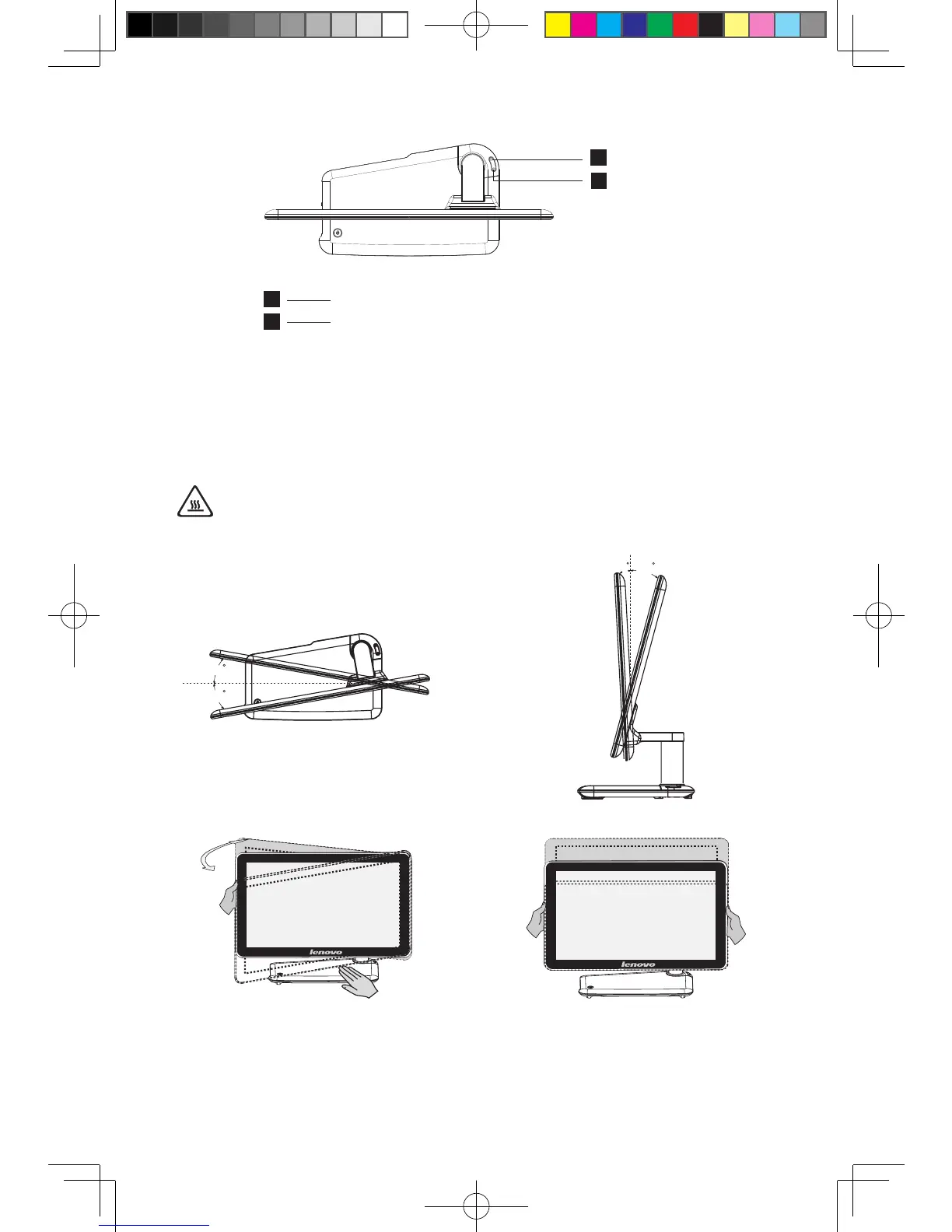
Bluetooth connect button
Mode switch button (Selected models only)
1.3 Computer stand
Adjust the angle for the best viewing experience. It can be rotated from horizontal
or vertical.
The stand provides stability to the computer; it is not a removable part.
Attention: The computer stand must remain installed at all times to
ensure maximum system stability.
10
10
T
V
3
18
Adjust the panel angle for the best
viewing from the vertical.
Do not only use one hand to adjust the panel
an
le to avoid the computer fallin
over.
Adjust the panel angle for the best
viewing from the horizontal.
31044343_A3_UG_EN_V2.0.indd 4 2010.5.20 10:59:18 AM








 To Next Page