• Do not make the internal storage drive subject to physical shocks or vibration. Put the internal storage
drive on a soft material, such as cloth, to absorb physical shocks.
Replacement procedure
1. Turn off the computer and remove all connected devices and cables.
2. Place a soft, clean towel or cloth on the desk or surface. Hold the sides of your computer and gently lay
it down so that the computer cover is against the surface and the screen is facing up.
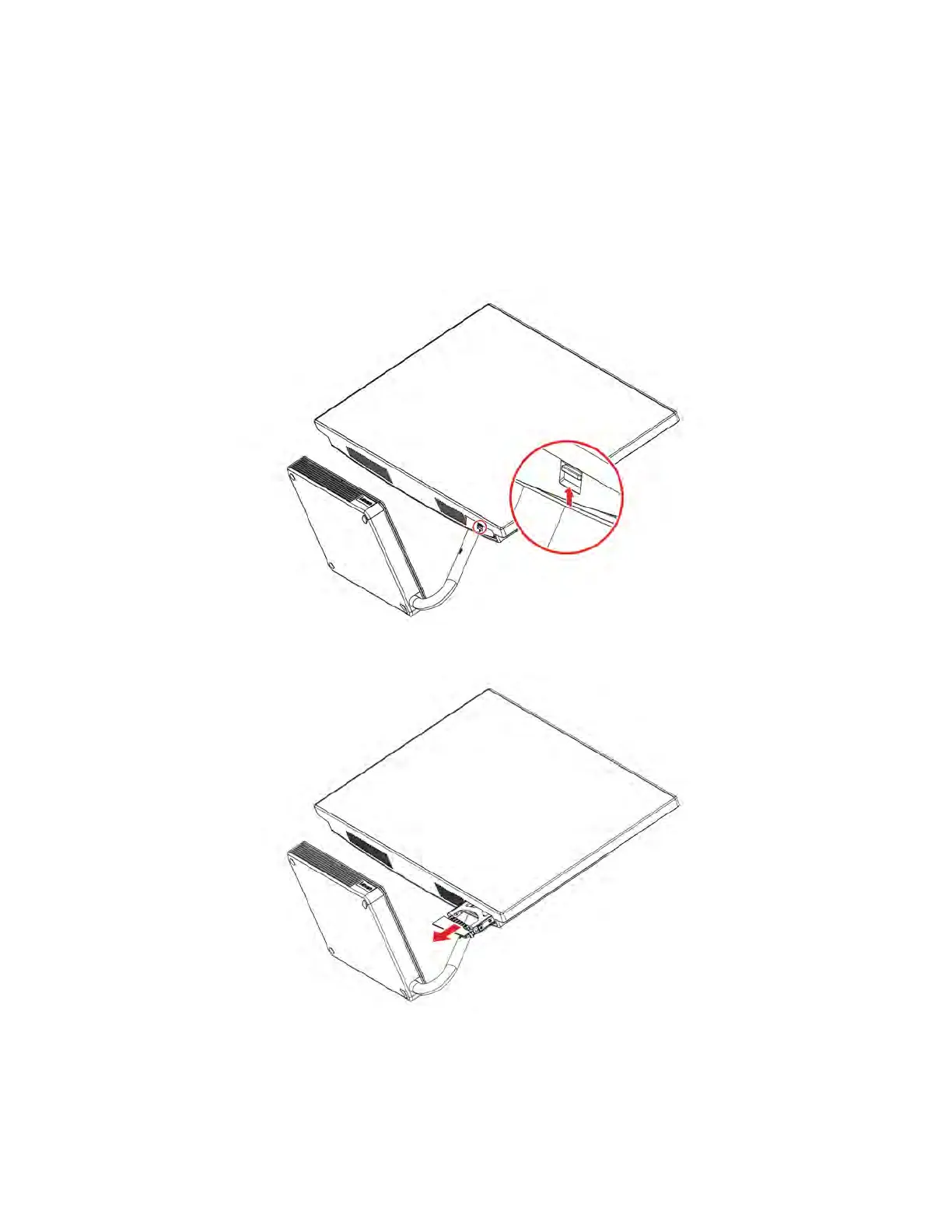
3. Push the latch to unlock the storage drive door.
4. Pull the storage drive and the bracket out.
5. Remove the storage drive from the bracket.
34
IdeaCentre A540 Series User Guide










 To Next Page