Basics
Before using this information and the product it supports, be sure to read the following:
Quick Start Guide
Regulatory Notice
Appendix
The Quick Start Guide and the Regulatory Notice have been uploaded to the website at
http://support.lenovo.com.
Lenovo Companion
Looking for help? The Lenovo Companion app can offer you support for getting direct access
to Lenovo's web assistance and forums*, frequent Q&A*, system upgrades*, hardware function
tests, warranty status checks*, service requests**, and repair status**.
Note:
* requires data network access.
** is not available in all countries.
You have two ways to get this app:
Search for and download the app from Google Play.
Scan the following QR code with a Lenovo Android device.
Technical specifications
This section lists the technical specifications about wireless communication only. To view a
full list of technical specifications about your phone, go to http://support.lenovo.com.
Data
FDD-LTE/TDD-LTE/WCDMA/GSM
Note: In some countries, LTE is not supported. To know if your smartphone
works with LTE networks in your country, contact your carrier.
WLAN WLAN 802.11 a/b/g/n/ac, 2.4 GHz and 5 GHz Dual Band
Bluetooth Bluetooth 4.1
GPS Supported
GLONASS Supported
NFC Supported
Screen buttons
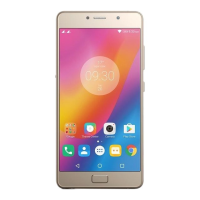
There are three buttons on your home screen.
Multitask button: Press and hold to display menu options. Tap the Multitask button to
see the apps that are running. Then you can do the following:
Tap an app to open it.
Tap to lock the app or tap to unlock it.
Tap to stop running the app.


 To Next Page