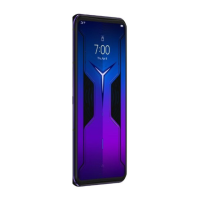
Step 3. Carefully insert the card tray with the installed
cards back into the slot.
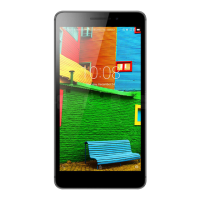
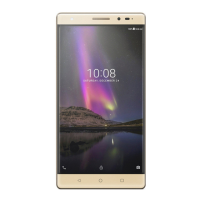
Install the Micro-SIM and the microSD cards as shown.
Only Micro-SIM card works with your device.
Do not insert or remove the Micro-SIM card while your device is on. Doing so can
permanently damage your Micro-SIM card or device.
Preparing your device
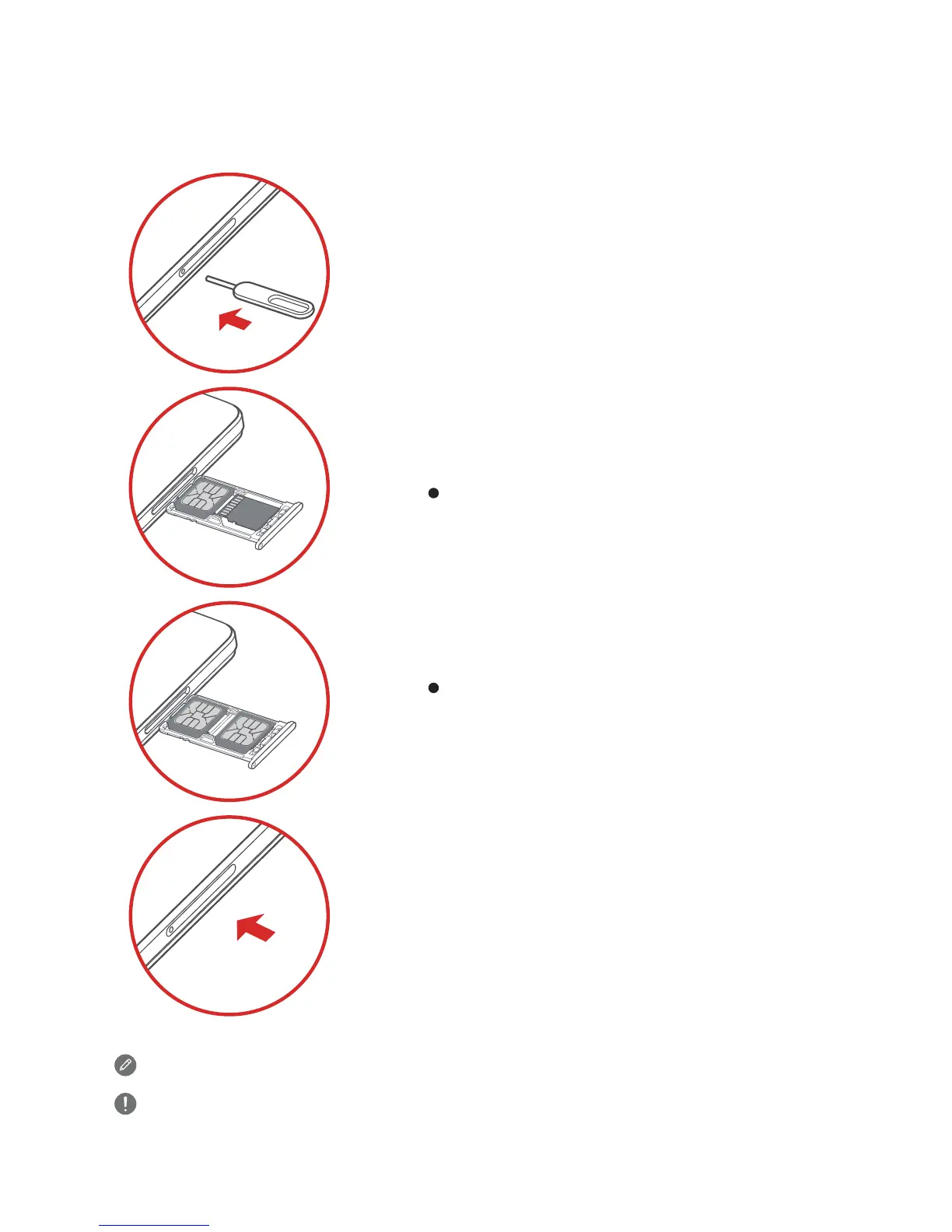
Step 1. Insert the eject tool that comes with your device
into the hole in the card tray.
Step 2.
Position the Micro-SIM and microSD cards
into the corresponding card slot.
Position the Micro-SIM1 and Micro-SIM2
cards into the corresponding card slot.
Pull out the card tray and do one of the following:


 To Next Page