
 Need help?
Do you have a question about the Lenovo Slim Pro 9i and is the answer not in the manual?
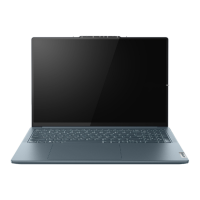
Detailed description of the computer's front components and their functions.
Overview of the computer's base components and their functions.
Details on connectors and ports located on the left side of the computer.
Details on connectors and ports located on the right side of the computer.
Description of components located on the bottom of the computer.
Comprehensive list of the computer's hardware features and technical specifications.
Information regarding actual USB data transfer rates and their variability.
Recommended temperature and humidity ranges for operating and storing the computer.
Safety precautions related to the laser in the ToF sensor.
Warning against prolonged direct contact with hot computer surfaces.
Basic steps and settings for using the Windows operating system.
Using Lenovo software, accessing help, and utilizing the Novo Button menu.
Using hotkeys and touch operations for interacting with the computer.
Introduces various smart features like Eye Care, Smart Key, Presence Detection, etc.
Details on managing power, battery modes, and charging optimization.
Adjusting display refresh rate, system operation modes, and BIOS settings.
Common questions and answers for troubleshooting and user support.
Guidance on handling computer freezes, liquid spills, and driver updates.
Explanations for screen brightness changes and automatic startup when opening the lid.
 General
| RAM | Up to 32GB LPDDR5 |
|---|---|
| Storage | Up to 1TB PCIe SSD |
| Battery | Up to 75Wh |
| Refresh Rate | Up to 165Hz |
| Color Gamut | 100% DCI-P3 |
| Wireless | Wi-Fi 6E, Bluetooth 5.1 |
| Processor | Up to 13th Gen Intel Core i9 |
| Display | 14.5" or 16" |
| Graphics | Up to NVIDIA GeForce RTX 4050 |
| Operating System | Windows 11 |
| Resolution | 3072 x 1920 (14.5") / 3200 x 2000 (16") |
| Brightness | 400 nits |
| Camera | 1080p IR Camera |
| Audio | Dolby Atmos speakers |
| Ports | 1 x USB-A |



 To Next Page