2
Getting started
1.
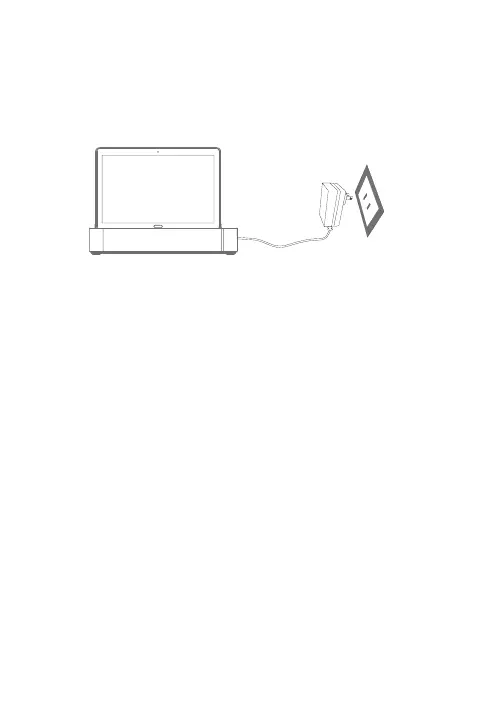
A
ttach your tablet to the Lenovo Smart Dock.
2.
Plug
the power adaptor into the Lenovo Smart Dock and then into a
power outlet.
Connecting your tablet to your Lenovo Smart
Dock via bluetooth
1.
P
ress and hold the bluetooth button in the Lenovo Smart Dock.
2. Complete Bluetooth pairing on your tablet.
Talking to your Lenovo Smart Tab
1. Login your amazon account.
2. Say “Alexa” to get your device’s attention.







 To Next Page