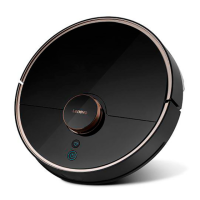
The Lenovo Smart Robot Vacuum Cleaner T1 is designed for automated floor cleaning in home environments. It is not intended for outdoor use, non-ground surfaces like sofas, or commercial/industrial settings. The device should not be used in suspended environments without protective fencing, or in temperatures outside the 0°C to 40°C range, nor with liquids or viscous substances.
Before operation, it is crucial to clear the floor of cables, fragile items, and sundries to prevent entanglement or damage. The robot vacuum is not a toy and should not be operated by individuals with reduced physical, mental, or cognitive abilities, including children, without supervision. Children and pets should be kept away from the robot while it is working, and the main brush cleaning tool should be stored out of reach of children. Users should keep body parts, pet hair, and fingers away from the suction inlet during operation.
The robot is not designed to clean burning objects (like un-extinguished cigarettes) or hard/sharp objects (such as decoration waste, glass, or steel nails). It should not be moved by holding the laser distance sensor cover, the machine cover, or the impact bumper. Before cleaning or maintaining the machine and its charging base, the device must be shut down or powered off. No part of the product should be wiped with a wet cloth or liquid. The mopping module should not be used on carpets.
Users are responsible for any loss or damage resulting from improper use. The product should not be incinerated, even if severely damaged, as the internal battery may explode.
Battery and Charging:
Only use the provided batteries, chargers, and charging bases. Do not disassemble, repair, or modify the battery or charging base. The charging base should be kept away from heat sources. Do not clean the charging base clips with wet cloths or hands. Inactive batteries should be disposed of at professional recycling facilities. If the power wire is broken, discontinue use immediately and contact customer service. For transport, the machine should be turned off and packed in its original packaging.
Main Machine Features:
The main machine includes a laser distance sensor, speaker, TOF sensor for walls and infrared auxiliary charger, laser head cover, laser head cover pressure sensor, infrared auxiliary charger sensor, infrared charger sensor, infrared anti-collision sensor, collision sensor, dust box, dust box opening button, and vent outlet. The underside features a driving wheel, rolling brush, docking electrode slice for dust collecting, docking electrode slice for charging, universal wheel, cliff sensor, and side brush.
- Partial cleaning button: Short press to initiate partial cleaning.
- Charging button: Short press to activate the charging function.
- Cleaning/Power button: Short press to activate cleaning, long press to power on or off.
- Reset WiFi: Press and hold both the Partial cleaning button and the Charging button for more than 3 seconds.
- Forced Power-off button: Short press to power off.
Any button press will pause the robot during cleaning, charging, or partial cleaning.
Installation:
Charging Base Installation:
Place the charging base on a flat surface against a wall. Ensure there is at least 1.2 meters of clear space in front of the base and 0.5 meters on both sides. Long press the Power button to turn on the machine. Press the Charging button, and the machine will automatically find the charging base. The power button's color indicates battery level: white for >15% and orange breathing light for <15%. If the power is insufficient, the robot may not turn on; dock it on the charging clip, and the orange light will stay on during charging.
Dust Collector Installation (Optional):
Place the dust collector at least 0.06 meters away from the wall on a flat surface. Ensure 1.2 meters of clear space in front and 0.5 meters on both sides. If both the charging base and dust collector are used, place them in different rooms to avoid interference.
Connecting to Mobile Client (APP Control):
- Download APP: Search "Lenovo Cleaner T1" in your device's app store (Apple App Store or Google Play).
- Register: Open the app and register or log in.
- Enter Network Distribution Status: Place the cleaner on the ground, then press the Charging button and Partial cleaning button for more than 3 seconds. The orange indicator flashing slowly confirms it's in network distribution status.
- WiFi Network Configuration: Ensure your phone is connected to a 2.4GHz WiFi network (5GHz is not supported). If your WiFi has no password, set one before connecting. WiFi name and password should not include English double quotes.
- Add Device: In the app, click "Add Device."
- Android: Input WiFi name and password, click "Next Step," select the cleaner's hotspot, click "Next Step." The cleaner will automatically connect. If it fails, retry.
- Apple iPhone: Connect to home WiFi, input WiFi name and password, click "Next Step." Switch to your phone's WiFi settings, select the cleaner's hotspot. Return to the app and connect. Once connected, the cleaner starts network distribution, and you can control it via the app.
Mopping Module Installation and Removal:
- Install Mop: Wet the mop, wring out excess water until no drops fall, then firmly attach it to the mopping module.
- Fill Water Tank: Open the water tank cover, fill with water, and re-install. Use floor cleaners or disinfectants cautiously, as some may block the filter element.
- Install Module: Push the mopping module's joint parallel along the back of the machine until it clicks into place.
- Remove Module: Stop the machine, press the joints on both sides inward, and pull the mopping module backward to remove it.
Important Mopping Notes:
- Do not use the mopping function when no one is home.
- Set restricted areas in the app if you have carpets.
- Clean the mop every 30 minutes for optimal water effluent speed and cleaning.
- When charging or not in use, remove the mopping module, empty the water tank, and clean the mop to prevent mildew or odor.
- If the charging base is on a wooden floor, remove the mopping module promptly to avoid floor soaking.
Operating Instructions:
Power On/Off:
Long press the Power button to turn on. The indicator will slowly illuminate, and the machine enters standby. Long press again to power off, and the white light will slowly extinguish. The machine cannot be shut down while charging.
Pause:
Press any button during operation to pause. Pressing the Power button again resumes cleaning. Pressing the Charging button sends the robot to charge and ends cleaning. Pressing the Partial cleaning button initiates partial cleaning. If the machine is manually moved to the charger base during a pause, cleaning will end.
Charge:
- Automatic: After cleaning, the machine automatically returns to the charging base.
- Manual: In pause state, press the Charging button to start charging. The orange indicator of the power button stays on during charging, and a white breathing indicator appears when fully charged.
Note: If cleaning doesn't start from the charging base or dust collector, auto-charging may fail. Manually return the machine to the charging base or dust collector.
Cleaning Modes:
- Whole House Cleaning: Press the Power button to start. The robot scans the room, creates a map, and intelligently zones it. It cleans along walls, plans a zigzag path for each zone, and covers all areas efficiently. After cleaning, it returns to the charging base.
- It's recommended to start cleaning from the charging base or dust collector.
- If the battery is too low, charge it first.
- If power is insufficient during cleaning, the robot returns to charge and resumes from the break-off point when fully charged.
- Tidy up wires on the ground to prevent entanglement.
- Partial Cleaning: From standby or pause, press the Partial cleaning button. The robot cleans a 1.6m x 1.6m square area centered on its current position, then returns to the starting point and stops. Starting partial cleaning during a pause ends the previous task.
- Adding Water/Cleaning Mop During Cleaning: Press the Power button to pause, remove the mopping module, add water or clean the mop, re-install, and press Power to resume.
- Fault Condition: If an abnormality occurs, the power button indicator flashes orange, and a voice prompt sounds. Refer to the "Troubleshooting" section for solutions. If left unattended for 10 minutes, the machine will sleep.
- Sleep Mode: After 20 minutes of inactivity, the machine enters sleep mode. The breathing light turns off. Press any button to activate. It does not sleep while charging. If the battery is low during sleep, it will shut down.
- Reset WiFi: If router configuration changes, password is forgotten, or the phone fails to connect, press and hold the Partial cleaning and Charging buttons until "Reset WiFi" is announced. Then, follow the WiFi connection steps.
- Whole House Cleaning (App): Click "Whole house cleaning" in the app.
- Room Cleaning (App): Click "Room cleaning," add/set rooms, select, and execute.
- Fixed Location Cleaning (App): Select a target location; the machine plans a route and goes there.
- Zoning Cleaning (App): Designate an area on the mobile phone for cleaning.
- Standard Mode: Default mode. Quiet, automatic, powerful, and mop-only modes are available in the app.
Routine Maintenance:
Main Brush (Weekly Recommended):
- Turn over the machine, press the fastener, and remove the main brush cover.
- Remove the main brush and clean its bearing.
- Use the cleaning tool to cut and remove tangled hair.
- Re-install the main brush and cover, then fix the fastener.
Replacement is recommended every 6-12 months.
Side Brush (Weekly Recommended):
Use a screwdriver to unscrew and clean the side brush. Replacement is recommended every 3-6 months.
Battery:
The machine has a high-performance rechargeable lithium battery. Keep it charged daily to maintain performance. If storing for a long time, shut down and charge every three months to prevent over-discharge.
Dust Box and Filter Screen (Weekly Recommended):
- Press the dust box release button to remove it.
- Open the dust box fastener.
- Empty the garbage.
- Open the dust box cover and remove the mesh cover and filter screen (HEPA).
- Shake garbage off the filter.
- Fill the dust box with clean water, close, shake, and pour out dirty water. Repeat until clean.
Filter replacement is recommended every 3-6 weeks.
Mop (After Each Use Recommended):
- Remove the mop from the mopping module.
- Clean the mop and air dry.
Ensure the mop is washed after removal to prevent dirty water from clogging the filter. If the mop is too dirty, clean it before use. Mop replacement is recommended every 6-12 months.
Machine Sensor:
Wipe sensors with a soft, dry cloth:
- Four cliff sensors at the bottom.
- Wall sensor on the right side.
- Charging docking electrode slice at the bottom.
- Dust collecting electrode slice at the bottom.
- Infrared auxiliary charger sensor.
Filter Element Part (Replacement Every 1-3 Months Recommended):
- Remove the old filter element from the left and right notches.
- Install the new filter element, ensuring it's in place.
Replacement frequency depends on water quality and usage.
Universal Wheel (Monthly Cleaning Recommended):
- Turn over the machine and pull out the universal wheel.
- Clean hair and dirt from the wheel and axle.
- Re-install the wheel, pressing firmly.
Tap water can be used for cleaning. Re-install after drying.
Charging Base (Monthly Cleaning Recommended):
Wipe the charging clip with a soft, dry cloth.
Firmware Update:
Firmware can be updated via the mobile app. Connect to the charging base, ensure battery is >15%. During update, the power button indicator alternates white and orange.


 To Next Page
 General