
 Need help?
Do you have a question about the Lenovo TAB A8-50 and is the answer not in the manual?
Details different models and their versions (WLAN, WLAN+3G).
Provides height, width, depth, and weight of the tablet.
Covers CPU, camera specifications, battery capacity, and display details.
Lists wireless communication features like Bluetooth, WLAN, and GPS.
Information on accessing user guides and support contacts.
Details compliance with Radio and Telecommunications Terminal Equipment Directive.
Information regarding trademarks, Dolby licensing, and copyright.
The Lenovo TAB A8-50 is a versatile tablet designed for everyday use, offering both WLAN and 3G connectivity options. This Quick Start Guide provides essential information to help users get acquainted with their new device, including setup, basic operations, and important notices.
The Lenovo TAB A8-50 serves as a portable computing device, enabling users to browse the internet, access applications, consume media, and communicate. Depending on the model, it supports either WLAN-only connectivity (Lenovo A5500-F) or a combination of WLAN and 3G (Lenovo A5500-H and A5500-HV). The 3G models allow for mobile data access, with the A5500-HV specifically supporting voice calls in addition to data.
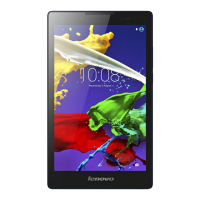
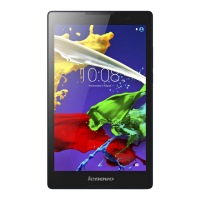
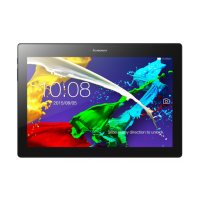
The tablet features a multi-touch display, making navigation intuitive and responsive. It is equipped with both front and back cameras, allowing for video calls, selfies, and capturing photos and videos. Audio capabilities include an earphone jack for private listening, a speaker for general audio output, and a microphone for recording or voice communication.
For data storage, the device includes a microSD card slot, enabling users to expand the tablet's memory for additional files, apps, and media. The 3G-enabled models also feature a Micro SIM card slot, which is crucial for accessing cellular services provided by a carrier.
Getting started with the Lenovo TAB A8-50 involves a few simple steps. Before initial use, it is recommended to charge the tablet's battery. The charging process is straightforward: connect the included USB cable and power adapter to the tablet and a power outlet. The guide illustrates the charging status with visual indicators for low battery, fully charged, and actively charging.
For users with the WLAN + 3G models (A5500-H, A5500-HV), installing the Micro SIM card is a key step to enable cellular services. The guide provides clear, step-by-step instructions for opening the microSD card slot cover, inserting the Micro SIM card into its designated slot, and then carefully replacing the cover. It explicitly states that only Micro SIM cards are compatible with the tablet and are intended for mobile data only. A critical warning advises against inserting or removing the Micro SIM card while the tablet is turned on, as this could lead to permanent damage to the card or the tablet itself.
The tablet's physical layout includes easily accessible buttons and ports. The On/Off button controls the device's power, while the Volume key allows for adjusting audio levels. The Micro USB port serves as the primary connection point for charging and data transfer. The earphone jack provides a standard audio output for headphones.
Navigation and interaction with the tablet are primarily through its multi-touch display. The operating system, which is not explicitly detailed in this quick start guide but implied by the "User Guide" reference, provides a user-friendly interface for managing applications, settings, and content.
While the guide does not delve into extensive maintenance procedures, it highlights several important considerations for the longevity and proper functioning of the device.
Battery care is emphasized by the instruction to charge the tablet before use. The guide also refers users to the "Important Product Information Guide" for more details on battery safety, indicating that proper handling and charging practices are crucial for maintaining battery health and preventing potential issues.
Regarding the Micro SIM card, the warning about not inserting or removing it while the tablet is powered on is a critical maintenance instruction. Adhering to this prevents potential damage to the SIM card slot, the SIM card itself, and the tablet's internal components.
For ongoing support and information, the guide directs users to several resources. The "User Guide," accessible through the tablet's Browser favorites, is a comprehensive manual for detailed instructions on using the tablet. For "Regulatory Notices" and general support, users are advised to visit the Lenovo support website. For network service and billing inquiries, users should contact their wireless network operator.
The guide also includes a "Reduce | Reuse | Recycle" symbol, encouraging environmentally responsible disposal of the device at the end of its life cycle. This is a common practice for electronic devices and reflects a commitment to sustainability.
In summary, the Lenovo TAB A8-50 is designed to be user-friendly, with clear instructions for initial setup and operation. Key usage features include its multi-touch display, camera capabilities, and connectivity options. Maintenance is primarily focused on proper handling of the battery and SIM card, with ample resources provided for further information and support.
 General
| Display Size | 8.0 inches |
|---|---|
| Display Type | IPS LCD |
| Display Resolution | 1280 x 800 pixels |
| Processor | MediaTek MT8161 |
| CPU | Quad-core 1.3 GHz Cortex-A53 |
| GPU | Mali-450MP4 |
| Expandable Storage | microSD, up to 32GB |
| Rear Camera | 5 MP |
| Front Camera | 2 MP |
| Battery | 4200 mAh |
| Weight | 360 g |
| RAM | 1GB |
| Internal Storage | 16GB |
| Operating System | Android 4.4 (KitKat) |
| Dimensions | 210 x 125 x 8.9 mm |



 To Next Page
