3
Installing cards
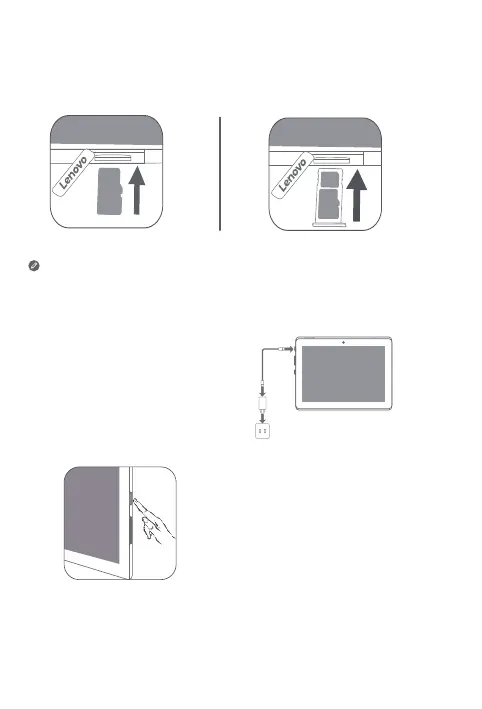
Install the cards as shown in the figure.
• Power o the device before inserting or removing a card.
• Note that the WLAN version does not have a Nano-SIM card slot.
Charging your device
Connect your device to a power
outlet using the USB cable and
power adapter provided.
Turning on
Press and hold the Power button until
the Lenovo logo appears.
WLAN LTE



 To Next Page