You can use cellular services with the LTE model by inserting the Micro SIM card provided
by your carrier.
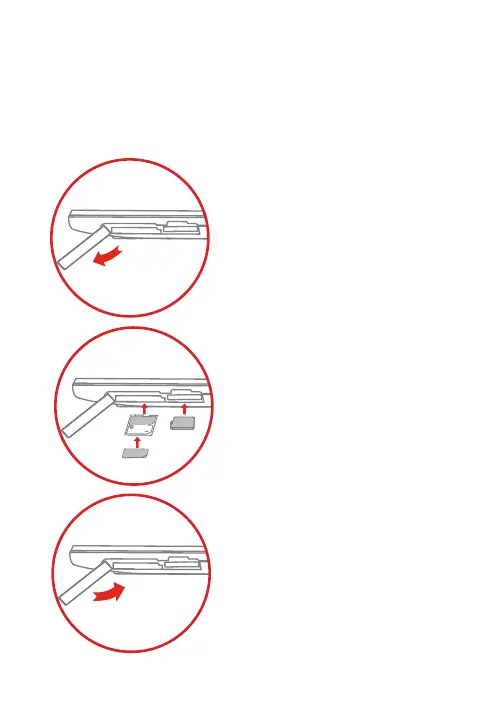
Install the Micro SIM card and the Micro SD card as shown.
Step 1. Open the card slot cover.
Step 2.
Step 3. Carefully replace the slot cover.
Pull out the Micro-SIM-card tray
and position the Micro SIM card
into the tray in correct orientation,
then carefully insert the tray with
the installed Micro SIM card back
into the Micro SIM card slot.
Insert the Micro SD card into the
Micro SD slot.
Preparing your Lenovo TAB2
Micro
SD
Micro SIM



 To Next Page