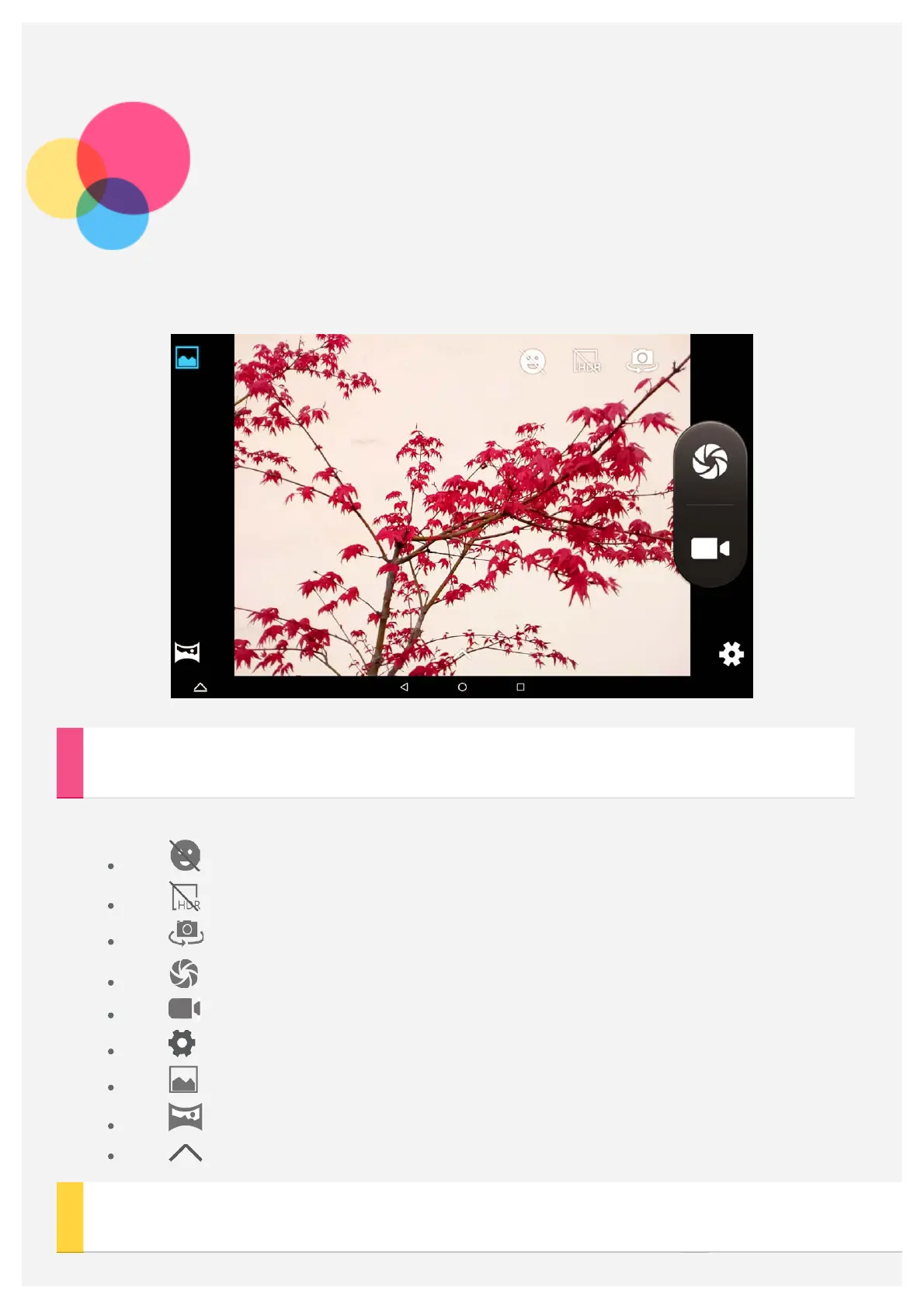
Camera
To open the Camera app, go to Camera.
Taking photos and record videos
You can take photos and record videos with your device's built-in camera.
Tap to turn on/turn off the Smile mode.
Tap to turn on/turn off the HDR mode.
Tap to switch between the front and the back camera.
Tap to take a photo.
Tap to record a video.
Tap to configure other camera settings.
Tap to use the Normal mode.
Tap to use the Panorama mode.
Tap to set the shooting effect.
Taking screenshots



 To Next Page