EasyManua.ls Logo

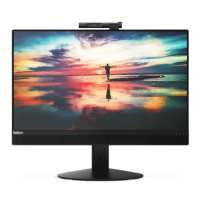
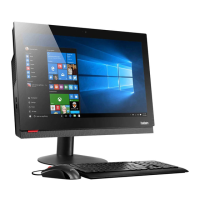
Lenovo ThinkCentre M83z - User Manual

Lenovo ThinkCentre M83z
110 pages
Print Icon
To Next Page IconTo Next Page
Loading...
ThinkCentreM83z
UserGuide
MachineTypes:10C2and10C3

Table of Contents

Other manuals for Lenovo ThinkCentre M83z

Questions and Answers

  • P
    Patricia CookAug 11, 2025
    What to do if the Lenovo ThinkCentre M83z Desktop computer does not start when I press the power switch?
    • D
      Denise PollardAug 11, 2025
      If your Lenovo Desktop doesn't start when you press the power switch, check the following: * Ensure the power cord is correctly connected to both the rear of the computer and a working electrical outlet. * If there's a secondary power switch at the rear, make sure it's switched on. * Confirm the power indicator on the front of the computer is lit. * Verify the computer voltage matches the voltage available at the electrical outlet.
  • A
    Amanda CaseyAug 18, 2025
    What to do if the Lenovo Desktop keyboard does not work?
    • Z
      Zachary SteeleAug 18, 2025
      If your Lenovo Desktop keyboard isn't working, verify these points: * The computer is turned on. * The keyboard is securely connected to a USB connector on the computer. * No keys are stuck.
  • E
    Elizabeth Rodriguez PhDAug 26, 2025
    Why is the monitor screen blank on my Lenovo ThinkCentre M83z?
    • S
      Stephen SchmidtAug 26, 2025
      If your Lenovo Desktop monitor screen is blank, verify the following: * The monitor signal cable is correctly connected to both the monitor and the appropriate connector on the computer. * The monitor power cord is correctly connected to the monitor and a working electrical outlet. * The monitor is turned on, and the brightness and contrast controls are properly set. * The computer voltage matches the voltage available at the electrical outlet. * If your computer has two monitor connectors, ensure you're using the one on the graphics card.
  • C
    Charles GonzalezSep 2, 2025
    What to do if the mouse does not work on Lenovo ThinkCentre M83z Desktop?
    • J
      jose40Sep 2, 2025
      If the mouse isn't working on your Lenovo Desktop, check these items: * Ensure the computer is turned on. * Make sure the mouse is securely connected to a USB connector on the computer. * Verify the mouse is clean.

Summary

Important Safety Information

General Safety Precautions

Covers static electricity, power, ventilation, environment, cleaning, and tip-over hazards.

Power Cords and Adapters

Details on safe use and handling of power cords and adapters.

Chapter 1. Product Overview

Lenovo Programs

Details about pre-installed Lenovo software.

Chapter 2. Using Your Computer

Chapter 3. You and Your Computer

Accessibility and Comfort

Ergonomic setup and accessibility features.

Chapter 4. Security

Security Features

Overview of built-in computer security measures.

Using Passwords

Setting BIOS and Windows passwords for access control.

Configuring Fingerprint Reader

Setting up biometric authentication.

Chapter 5. Installing or Replacing Hardware

Handling Static-Sensitive Devices

Precautions for safe hardware installation.

Chapter 6. Recovery Information

Windows 7 Recovery

Procedures for recovering the Win 7 OS.

Windows 8.1 Recovery

Procedures for recovering the Win 8.1 OS.

Creating Recovery Media

Steps to create bootable recovery media.

Backup and Recovery Operations

Using Lenovo's backup and restore tools.

Reinstalling System Software

Procedures for reinstalling applications and drivers.

Solving Recovery Problems

Troubleshooting issues during system recovery.

Chapter 7. Using the Setup Utility Program

Starting the Setup Utility

Accessing BIOS settings.

Viewing and Changing Settings

Navigating and modifying BIOS configurations.

BIOS Passwords

Setting and managing BIOS passwords.

Selecting Startup Devices

Configuring the boot order.

Chapter 8. Updating System Programs

Updating the BIOS

Procedures for updating system firmware.

Chapter 9. Preventing Problems

Getting Latest Device Drivers

Downloading drivers from the Lenovo website.

Chapter 10. Troubleshooting and Diagnostics

Basic Troubleshooting

Initial steps for diagnosing common computer issues.

Troubleshooting Procedure

A systematic approach to diagnosing problems.

Chapter 11. Getting Information, Help, and Service

Help and Support

Accessing Windows and Lenovo help systems.

Lenovo Support Web Site

Specific portal for technical support and downloads.

Calling for Service

Procedures for contacting customer support.

Lenovo ThinkCentre M83z Specifications

General IconGeneral
BrandLenovo
ModelThinkCentre M83z
CategoryDesktop
LanguageEnglish

Related product manuals