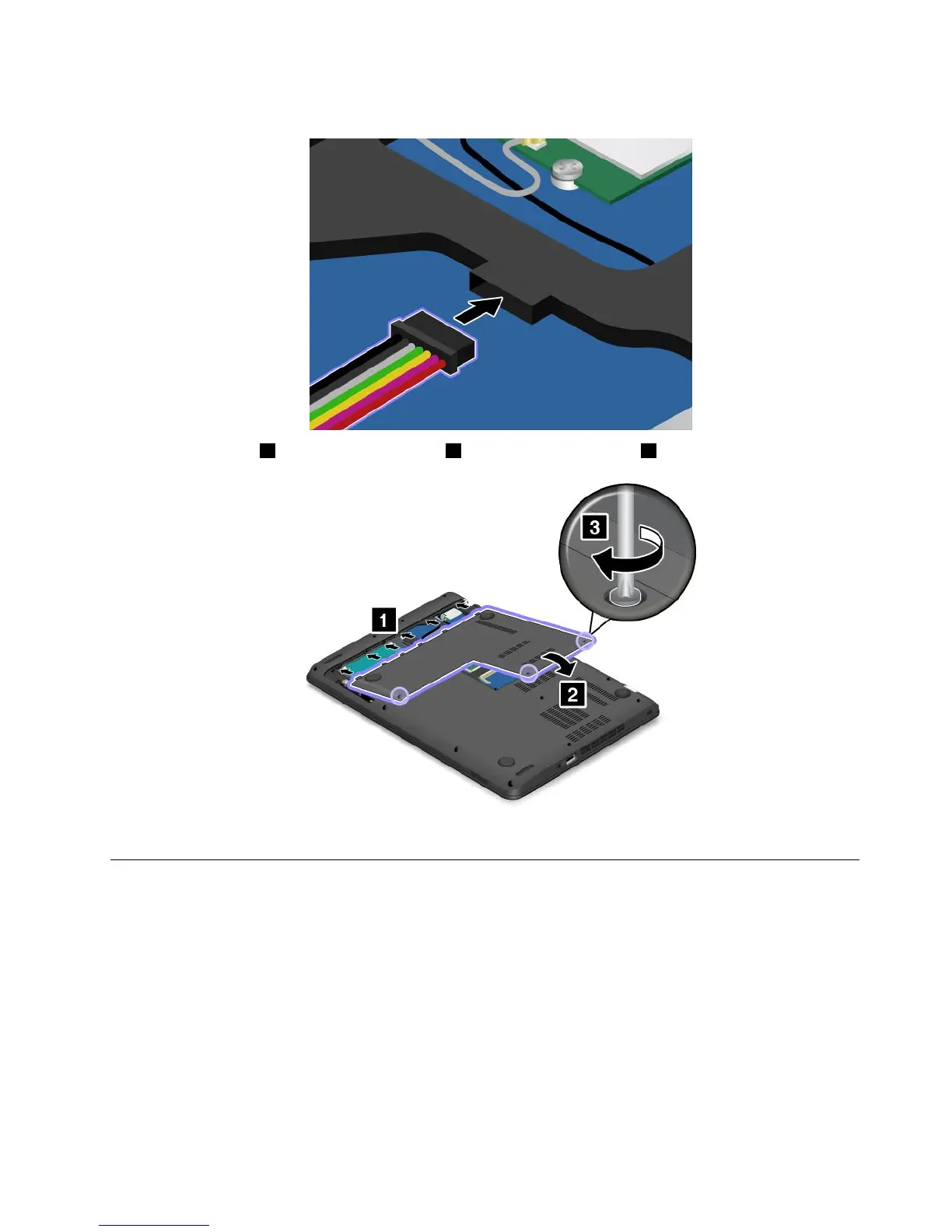
7.Connectthebatterycable.
8.Attachthecover1andpivotitdownwards2.Thentightenthescrews3.
9.Turnthecomputerover.Connecttheacpoweradapterandallcables.
Replacingthekeyboard
Beforeyoustart,printtheseinstructionsandread“Importantsafetyinformation”onpagevi.
Removingthekeyboard
Toremovethekeyboard,dothefollowing:
1.Turnoffthecomputer.Thendisconnecttheacpoweradapterandallcablesfromthecomputer.Wait
severalminutestoletthecomputercool.
2.Closethecomputerdisplayandturnthecomputerover.
Chapter10.Replacingdevices117











 To Next Page