To replace a microSD card, do the following:
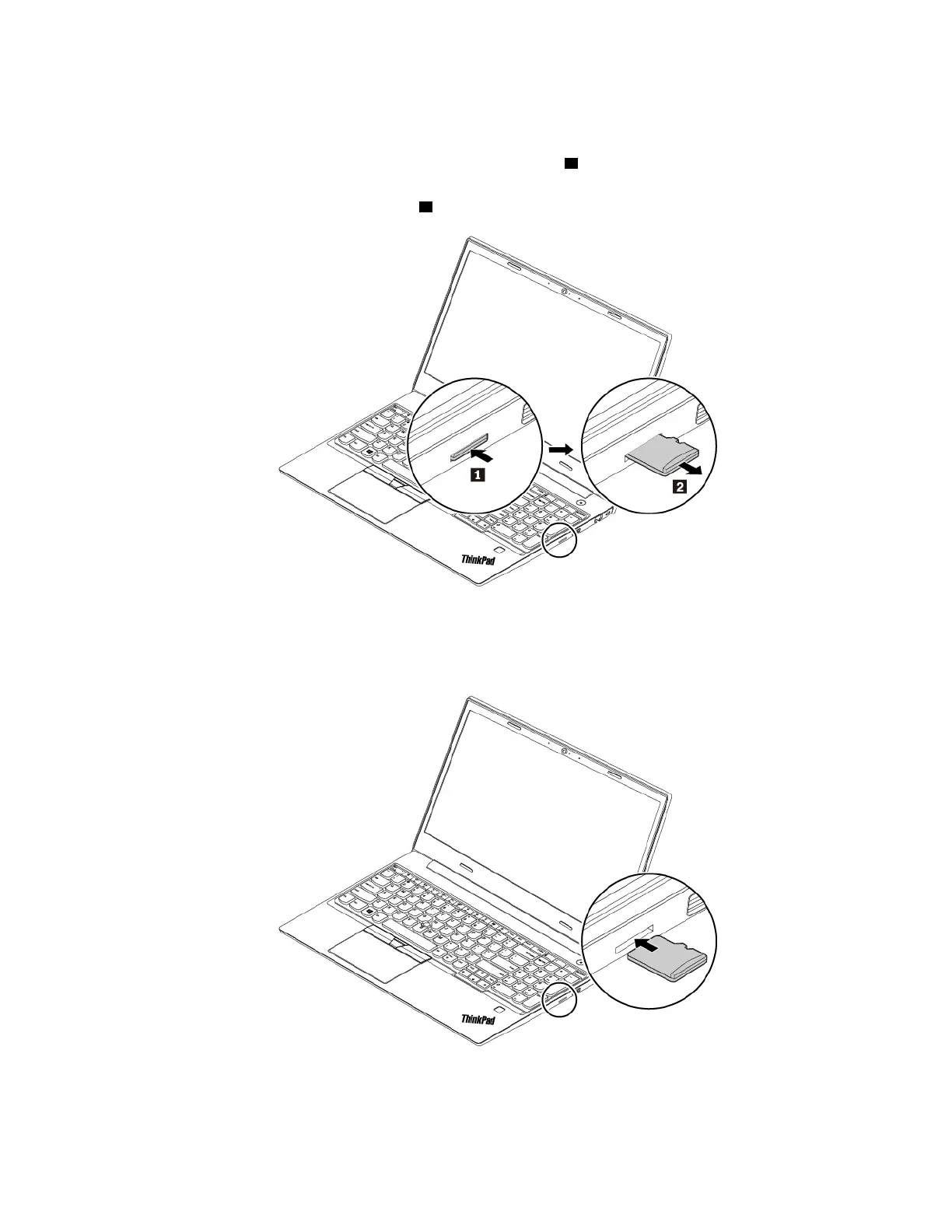
1. Locate the microSD card slot at the right side of the computer.
2. Push the microSD card inward a little bit until you hear a click
1 . Then, release it. The microSD card
ejects.
3. Gently slide the card out of the card slot
2 .
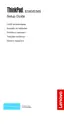
4. Insert the new card into the microSD card slot. The card might stop before it is installed into the card
reader. Ensure that you insert the card firmly until you hear a click.
Note: Ensure that the metal contacts of the card are facing down and pointing toward the computer.
Chapter 9. Replacing devices 77














 To Next Page