Replacing the keyboard
Before you start, read “Important safety information” on page iii and print the following instructions.
To remove the keyboard, do the following:
1. Disable the built-in battery. See “Disabling the built-in battery” on page 76.
2. Ensure that the computer is turned off and disconnected from ac power and all cables.
3. Remove the base cover assembly. See “Replacing the base cover assembly” on page 84.
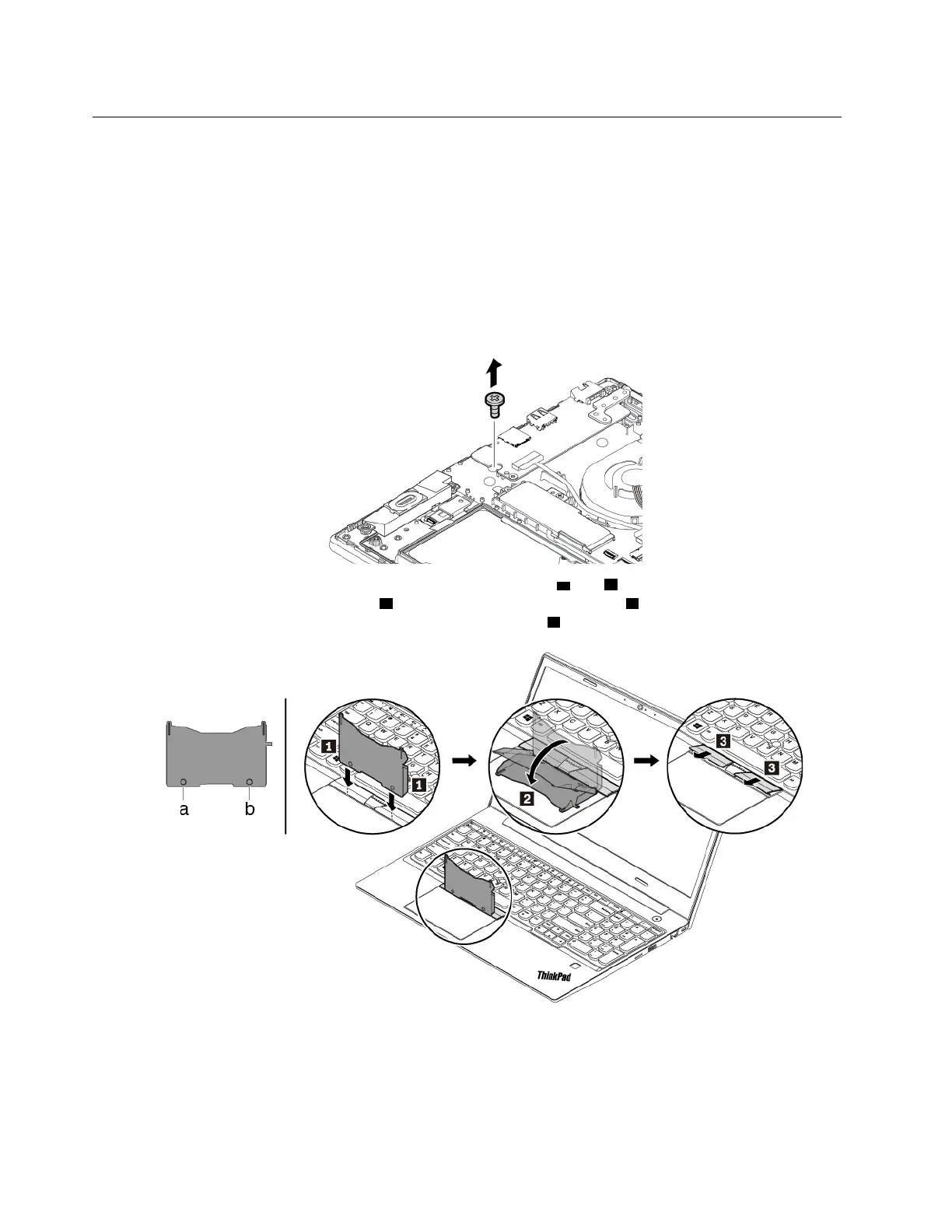
4. Remove the screw that secures the keyboard.
5. Take the tool out of the new keyboard package. Insert the tabs a and b into the slot between the
TrackPoint buttons and the trackpad
1 . Slightly pivot the tool downward 2 to release the left and right
TrackPoint buttons. Then remove the two TrackPoint buttons
3 .
78 E580 User Guide














 To Next Page