


 Need help?
Do you have a question about the Lenovo ThinkPad T430u and is the answer not in the manual?
Identifies conditions requiring immediate action for safe product use.
Provides precautions to reduce the risk of injury and property damage.
Information regarding product servicing and customer-replaceable units.
Details the location of computer hardware features and indicators.
Guides users to find machine type, model, FCC ID, and COA labels.
Lists the key features of the computer, including processor and memory.
Details the physical specifications of the computer, including size and heat output.
Outlines the recommended operating environment for the computer.
Introduces preinstalled ThinkVantage programs for enhanced functionality.
Explains how to register the computer with Lenovo for support and updates.
Describes special function keys and buttons for enhanced computer operation.
Information on managing battery power for extended use and conserving energy.
Guides on connecting to the Internet via Ethernet and wireless networks.
Instructions for connecting external monitors and projectors for presentations.
Explains how to use the Extend desktop function for multiple displays.
Instructions for inserting and removing flash media cards in the reader slot.
Provides guidance on securing the computer with a mechanical lock.
Explains how to use passwords to prevent unauthorized computer access.
Details setting and managing the power-on password for system access.
Describes user and master hard disk passwords for data protection.
Covers security measures for hard disk drives and solid-state drives.
Guides on enrolling and using the fingerprint reader for secure login.
Provides instructions for securely deleting data before disposal.
Instructions for creating and using recovery media for system restoration.
Details on backing up and restoring system data using Rescue and Recovery.
Explains how to use the workspace for recovery even without OS.
Instructions for reinstalling system applications and drivers.
Provides solutions for issues encountered during recovery operations.
Precautions to avoid static electricity damage to computer components.
Step-by-step guide for replacing the SIM card for wireless WAN.
Detailed instructions for replacing the computer's storage drive.
Steps for adding or replacing memory modules to improve performance.
Instructions for removing and installing the computer keyboard.
Procedures for installing a new OS, including drivers and supplement files.
How to download and install necessary device drivers for system functionality.
Guide to accessing and using the ThinkPad Setup program for configuration.
Details on configuring system settings like network, USB, display, and power.
Instructions for setting up security features like passwords and BIOS lock.
Explains how to change the boot sequence for different operating systems.
Advice on maintaining the computer to avoid common issues.
Importance of updating device drivers for optimal performance.
Tips for handling and maintaining the computer's physical condition.
Instructions for cleaning the computer's exterior surfaces.
Using Lenovo Solution Center for initial problem diagnosis.
Troubleshooting steps for unresponsive computer behavior.
Lists common error messages and their solutions.
Common issues and solutions for Ethernet, wireless LAN, and WAN connections.
Troubleshooting common issues with displays, monitors, and audio.
Solutions for issues related to battery charging and power management.
Troubleshooting common issues with hard disk and solid-state drives.
Steps to take before contacting support for faster resolution.
Information on various support channels and services offered by Lenovo.
How to use diagnostic tools to identify hardware problems.
Accessing support resources like drivers, manuals, and FAQs online.
Details on wireless interoperability, profiles, and health considerations.
Information on the product's export classification and regulations.
FCC and IC compliance statements regarding electronic emissions.
Compliance statement for German Class B equipment.
Explains WEEE marking and regulations for proper disposal of electronics.
Guidelines for recycling Lenovo computers in Japan.
Information on battery recycling regulations in the EU.
Details pre-set energy-saving power management features.
Lists trademarks of Lenovo and other companies.
RoHS compliance information specific to China.
RoHS compliance information specific to Turkey.
RoHS compliance information specific to Ukraine.
RoHS compliance information specific to India.
 General
| Bus type | DMI |
|---|---|
| Stepping | L1 |
| Tjunction | 105 °C |
| Processor cache | 4 MB |
| Processor cores | 2 |
| System bus rate | 5 GT/s |
| Processor family | Intel® Core™ i7 |
| Processor series | Intel Core i7-3500 Mobile series |
| Processor socket | BGA 1023 |
| Processor threads | 4 |
| Processor codename | Ivy Bridge |
| Processor frequency | 2 GHz |
| Processor cache type | Smart Cache |
| Processor lithography | 22 nm |
| Processor manufacturer | Intel |
| Processor front side bus | - MHz |
| PCI Express slots version | 2.0 |
| Processor boost frequency | 3.1 GHz |
| Processor operating modes | 64-bit |
| ECC supported by processor | No |
| PCI Express configurations | 1x8, 1x16, 2x4, 2x8 |
| Thermal Design Power (TDP) | 17 W |
| CPU multiplier (bus/core ratio) | 20 |
| Maximum number of PCI Express lanes | 16 |
| Motherboard chipset | Intel HM77 Express |
| Memory slots | 2x SO-DIMM |
| Internal memory | 4 GB |
| Memory clock speed | 1600 MHz |
| Memory form factor | SO-DIMM |
| Internal memory type | DDR3-SDRAM |
| Maximum internal memory | 8 GB |
| Memory layout (slots x size) | 1 x 4 GB |
| HDD speed | 7200 RPM |
| HDD capacity | 500 GB |
| HDD interface | SATA |
| Storage media | HDD+Hybrid-HDD |
| Hybrid-HDD capacity | 24 GB |
| Hybrid-HDD cache type | SSD |
| Card reader integrated | Yes |
| Total storage capacity | 524 GB |
| Compatible memory cards | MMC, SD, SDHC, SDXC |
| Number of HDDs installed | 1 |
| Number of SSDs installed | 0 |
| Display surface | Matt |
| Display diagonal | 14 \ |
| Display brightness | 200 cd/m² |
| Display resolution | 1366 x 768 pixels |
| Native aspect ratio | 16:9 |
| Contrast ratio (typical) | 500:1 |
| Display number of colors | 16.78 million colors |
| Intel segment tagging | Home Office, Small Business |
| Maximum resolution | 2560 x 1600 pixels |
| On-board graphics card ID | 0x166 |
| Discrete graphics card model | NVIDIA® GeForce® GT 620M |
| On-board graphics card model | Intel® HD Graphics 4000 |
| On-board graphics card family | Intel® HD Graphics |
| On-board graphics card base frequency | 350 MHz |
| On-board graphics card dynamic frequency (max) | 1200 MHz |
| Audio system | DHT |
| Speaker power | 4 W |
| WWAN | Not installed |
| Data network | Not supported |
| Wi-Fi standards | 802.11a, 802.11b, 802.11g |
| Bluetooth version | 4.0 |
| Cabling technology | 10/100/1000Base-T(X) |
| Networking standards | IEEE 802.11a, IEEE 802.11b, IEEE 802.11g, IEEE 802.11n |
| Ethernet LAN data rates | 10, 100, 1000 Mbit/s |
| Charging port type | DC-in jack |
| USB 2.0 ports quantity | USB 2.0 ports have a data transmission speed of 480 Mbps, and are backwards compatible with USB 1.1 ports. You can connect all kinds of peripheral devices to them. |
| Keyboard layout | QWERTY |
| Pointing device | ThinkPad UltraNav |
| Keyboard language | English |
| Operating system installed | Windows 7 Professional |
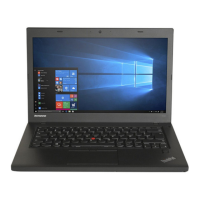
| Form factor | Clamshell |
| Product type | Laptop |
| Product color | Black |
| Processor code | SR0XG |
| Processor ARK ID | 72054 |
| Processor package size | 31 x 24 (BGA1023) mm |
| Supported instruction sets | AVX |
| Intel Identity Protection Technology version | 1.00 |
| Battery capacity | 47 Wh |
| Battery life (max) | 7 h |
| Number of battery cells | 3 |
| AC adapter frequency | 50 - 60 Hz |
| AC adapter input voltage | 100 - 240 V |
| Cables included | AC |
| Storage temperature (T-T) | -24 - 45 °C |
| Operating temperature (T-T) | 5 - 35 °C |
| Storage relative humidity (H-H) | 10 - 90 % |
| Operating relative humidity (H-H) | 10 - 85 % |
| Sustainability certificates | RoHS, EPEAT Gold, ENERGY STAR |
 Weight and Dimensions
| Depth | 236 mm |
|---|---|
| Width | 340 mm |
| Height | 21 mm |
| Weight | 1850 g |










 To Next Page