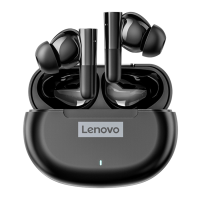
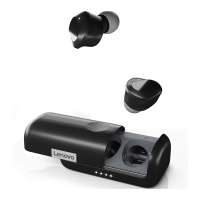
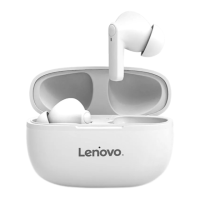
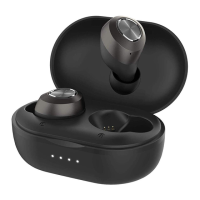
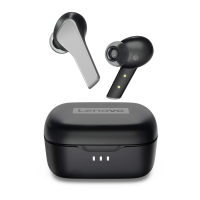
This document describes the Lenovo thinkplus LivePods LP75, a pair of Bluetooth earbuds with a charging case.
Function Description:
The Lenovo thinkplus LivePods LP75 are wireless earbuds designed for audio playback and hands-free communication. They connect to devices via Bluetooth and come with a portable charging case that also serves as storage. The earbuds feature touch controls for managing music playback, answering/ending calls, rejecting calls, and activating voice assistants.
Important Technical Specifications:
Earbuds:
- BT Version: V5.3
- Working Range: >10M
- Battery Capacity: 40mAh
- Playing Time: Approximately 6 hours
- Charging Time: Approximately 1.5 hours
- Rated Input: 5V ⎓ 30mA
Charging Case:
- Battery Capacity: 300mAh
- Charging Time: Approximately 1.5 hours
- Rated Input: 5V ⎓ 250mA
- Charging Port: Type-C
- Display: Digital display for battery level (on the charging case)
Packing List:
- Earphone X 2
- Charging case X 1
- User manual X 1
- Charging cable X 1
- Eartips: S (X2), M (X2), L (X2)
Usage Features:
Power On/Off:
- Turn On (Method 1): Open the charging case. The earphones will turn on automatically.
- Turn On (Method 2): Long touch the MF (Multi-Function) button on an earphone for 3 seconds.
- Turn Off (Method 1): Place the earphones into the charging case and close the lid.
- Turn Off (Method 2): If the earphones are on but not connected to a device, press and hold the earphone function touch button for 5 seconds.
Pairing to BT Device:
- Open the charging case to automatically turn on the earphones.
- Activate Bluetooth on your mobile device.
- Search for and select "联想thinkplus-LP75" from the list of available Bluetooth devices. Single earphone use is also supported.
LED Indicator Status (Earbuds):
- Power On: Both LED indicators keep green for 1 second, then turn off.
- Power Off: Both LED indicators flash white 3 times, then turn off.
- Pairing (before paired): Indicator light flashes slowly, alternating between white and green.
- Paired (two earphones): Master earphone indicator flashes quickly, alternating between white and green; sub earphone indicator goes off.
- Paired with BT devices: Both indicator lights go off.
- Low Battery: Headphone indicator light flashes white twice every five seconds.
- Increase Volume: Short press the MF button of the right earphone.
- Decrease Volume: Short press the MF button of the left earphone.
- Pause/Play: Short press the MF button of either earphone twice.
- Previous Track: Short press the MF button of the left earphone three times.
- Next Track: Short press the MF button of the right earphone three times.
- Answer Incoming Call: Short press the MF button of any earphone twice.
- End Call: After a phone conversation, short press the MF button of any earphone twice.
- Reject Incoming Call: Press and hold the MF button of any earphone for 2 seconds.
Active Voice Assistant Function:
- Touch and hold either multi-function button for 2 seconds. You will hear a "tone" indicating activation. (This feature is dependent on the smart device supporting a voice assistant function).
Charging the Case:
- Connect the Type-C cable to a 5V power adapter and the other end to the charging port of the charging case.
- Input for earphone charging: 5V ⎓ 35mA.
- Input for case charging: 5V ⎓ 250mA.
Maintenance Features:
General Safety Instructions:
- Do not attempt to disassemble the unit or change any parts unless a specific method is mentioned in the manual.
- Avoid exposing the unit to liquid, moisture, or humidity, as it is not waterproof. If liquid enters the unit, disconnect it from your BT device and move it to a safe area.
- Do not assemble or disassemble the unit with wet hands to avoid electric shock.
- Do not expose the unit to extremely high temperatures or dispose of it in fire, as this can cause an explosion.
- Avoid placing the unit in an electromagnetic interference environment to prevent malfunction.
Resetting the Earphones:
- When the earphone is turned on, ensure it is not connected to any Bluetooth device.
- Click the MF button 5 times to clear the pairing record.
- Then, turn off the earphone.
- The product comes with a twelve (12) month warranty period from the date of purchase.
- During this period, if quality defects occur under normal use, the product can be repaired free of charge.
- If the manufacturer confirms it cannot be repaired, a free replacement will be provided.
- Repaired or replaced products will continue to enjoy the remaining warranty period (minimum 30 days).
- The purchase date on the sales ticket prevails; if the date cannot be determined, the warranty period is calculated as 13 months.
- To claim warranty, contact the product service hotline and follow instructions.
- A valid, accurate, complete, and clearly filled sales invoice is required for warranty claims.
Warranty Exclusions:
- Exceeding the validity period of the "three packs" (a Chinese consumer protection policy).
- Alterations to the warranty card or product code that do not match the product body.
- Damage caused by misuse, abuse, improper transportation, use, maintenance, or storage.
- Failure or damage due to force majeure (e.g., earthquake, war, fire, accident).
- Damage to zippers and buckles due to excessive force.
- Disconnection or tearing caused by excessive load.
- Damage caused by sharp objects.
- Products showing signs of burning or water immersion.
- Damage caused by unauthorized disassembly.
- Aging, discoloration, abrasion, rupture, and other losses during normal use.
- Invalid warranty if the original identification label is changed or damaged.
- The completeness and appearance of the product and accompanying materials are not covered by the warranty; discrepancies should be checked upon receipt.
The manual includes a table detailing harmful materials (Pb, Hg, Cd, Cr(VI), PBB, PBDE) present in components like printed circuit assemblies and small structural parts.
- "○" indicates the hazardous substance content in all homogeneous materials of the part is below the limit specified in GB/T 26572.
- "X" indicates the hazardous substance content in at least one homogeneous material of the part exceeds the limit specified in GB/T 26572. Parts marked "X" are considered harmful due to technological limitations.
- The "10" logo indicates an environmental protection use period of 10 years for electronic and electrical products sold in the People's Republic of China.
Disclaimer:
This user manual is for reference only and does not imply any form of guarantee or position expression. Product specifications and information are subject to updates on the webpage without additional notification.
- After-sales service Email: frank@szeysan.cn
- Service supervision hotline: 400-812-0102
"Lenovo" and "thinkplus" are trademarks of affiliated enterprises of Lenovo Group. Other mentioned trademarks belong to their respective owners.
Copyright © 2023 Lenovo Group and its licensors. All rights reserved.

 Need help?

 To Next Page
 General