
 Need help?
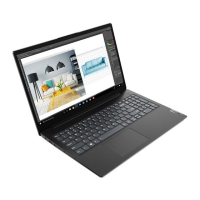
Do you have a question about the Lenovo V15 Gen 3 and is the answer not in the manual?
Precautions for working with electrical equipment to prevent shock and damage.
Step-by-step instructions for removing the computer's bottom cover.
Procedure for safely disconnecting and removing the laptop battery.
Detailed steps for removing the Solid-State Drive from the system.
Instructions for disconnecting cables and removing the main system board.
 General
| Weight | Starting at 1.7 kg (3.75 lbs) |
|---|---|
| Display | 15.6" FHD (1920x1080) |
| Memory | Up to 16GB DDR4 |
| Storage | Up to 1TB HDD |
| Graphics | Integrated AMD Radeon |
| Operating System | Windows 11 |
| Battery | 45Wh |
| Dimensions | 19.9 mm (0.78 inches) |
| Ports | HDMI |
| Wireless | Bluetooth 5.0 |
| Camera | 720p HD |
| Audio | Stereo speakers |
| Processor | AMD Ryzen 7 or Intel Core i7 |



 To Next Page