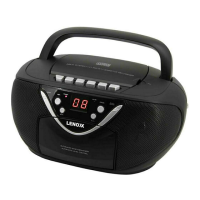
Playing CD
1. Set the “FUNCTION” selector to “CD” mode.
2. Open the CD door and place a CD disc with the label up on the CD compartment.
3. Close the CD door.
4. Focus search is performed if disc is inside. Total number of tracks is read and
appears on the display.
5. Press the “PLAY / PAUSE” button to start playing the CD.
6. Adjust the “VOLUME” control to the desired level.
7. Press the “PLAY / PAUSE” button again when you want to stop playback
temporarily.
8. In order to remove a CD, please press the “STOP” button, open the CD
compartment and lift the CD out carefully.
Always keep the CD door closed.
NOTE:
• If a disc is inserted the wrong way around, respectively if no disc is inserted, then
“No“ appears on the display.
Programmed Play
This can be used to program any desired sequence of tracks.
Up to 20 tracks for CD can be programmed for disc play in any order.
Be sure to press the “STOP” button before use.
1. Press the “PROGRAM” button, the display will show “01” and flash.
2. Select desired track by using the “SKIP +” or “SKIP -” button.
3. Press the “PROGRAM” button again to confirm desired track into the program
memory.
4. Repeat step 2 and 3 to enter additional tracks into the program memory.
5. When all the desired tracks have been programmed, press the “PLAY / PAUSE”
button to play the disc in the order you have programmed.
6. Press the “STOP” button twice to terminate programmed playback.
MODE
Press the “REPEAT” button before or during playing CD disc, each press switches
the mode function as follows:
1 - REPEAT
2 - REPEAT ALL
3 - NORMAL PLAYBACK


 To Next Page
 Loading...