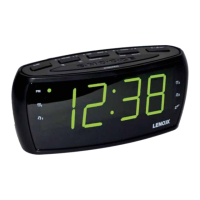
Setting the Alarm
1. You must switch off the radio before you set the alarm time.
2. Press and hold the “ALARM 1” or “ALARM 2” button until the time display begins to flash.
3. While the time display is flashing, you can set the alarm time. Press the “Hour” to adjust the
hour and press “Minute” button to adjust the Minute.
4. When the desired wake time is shown on the screen, press the “ALARM 1” or “ALARM 2” button once to
save the alarm time.
5. Use the same method to set Alarm 2.
6. Now you can select to wake up by radio or buzzer. The LED with alarm clock icon stands for wake up to
buzzer. The LED with music note icon stands for wake up to radio. Press “ALARM 1” or “ALARM 2” button
to select different wake up modes. When there is no LED shown next to the alarm clock icon or musical
note icon, the alarm is off and will not sound.
Canceling the Daily Alarm
Press the “ALARM OFF” button to stop the alarm. The alarm will operate 24 hours later as per alarm time set.
Cancelling the Alarm
Press the “ALARM 1” or “ALARM 2” buttons. Look for the LED next to the wake-up mode icons – either buzzer
or alarm. Press the “ALARM 1” or “ALARM 2” buttons, to switch between the wake-up modes and no LED next
to an icon shown. When there is no LED shown next to the alarm clock icon or musical note icon, the alarm is
off and will not sound.
Setting the Clock
1. You must switch off the radio before you set the clock time.
2. Press and hold the “TIME SET” button until the display begins to flash, then release the button.
3. Press the Hour and Minute button to adjust the hour and minute.
The PM indicator will light when the hour is set in the PM.
4. Press the “TIME SET” button to save time
Setting the Sleep Time
1. You must switch off the radio before you set the sleep time.
2. Press the Sleep button repeatedly to set the sleep time (90, 80, 70, 60, 50, 40, 30, 20, 10 min or OFF).
Snooze
To use the snooze, press the SNOOZE button when the alarm is sounding. The alarm will stop temporarily but
will resume sounding after 9 minutes.
Dimmer
To dim the LED display, press the SNOOZE button when the time is showing to change between the two display
settings.


 To Next Page
 Loading...