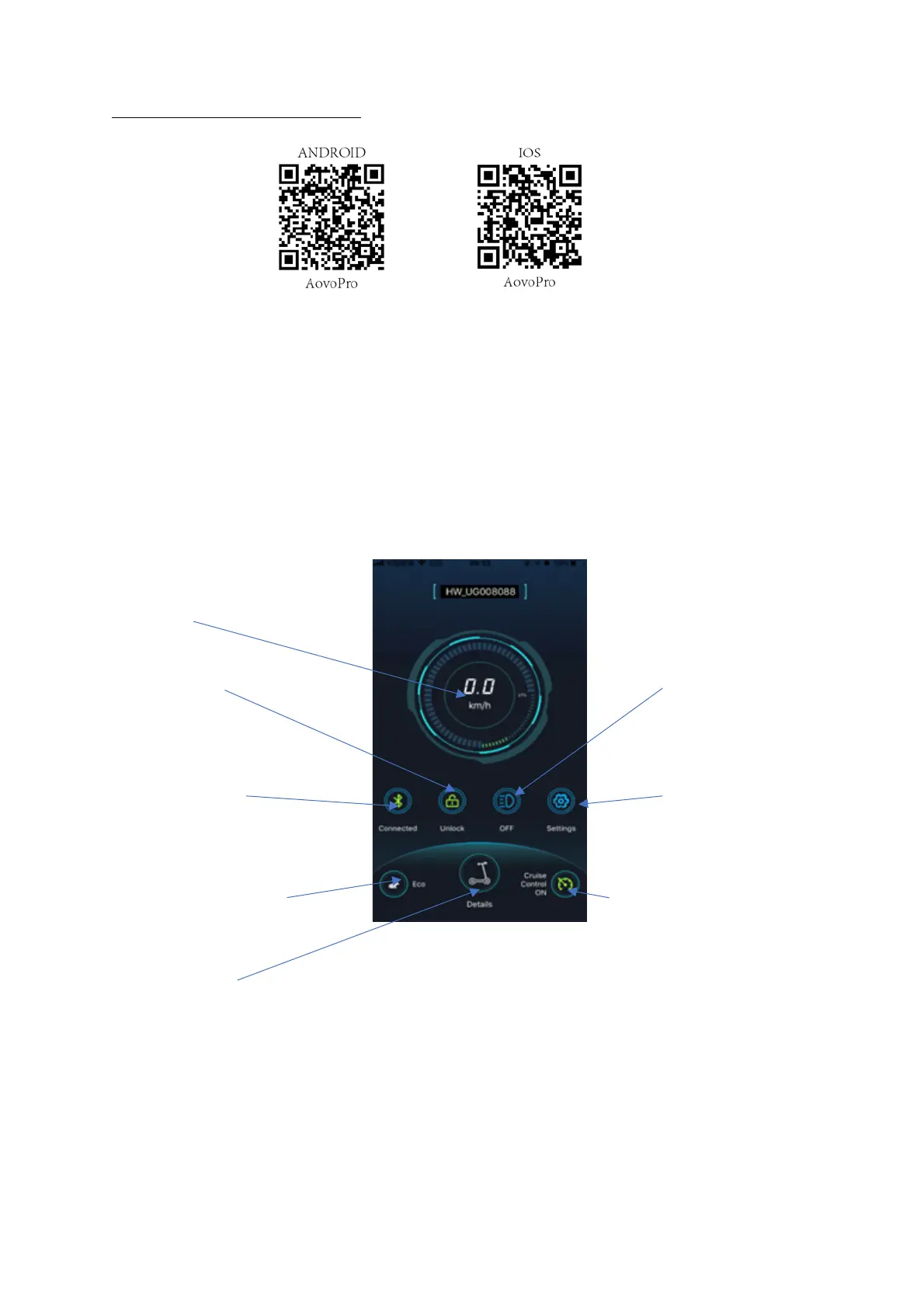
APP DOWNLOAD AND FUNCTIONS:
1. Search for the app aovopro in the APP store or google play.
Download and install onto your smart device.
2. Ensure Bluetooth is turned on, on your smart device.
3. When the app is installed, press the on/off button for 1 second to turn on scooter.
4. Open the aovopro app.
The scooter is automatically connected the app, then you can use the app to switch the light on
or off, change speed, set up cruise control or lock scooter.
5. If you do not want to use the app, you can also use controls on the scooter to operate the
scooter.
SCOOTER CONNECTED:
Real time speed
Lock/unlock button Light on/off
Bluetooth connection indicator Settings
Speed level button Cruise control on/off
Scooter details


 To Next Page