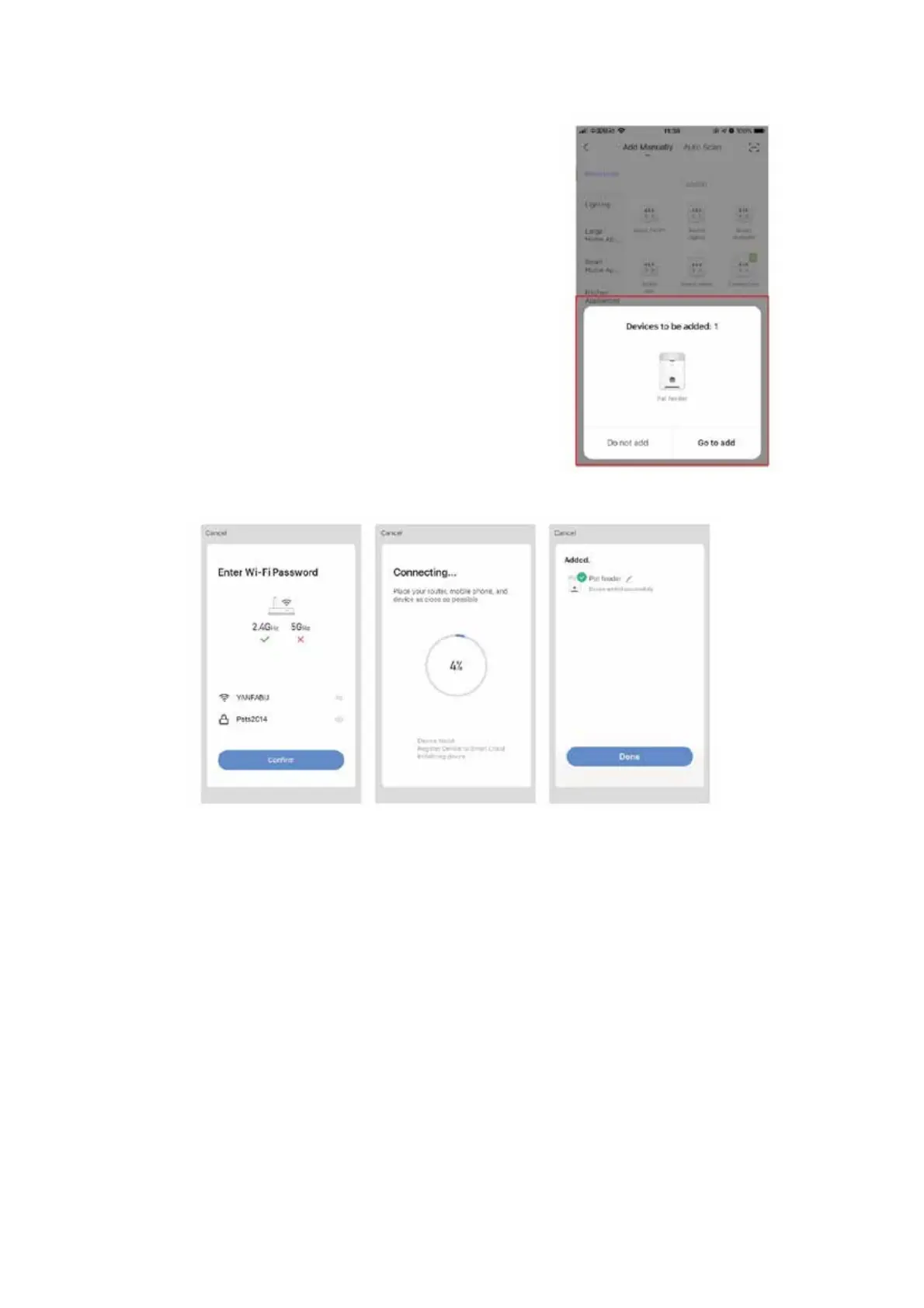
5. After waiting a short while, the App will automatically
discover the device.
6. Click “Go to add”.
7. Connect the smart device to the WIFI network to be
configured and ensure that the device can access the
network normally.
8. Enter the WIFI password and click “Confirm” to enter
the network distribution process.
9. Wait a few moments, for the device to be added successfully.



 To Next Page