EasyManua.ls Logo

Lenze E82ZBB - User Manual

Lenze E82ZBB
102 pages
Go to English
Print Icon
To Next Page IconTo Next Page
Loading...
z
y
wx
v
t
u
s
88888
8888
888
8
abcde
j gfkih PS
mno
p
qr
Hi
Hz
%sh
rpm
°C
W
m
AV
Lo
Montageanleitung
Mounting Instructions
Instructions de montage
EDK82ZBC
.=Ny
Ä.=Nyä
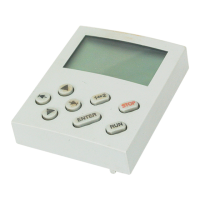
Keypad
E82ZBC, E82ZBB
Automatisierungsmodul
Automation module
Module d’automatisme
Global Drive

Table of Contents

Question and Answer IconNeed help?

Do you have a question about the Lenze E82ZBB and is the answer not in the manual?

Summary

About this documentation

Conventions used

Explains symbols and formatting used in the documentation for clarity and consistency.

Notes used

Details pictographs and signal words indicating dangers, notes, and tips for user guidance.

Safety instructions

Product description

Function

Outlines the capabilities of the keypad for communication and control with Lenze devices.

Application as directed

Specifies compatible Lenze devices and intended use in industrial heavy-current installations.

Accessories needed

Lists required connecting cables for keypad installation with specific device types.

Identification

Explains how to identify product range, hardware, and software versions on the device label.

Technical data

Operating conditions

Details ambient and climatic conditions for storage, transport, and operation, plus degree of protection.

Mechanical installation

8200 vector

Provides step-by-step instructions for connecting the keypad to the 8200 vector device.

8200 motec

Details the process of installing the keypad with the 8200 motec, including AIF cover removal.

Operation

Description of the display elements

Explains the various display elements (status, function bars, bar chart) and their meanings on the keypad.

Menu structure

Describes the organization of codes into "uSEr" and "ALL" menus for efficient operation.

Change and save parameters

Guides users through modifying and saving parameter values using the keypad interface.

Transmit parameter sets

Details procedures for copying parameter settings between the keypad and standard devices.

Restoring default (as delivered) settings

Explains how to load factory default parameter settings back into the device via the keypad.

Activation;deactivation of password protection

Covers steps for setting, activating, deactivating, and managing password protection for device functions.

Remote parameterisation of system bus devices

Summary

About this documentation

Conventions used

Explains symbols and formatting used in the documentation for clarity and consistency.

Notes used

Details pictographs and signal words indicating dangers, notes, and tips for user guidance.

Safety instructions

Product description

Function

Outlines the capabilities of the keypad for communication and control with Lenze devices.

Application as directed

Specifies compatible Lenze devices and intended use in industrial heavy-current installations.

Accessories needed

Lists required connecting cables for keypad installation with specific device types.

Identification

Explains how to identify product range, hardware, and software versions on the device label.

Technical data

Operating conditions

Details ambient and climatic conditions for storage, transport, and operation, plus degree of protection.

Mechanical installation

8200 vector

Provides step-by-step instructions for connecting the keypad to the 8200 vector device.

8200 motec

Details the process of installing the keypad with the 8200 motec, including AIF cover removal.

Operation

Description of the display elements

Explains the various display elements (status, function bars, bar chart) and their meanings on the keypad.

Menu structure

Describes the organization of codes into "uSEr" and "ALL" menus for efficient operation.

Change and save parameters

Guides users through modifying and saving parameter values using the keypad interface.

Transmit parameter sets

Details procedures for copying parameter settings between the keypad and standard devices.

Restoring default (as delivered) settings

Explains how to load factory default parameter settings back into the device via the keypad.

Activation;deactivation of password protection

Covers steps for setting, activating, deactivating, and managing password protection for device functions.

Remote parameterisation of system bus devices

Lenze E82ZBB Specifications

General IconGeneral
BrandLenze
ModelE82ZBB
CategoryKeypad
LanguageEnglish

Related product manuals