Need help?
Do you have a question about the LEOCH LFeLi-48 Series and is the answer not in the manual?
Manual describes installation, history, and parameter settings.
Identifies target users for the technical details in the document.
Explains the meaning and usage of warning symbols.
Details revisions and changes made to the document over different versions.
Details the model designation and its components.
Describes the battery group's development, features, and applications.
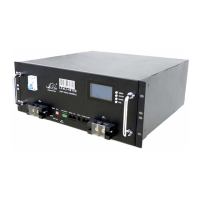
Presents the physical appearance and overall design of the battery pack.
Details the components and layout of the battery pack's front panel.
Illustrates the front panel with numbered components and their functions.
Describes the material and purpose of the battery pack's handle.
Explains the meaning of the SOC indicator lights and their relation to capacity.
Details the function and meaning of the ALM and RUN indicator lights for battery status.
Explains how to use the band switch (DIP switches) to set the address code for parallel operation.
Describes the RS232 interface for data transfer and its connection schematic.
Details the RS485 interface for data transfer and its connection schematic.
Explains how to use the RST key to reset the device and ensure system stability.
Describes various interface functions like dry contact, output terminals, MCB, and LCD display.
Guides users on navigating the LCD display interface and using its menu keys.
Details the specific functions assigned to each button on the LCD display interface.
Step-by-step guide on how to operate the battery pack through its menu interface.
Explains the fundamental operation of the lithium battery pack's charge/discharge and monitoring modules.
Visual representation of the battery pack's internal functional blocks and power flow.
Highlights the key characteristics and advantages of the integrated lithium-ion battery pack.
Emphasizes compliance with laws, personnel requirements, personal safety, and field conditions.
Details technician qualifications, safety practices, and personal protective equipment during installation.
Specifies site requirements including cleanliness and environmental conditions for installation.
Covers fire protection, ventilation, heat dissipation, and general installation site requirements.
Details ambient temperature, humidity, cooling, altitude, verticality, and pollution level standards.
Guides on verifying inlet wire capability, power supply, ground wire, and DC output.
Lists critical safety warnings regarding dust, corrosive gases, items on the pack, and correct polarity.
Covers unpacking, inspection of components, and recording of any transit damage or discrepancies.
Lists general purpose, electrical, and measuring tools required for installation.
Details specific tools needed for electrical connections and measurements during installation.
Provides critical steps for safe installation, including power off, cleaning, bolt tightening, and personnel requirements.
Explains how to mount the battery pack in a 19-inch standard cabinet using bolts and nuts.
Illustrates the physical placement and mounting of the battery pack within a server cabinet.
Details how to connect the battery output terminals to the DC switching power module using specified cables.
Describes the procedure for connecting multiple battery modules in parallel for increased capacity.
Details the floating and uniform charge voltage parameters for the power supply module.
Outlines procedures for checking electrical components, fault inspection, and cable integrity.
Provides guidelines for monthly, quarterly, and semi-annual battery maintenance tasks.
Presents a step-by-step process for diagnosing and resolving battery pack malfunctions.
Details the sequence of actions to identify, analyze, and resolve faults in the battery system.
Lists common electrical failures like over/under voltage and over current, with possible causes and solutions.
Details temperature-related failures (high/low ambient/battery) and their respective causes and remedies.
Presents key technical data like voltage, capacity, and charging/discharging currents for a single module.
Details charging parameters for multiple battery modules connected in parallel configurations.
Lists discharging parameters for multiple battery modules connected in parallel configurations.
Describes testing methods and requirements for 0.1C, 0.5C, high, and low temperature discharge performance.
Shows the environmental label indicating the product is green and recyclable.
Provides guidance on proper recycling procedures for the used equipment to promote sustainable resource use.
Discusses customized wiring cables for parallel battery configurations and their requirements.
Corresponds AWG line numbers to diameter, resistance, and current ratings for wiring selection.
Summarizes the preparation, location selection, and connection steps for installing the battery pack.
 General
| Type | Lithium Iron Phosphate (LiFePO4) |
|---|---|
| Nominal Voltage | 48V |
| Capacity Range | 50Ah - 200Ah |
| Operating Temperature (Charge) | 0°C to 45°C |
| Operating Temperature (Discharge) | -20°C to 60°C |
| Communication Interface | RS485/CAN |
| Discharge Cut-off Voltage | 40V |
| Max Continuous Discharge Current | 100A |
| Max Continuous Charge Current | 50A |
| IP Rating | IP20 |
| Terminal Type | M8 |
| Protection | Overcharge, Over-discharge, Over-current, Short circuit |
| Scalability | Up to 16 in parallel |
| BMS Protection | Yes, integrated BMS |


 To Next Page