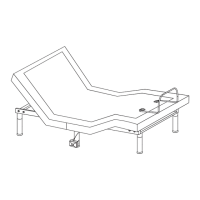
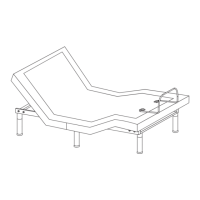
This document is an owner's manual for the L2 Motion Horizon adjustable bed foundation, model ZSF14W4MS, Rev 3.0, dated 07/2023. It provides comprehensive instructions for installation, operation, and maintenance of the adjustable bed, including details on remote control functions and an optional mobile app.
Function Description
The L2 Motion Horizon is an adjustable bed foundation designed to provide customizable comfort and support. It allows users to adjust the head, foot, neck, and lumbar sections of the bed to various positions, including flat, anti-snore, TV, and Zero G presets. The foundation also incorporates massage features for both head and foot, with multiple intensity levels, and under-bed LED lighting. It can be operated via a wireless remote control or an optional mobile application (L2 Motion Mobile APP) for iOS and Android devices. The bed foundation is designed for easy assembly and includes features for securing the mattress and connecting to a headboard (optional). For larger bed sizes (King/California King), it supports synchronization of two foundations for simultaneous operation, either wirelessly or via a sync cord.
Important Technical Specifications
- Model: L2 Motion Horizon (ZSF14W4MS)
- Power Source: AC power cord, with an optional battery backup box (requires 9V batteries, not included).
- Control Box: CB20B Control Box, which manages all motor functions (HD Motor, FT Motor, Neck Motor, LB Motor, HD Massage, FT Massage), LED lighting, USB charger, and voice control (though specific voice control features are not detailed in the manual).
- Legs: Adjustable legs, with different height configurations (4", 7 5/8", 11 1/8") to accommodate various bed frames. The manual specifies 6 legs for most sizes and 7 for King/California King.
- Remote Control: Wireless remote with an LCD screen, requiring AAA batteries (3 included). It features dedicated buttons for head, foot, neck, and lumbar adjustments, massage controls, preset positions (SNORE, TV, ZG), programmable memory positions (M1, M2), and under-bed lighting.
- Motion Sensor: Includes motion sensors with mounting brackets, designed to be clipped onto the center adjustable legs. The manual indicates two connectors for motion sensors, one on each side of the bed.
- Sync Cord: For synchronizing two foundations (TXL/T/CKS only), allowing both to be operated simultaneously by a single remote or the mobile app.
- Headboard Brackets (Optional): Requires M8x16 bolts, nuts, and washers for attachment, along with a 1/2" (13mm) socket and wrench.
Usage Features
- Adjustable Positions:
- Head/Foot/Neck/Lumbar Adjustment: Buttons on the remote allow for independent lifting and lowering of these sections.
- Preset Positions:
- ANTI-SNORE (SNORE): One-touch preset position to help reduce snoring.
- Flat Position: One-touch button to return the bed to a completely flat position.
- TV Position (TV): One-touch preset for an optimal TV viewing angle.
- Zero G Position (ZG): One-touch preset that adjusts legs higher than the heart, designed to relieve lower back pressure and promote circulation.
- Programmable Positions (M1, M2): Users can save two custom desired head and foot positions. To save, adjust the bed to the desired position, press and hold the LED button for 5 seconds until "SAVE" appears, then press M1 or M2 until two beeps are heard.
- Massage Features:
- Head Massage: Activates head massage with three intensity levels.
- Foot Massage: Activates foot massage with three intensity levels.
- STOP Button: Turns off both head and foot massages.
- Under Bed Lighting: Turns the under-bed LED lighting on or off.
- Remote Control Pairing: The remote comes pre-paired. If re-pairing is needed, instructions involve unplugging the power, removing backup batteries (if present), pressing and holding specific remote buttons (Select buttons and ) until "PAIR" shows, then plugging power back in. "PASS" indicates successful pairing.
- Wireless Syncing (for two foundations): Allows two foundations to operate simultaneously with one remote. Requires both remotes to be individually paired first, then pressing and holding and on both remotes for 8 seconds until "SYNC" appears on the LCD.
- UNSYNC Function: To unsync two foundations, press and hold and on both remotes for 8 seconds until "UNSYNC" flashes.
- Mobile APP Control (Optional): The L2 Motion Mobile APP (available for iOS and Android) provides an alternative control interface. It automatically pairs with the foundation when launched, assuming the mobile device's pairing function is enabled and the bed is powered on. The app offers similar control functions as the remote, including adjusting positions, accessing presets, and managing settings like mood lighting and motion sensor timers.
Maintenance Features
- Battery Level Indicator: The remote control features a battery icon in the upper-right corner to indicate battery level, prompting replacement when low.
- Safety Locks: Red plastic safety locks and pins are used during initial unfolding and folding of the foundation. These must be removed during unfolding and re-inserted during folding to prevent damage.
- Accessory Management: The manual emphasizes taking out all accessories from packaging and ensuring all parts are accounted for before discarding packing materials.
- Leg Installation: Instructions highlight the importance of tightening legs properly and ensuring plastic caps are placed at the bottom to prevent floor damage.
- Headboard Bracket Installation: Provides detailed instructions for optional headboard bracket installation, including bolt and nut usage, and warns against overtightening.
- Troubleshooting: The mobile app includes a "Troubleshooting" section, though specific details are not provided in this manual.
- Owner's Manual Access: The mobile app provides access to the owner's manual.

 Need help?
 General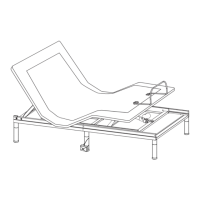

 To Next Page