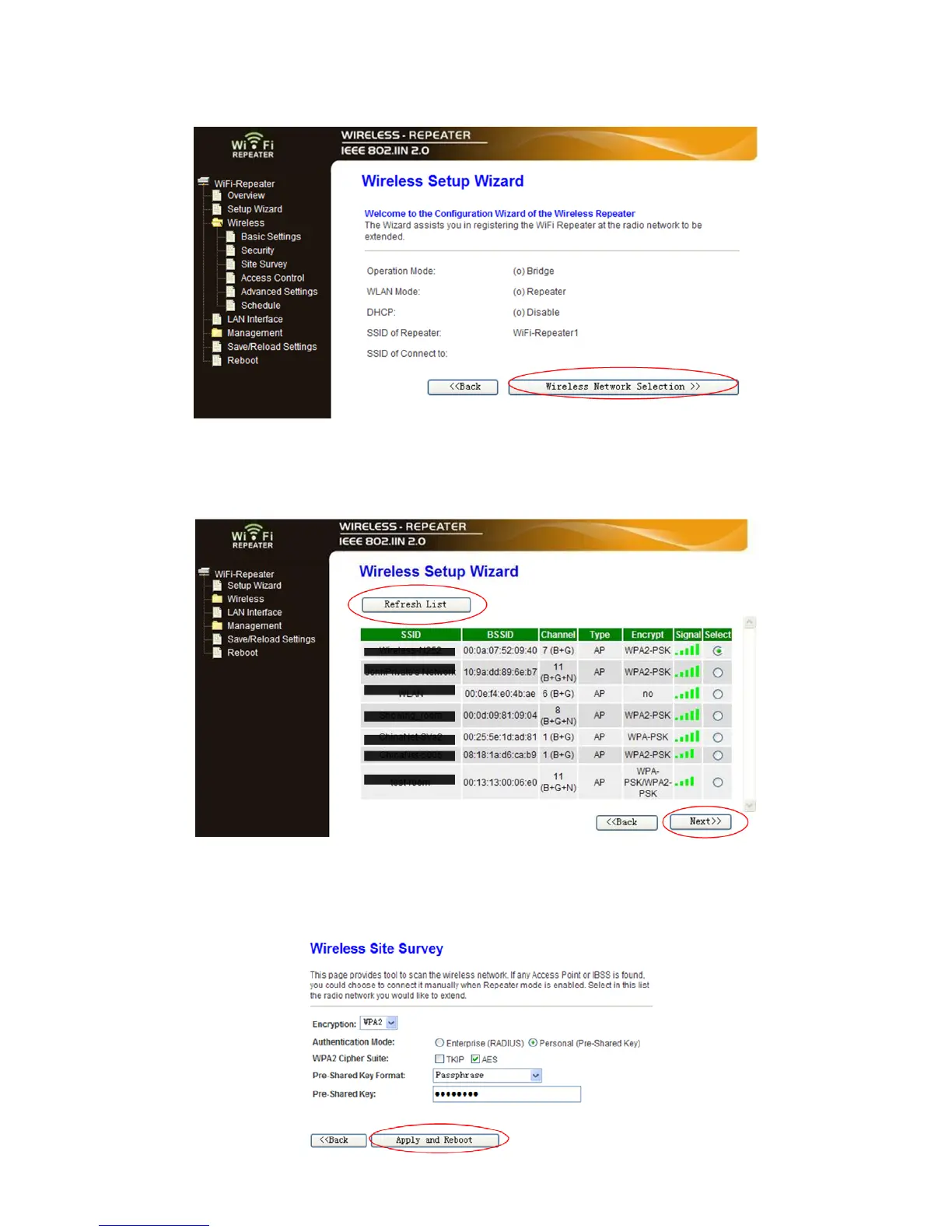
A8. Wait a few seconds and you will see the site below and please click on
‘Wireless Network Selection’ button.
A9. Click on ‘Refresh List’ button.
Select the Wireless SSID and click ‘Next’ to continue.
A10. When you see the site below, please do not change any setting but only insert
the password of your network.


 To Next Page