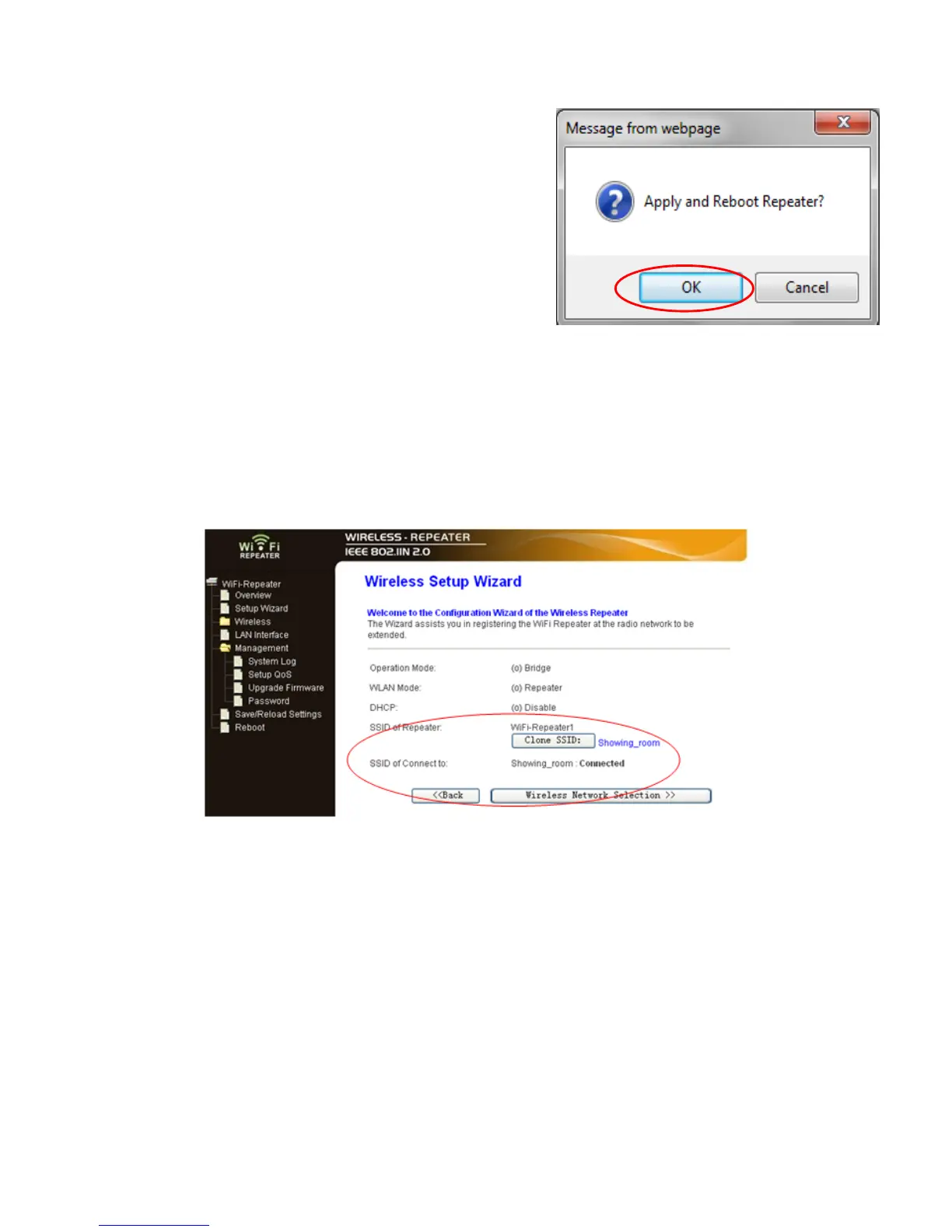
Click on ‘Apply and Reboot’ button.
A11. Click ‘OK’ to confirm. The Repeater will
restart.
A12. Wait a few seconds and you will see the status site like below. It means your Wi-
Fi Repeater is ready for use.
* The Wi-Fi Repeater1 WLAN key is same with your router.
If you do not see the site like above, you need to re-configure it again.
NOTE: If you need to reset the Wi-Fi Repeater, you need press the reset button inside
the tiny hole for 10 seconds.


 To Next Page