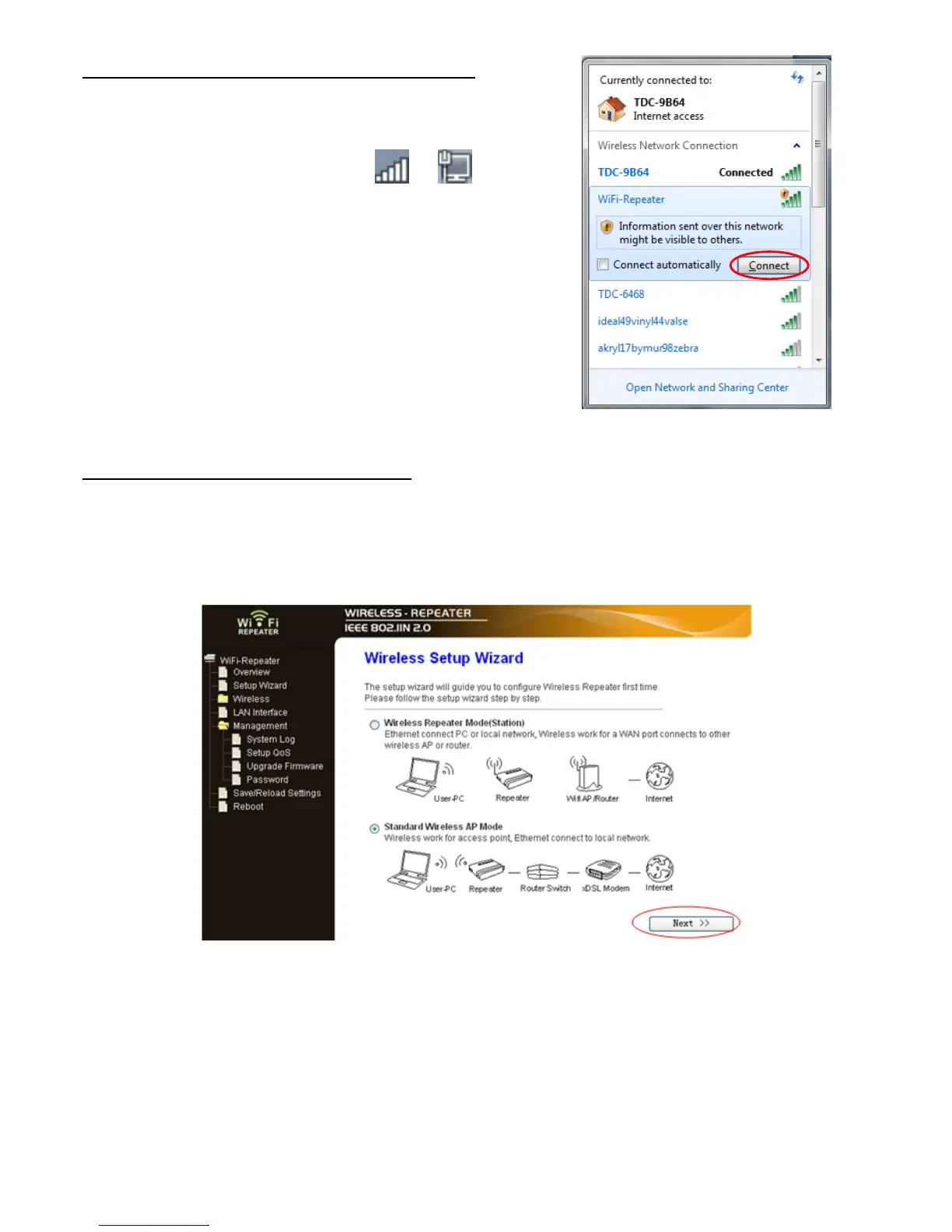
B. Configure the Wi-Fi Repeater wirelessly.
1. Plug the Wi-Fi Repeater to a wall socket.
2. Click on the network icon (
or ) on the
right bottom of your desktop. You will find the
signal from the Wi-Fi Repeater. Click on
‘Connect’ and wait for a few seconds.
3. Follow process A3 to A12 to configure your
Wi-Fi Repeater wirelessly.
C. Configure the Wireless AP Mode.
1. Plug the Wi-Fi Repeater to a wall socket.
2. Follow process A2 to A5.
3. Select “Standard Wireless AP Mode” and click on ‘Next’ to continue.


 To Next Page