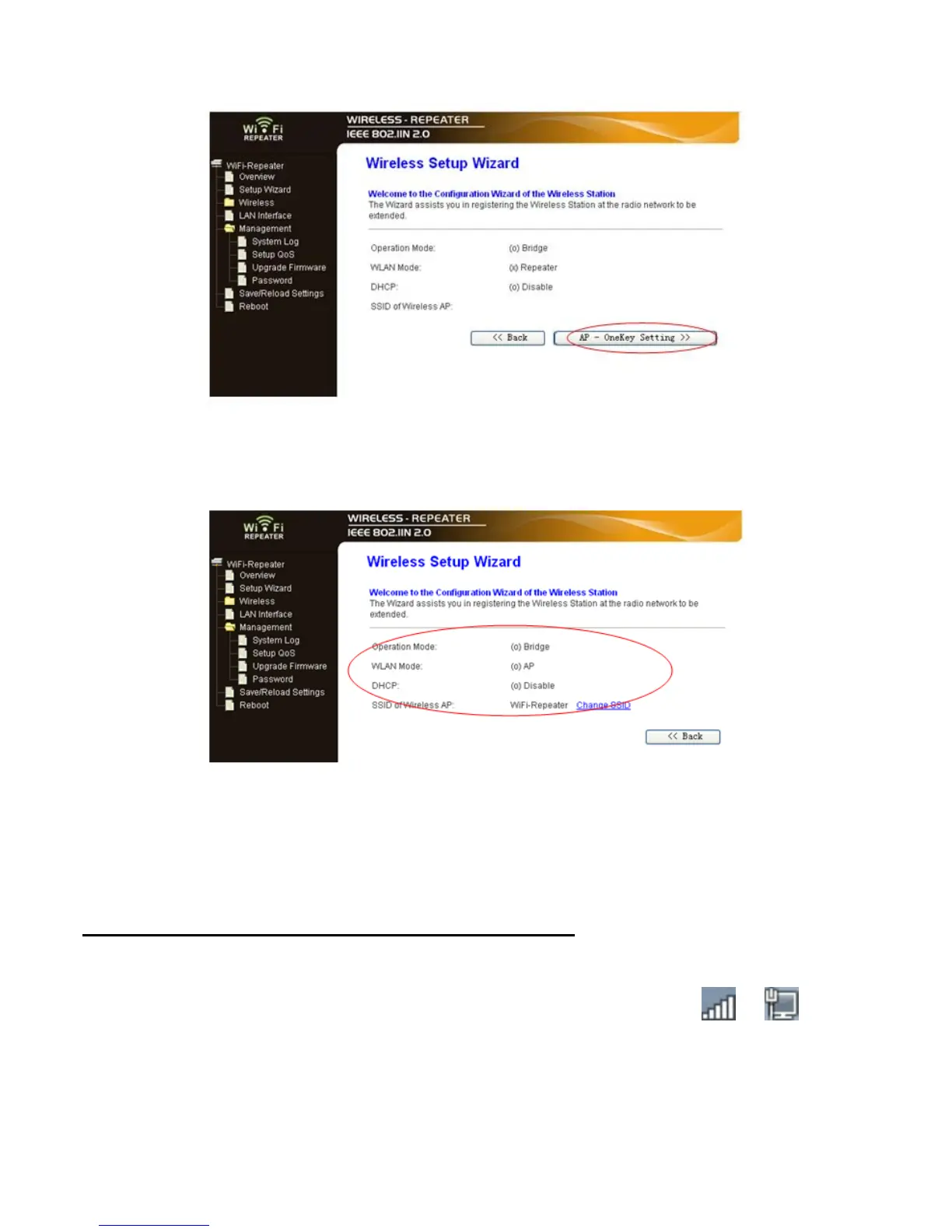
4. Click on ‘AP – OneKey Setting’ button
5. Wait a few seconds and you will see the status site like below. It means your Wi-
Fi Repeater is ready for use.
How to connect your computer/laptop with the Wi-Fi
Repeater
Adding a Wireless computers to the WiFi-Repeater
1. Log on to the computer.
2. Open Connect to a Network by right-clicking the network icon ( or ) in the
notification area.
3. Choose the wireless network from the list that appears, and then click
Connect
.
4. Type the network security key or passphrase if you are asked to do so, and then
click
OK
. You'll see a confirmation message when you are connected to the
network.
5. To confirm that you added the computer, do the following:


 To Next Page