EasyManua.ls Logo

Lervia KH 1150 - User Manual

Lervia KH 1150
17 pages
Print Icon
To Next Page IconTo Next Page
Loading...
KOMPERNASS GMBH · BURGSTRASSE 21 · D-44867 BOCHUM
www.kompernass.com
ID-Nr.: KH1150-12/06-V1
UK
IB_KH1150_E2731_UK_V1.qxd 15.01.2007 14:46 Uhr Seite 1

Questions and Answers

  • A
    Adam CurryAug 10, 2025
    What to do if my Lervia KH 1150 does not start?
    • R
      riddlerobertAug 11, 2025
      If your Lervia Fan doesn't start, there are several potential causes: * The building fuse or circuit breaker might be defective - check and replace if needed. * The direction switch might be in the middle position - set it to the up or down position. * The pull chain switch may not be properly set - ensure it is in the "OFF" setting. * There may be a loose cable plug - disconnect the fan from the mains network before checking the cable plug. * The fan itself could be defective - have it inspected by an expert or sent to customer service.
  • J
    James BakerAug 18, 2025
    Why is my Lervia Fan running loudly or swaying significantly?
    • J
      Jonathan JohnsonAug 18, 2025
      If your Lervia Fan is running loudly or swaying significantly, consider the following: * The blade mounts may not be firmly connected - check the screw connection of the blade mounts. * The blades may be damaged - inspect and replace if necessary. * The blades might not be balanced - change the positioning of the blades amongst themselves. * The blade attachments could be loose - check the blade attachments. * The fan may not be hung correctly - disconnect the fan from the mains network before checking whether it is hung correctly. Check the fastening of the installation plate and extension rod, and correct any improper fastening.
  • K
    Katie SextonAug 26, 2025
    What to do if the light on my Lervia Fan does not function?
    • R
      richmondannaAug 26, 2025
      If the light on your Lervia Fan isn't working: * The bulb may be defective - check the halogen bulbs and replace any that are not working. * There might be a loose cable plug - disconnect the fan from the mains network before checking the cable plug.
  • U
    underwoodsandraSep 1, 2025
    How to fix Lervia KH 1150 fastening screws that cannot be screwed tightly?
    • T
      tkingSep 1, 2025
      If the fastening screws of your Lervia Fan cannot be screwed tightly or were turned too far during installation, replace the screws and nuts. Only use screws that match the original screws; contact the manufacturer or retailer for information.

Summary

Safety Instructions

Proper Use

Product Overview

Product Description

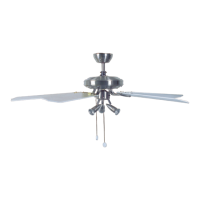
Details the fan's components and features, listing parts A through L.

Guide

Provides information on manual structure and signal word definitions.

Product Description

Guide

Installing the Ceiling Fan

Installing Blade mounts (J)

Instructions for attaching blade mounts to the fan blades.

Installing the Extension Rod (B)

Steps for installing the long or short extension rod.

Installing the Light Module (E)

Removing the Transport Protection

Installing the Blades (H)

Hanging the Fan

Electrical Connection

Operation

Setting the Speed

Instructions on how to adjust the fan speed using the pull chain.

Setting the Direction

Guide on changing the fan's rotation direction for cooling or heating.

Troubleshooting

Warranty and Service

Technical Data

Importer

Disposal

Lervia KH 1150 Specifications

General IconGeneral
BrandLervia
ModelKH 1150
CategoryFan
LanguageEnglish