
 Need help?
Do you have a question about the lesepidado DolciSSima 2.0 and is the answer not in the manual?
Guidance on selecting a safe and suitable environment for the printer.
Instructions for safe electrical connection and usage of the printer.
Procedures for safely cleaning the printer components and exterior.
Warnings and procedures for safe internal and external maintenance.
Safety guidelines for operating the printer in its environment.
Safety precautions related to printer consumables and print heads.
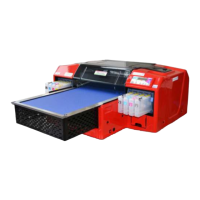
Overview of the DolciSSima printer and its features.
Details regarding the brand, model, and product code.
Essential safety guidelines for all users and operators.
Information about the product's warranty terms and conditions.
Specifies the duration and conditions of the manufacturer's warranty.
Outlines the manufacturer's liability limits and user responsibilities.
Conditions and actions that can void the printer's warranty.
Legal clause specifying the governing law and dispute resolution.
Guidelines to prevent common operational errors and damage.
Advice on how to best utilize and understand the user manual.
Highlights critical initial information for safe operation.
Legal statement limiting the manufacturer's liability.
Explains the significance and purpose of the installation test report.
Instructions for setting up the optimal environment for the printer.
Step-by-step guide for the physical installation of the printer.
Procedures for safely removing the printer from its packaging.
How to ensure the printer is placed on a perfectly level surface.
Instructions for removing a specific protective component.
Steps for safely connecting the printer to the power supply.
Guide on how to install the ink cartridges correctly.
Procedure for inserting the printer's tray into its operational position.
Steps for installing necessary printer drivers and software.
Detailed process for installing the driver on Windows OS.
Configuration steps for the printer driver settings.
Guide for installing the optional RIP software.
How to print using the standard Windows driver.
Configuring the production queue within the IRIDE software.
Instructions for placing food products correctly for printing.
Monitoring key printer functions and indicators during use.
Important advisories and restrictions for printer operation.
Procedures for safely stopping the printer's operation.
Method for turning off the printer's main power.
Steps for safely shutting down the printer before turning it off.
Procedure for immediate shutdown in case of emergency.
Essential daily tasks for printer upkeep and performance.
Recommended maintenance tasks performed at regular intervals.
Guide to resetting ink levels and maintenance counters.
Procedure for checking print head nozzle status.
Instructions for cleaning the printer's print head.
Standard cleaning procedure for minor print head issues.
Intensive cleaning cycle for persistent print head problems.
Guidelines for proper storage and operating environmental parameters.
Procedures for handling periods when the printer is not in use.
Information on ink shelf life and usage validity.
Steps required to safely remove inks during downtime.
Best practices for storing ink to maintain quality.
Recommendations for maintaining ink cartridges and bottles.
 General
| Brand | lesepidado |
|---|---|
| Model | DolciSSima 2.0 |
| Category | Printer |
| Language | English |

 To Next Page