Charging case is not being charged
● 1-25% battery: the leftmost indicator stays on
● 25%-50% battery: the left 2 indicators stay on
● 50%-75% battery: the left 3 indicators stay on
● 75%-100% battery: the 4 indicators stay on
● Low battery: the leftmost indicator flashes
Note:
Indicators will be off in 1 minute.
- 3 -
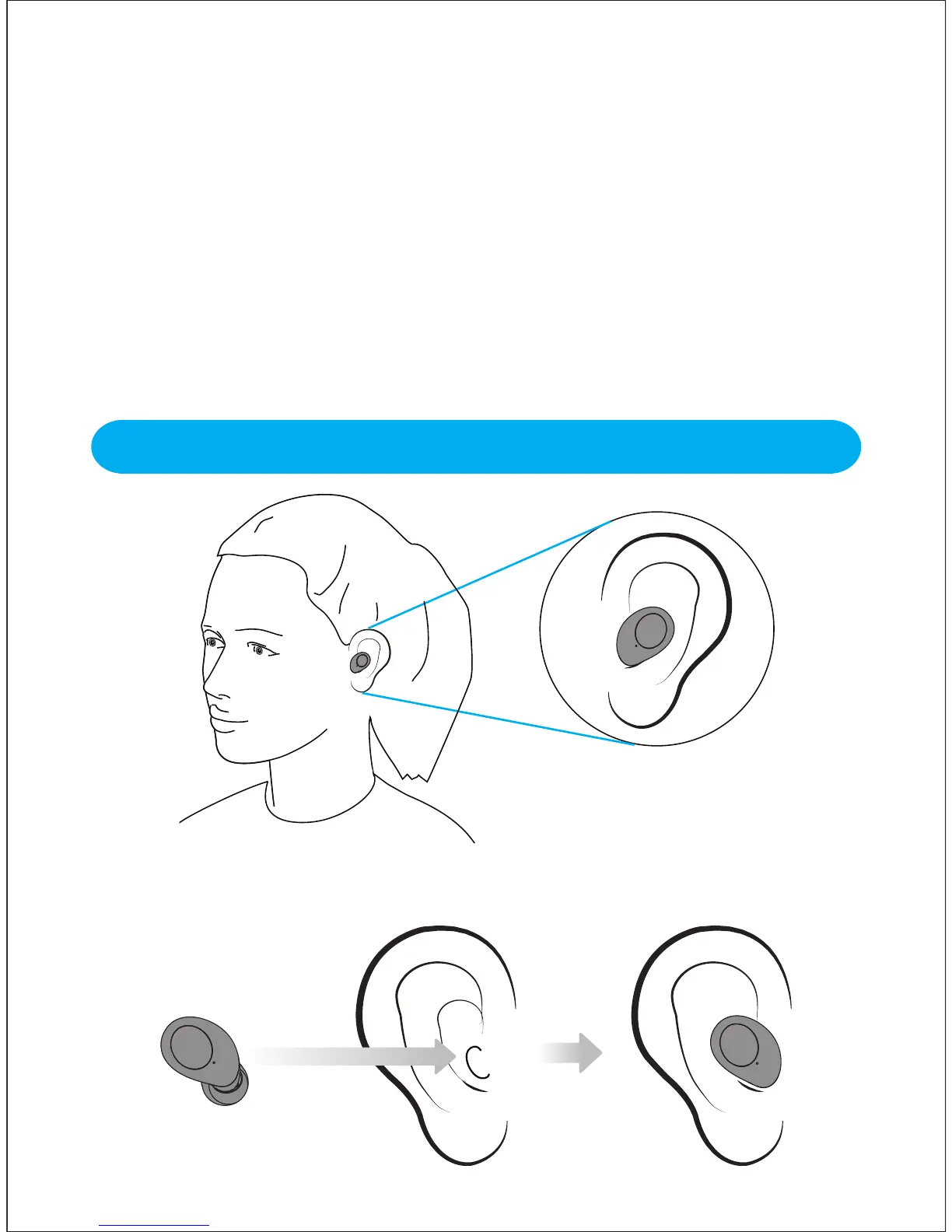
Insert the earbud into your ear and rotate to fit comfortably. Ensure the
microphone is pointing towards your mouth.
Wearing the Earbuds


 To Next Page