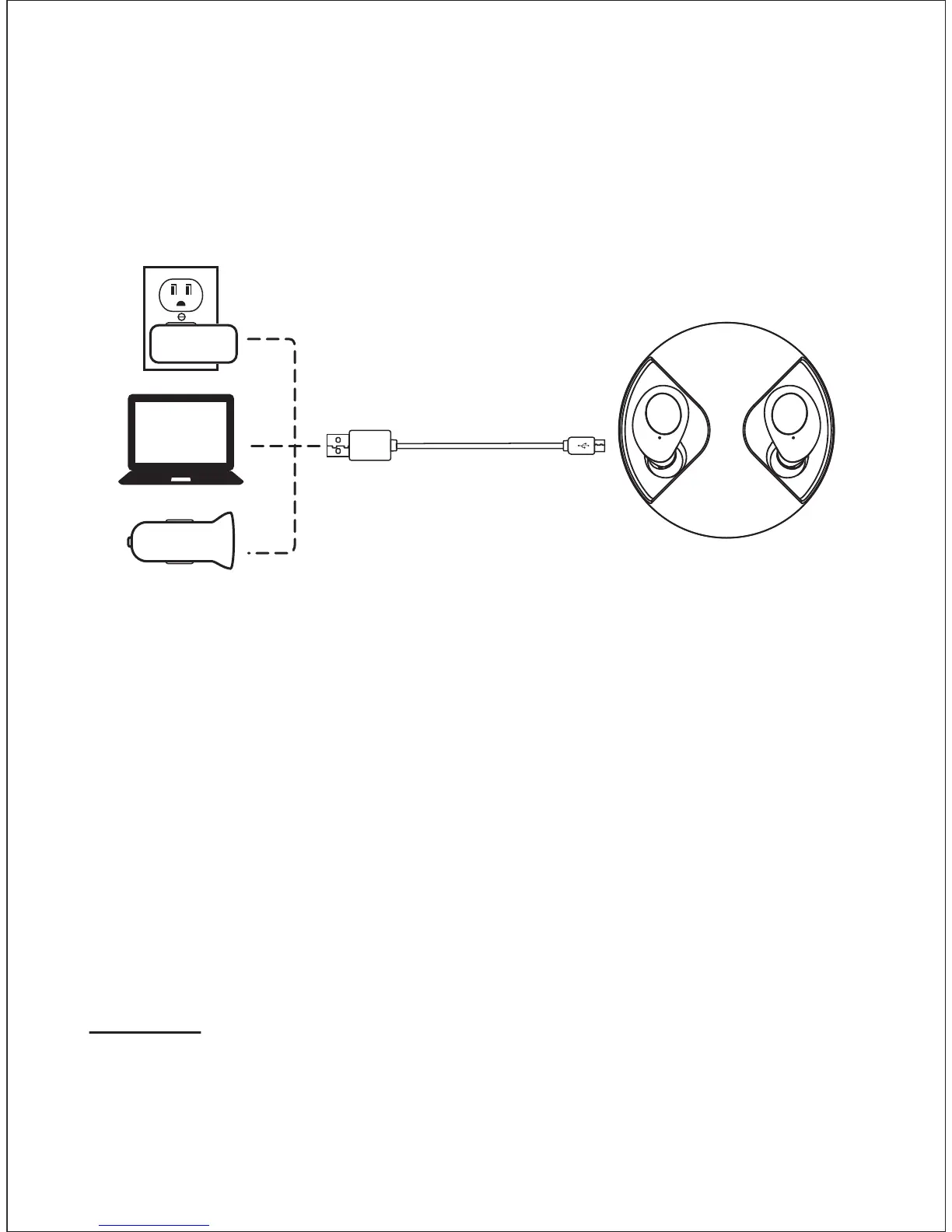
● Charge the charging case
1) Plug the small end of the USB-C cable into the USB-C port of the
charging case.
2) Plug the other end into a USB wall charger or computer (DC 5V)
that is powered on.
Notes:
● It takes approx. 1 hour to fully recharge the earbuds.
● The earbuds and the charging case charge simultaneously. The
charging case can be used as a standalone charger.
● When the charging case is out of power, you put the earbuds back
into the case and close the case, the earbuds will not turn off
automatically. Turn off the earbuds manually.
● When the charging case is out of power, the earbuds will not turn on
automatically the time you take them out. Turn on the earbuds
manually.
● Power on/off
Power on
● The earbuds are automatically on when you take them out of the
charging case.
● Press and hold the MFB buttons on both earbuds for 4 seconds
to turn on.
- 5 -


 To Next Page