Surface texture, color, size, and shape of the target all affect
reflectivity, which in turn affects the maximum range of the
instrument. As a rule of thumb, brightly colored targets are much
more reflective than darker targets. Tan game coats are more
reflective (and thus provide a more solid reading) than a black roof.
A shiny surface is more reflective than a dull surface. Smaller targets
are more difficult to range than larger targets. Light conditions, haze,
fog, rain, and other environmental conditions can all affect ranging
performance. Any factor which degrades air clarity will reduce the
maximum effective range. The sun generates infrared energy that
can degrade ranging performance in bright conditions or when
ranging towards the sun.
RX-FullDraw 3 Specifications
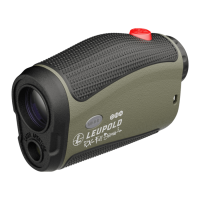
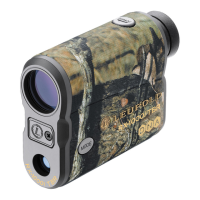
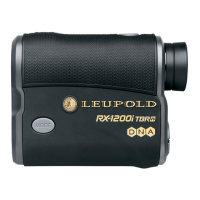
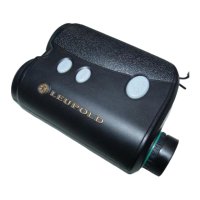
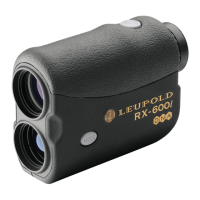
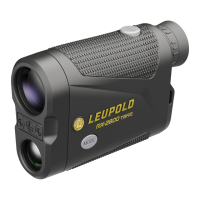
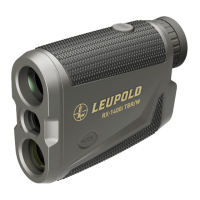
The RX-FullDraw 3 digital laser rangefinder provides useful modes
to tailor performance to the conditions you experience in the field.
Model features are identified below.
Operation
User Manual
RX-FullDraw 3 Features at a Glance
• Laser Radiation: FDA Class 1 / IEC Class 3R
• Measurement Range:
6 yds – 1300 yds
• Measuring Time: Less than 1 second
• Auto Power Off after 5 seconds
(45 seconds if Trophy Scale is
enabled)
• Power: 3V Lithium CR2 battery
• Battery Life: At least 5,000 actuations
• Accuracy: +/- .5 yard/meter to 125 yards/
meters
• The RX-FullDraw 3 is waterproof
How the RX-FullDraw 3 Works
The RX-FullDraw 3 is a top-quality 6x23mm monocular that
incorporates the additional benefit of a state-of-the-art laser
rangefinder capable of measuring the distance of a deer-sized animal
from 6 yards to 900 yards, a tree from 6 yards to 1100 yards, and a
reflective target from 6 yards to 1300 yards. The rangefinder emits
a series of invisible, infrared energy pulses that are reflected off the
selected target back to the optical unit. State-of-the-art circuitry and
precision computing circuits are used to calculate the distance by
measuring the time it takes for each pulse to travel from the RX-
FullDraw 3 to the object and back.
Safety Precautions
The Leupold R X-FullDraw 3 6x2 3mm rangefinder employs
an eye-safe FDA Class 1 and IEC Class 3R laser in its
operation. Even so, there are a few precautions that are
important to remember:
RX-FullDraw
™
3
Digital Archery Rangefinder
Introduction
Congratulations! You have purchased a Leupold RX-FullDraw 3 digital
archery rangefinder that has been designed by Leupold’s engineers
and designers to be the best archery rangefinder in its category, and
to provide you with years of solid performance in the field. Following
are detailed instructions regarding the proper use and employment
of your RX rangefinder. To ensure top performance for the life of the
product, please read these instructions before operating your RX-
FullDraw 3 rangefinder.
Your new Leupold RX rangefinder is a, rangefinding device that
incorporates advanced digital electronics. The Digitally eNhanced
Accuracy (DNA) engine incorporates additional signal processing
techniques to generate better ranging distance with more accurate
rangefinding. The RX-FullDraw 3 features include an ergonomic,
waterproof body design.
Measuring Distance with the RX-FullDraw 3
Measurement of distance with the RX-FullDraw 3 is a very simple
operation:
• View the object of interest through the monocular
• Depress the POWER button to power up the unit
• Align the reticle over the object being viewed
• Depress the POWER button again – this will cause the laser
to activate
• Read the distance as shown in the image field
Continuous Measurement of a Moving Target/ Scan
Mode:
• Follow the instructions for “Measuring distance…” as explained
previously
• Once the target has been measured, continue to hold down the
POWER button and follow the object as it moves
• The distance will automatically update as long as the POWER
button is continuously depressed
• This procedure can also be used to obtain the range of multiple
animals or objects; simply move the reticle from one target to
another while holding down the POWER button
Clearing the Last Distance Obtained:
The last range reading does not need to be cleared before reading
another object’s distance. Simply aim at the new object using the
reticle, depress the POWER button and hold until the new range
reading is displayed.
Following is a reference table listing the ranges of the RX-FullDraw 3
model under different conditions:
• When you see the display through the eyepiece, please be aware
that the product is active and emitting an
invisible laser and the laser aperture should
not be pointed toward anyone
• The unit will produce an audible click
when activated to notify the user that the
rangefinder is emitting an invisible laser
• Do not depress the POWER button while
aiming at a human eye or while looking into the optics from the
objective side
• Do not leave the rangefinder within the reach of small children
• Do not take the product apart as it has a self-protection device in
the electronic control module and may cause an electric shock
• Do not attempt to use any power source other than a 3V Lithium
CR2 battery — the RX-FullDraw 3 rangefinder is designed to
prohibit accessing any other external power supply
• Read this instruction manual in its entirety before using this
rangefinder. If the product is used in a manner not specified by
the manufacturer, the protection provided by the equipment may
be impaired
Caution: Use of controls or adjustments or performance of
procedures other than those specified herein may result in
hazardous laser radiation exposure
POWER
FOCUS
MODE
BATTERY
MAXIMUM RANGE
CONDITION RX-FullDraw 3
Reflective Target (yd/m)
1300/1189
Trees (yd/m)
1100/1006
Deer (yd/m)
900/823
RX-FullDraw
Magnification
6×
TBR (BOW Mode to 175 Yards)
Yes
Trophy Scale
Yes
Yards / Meters Mode
Yes
Last Target Mode
Yes
Scan Mode
Yes
Battery Life
>5,000 Actuations
Weight
7.0 oz
Dimensions (Inches)
4.2 x 3.0 x 1.6
Battery Status Indicator
Yes
Warranty
2 Years
Waterproof
Yes
Accuracy +/- .5 Yard @ <125 yds.
Yes
in
cm
M
Y
L
O
S
B
O
W
R
F
L
L
A
S
T
T
G
T
*Display shown with all possible characters visible
Y
B
O
W
Battery Power Status Indicator
To determine your battery’s power level, look for the following
indicators:
FULL – A full battery bar indicates your battery is at or
near peak capacity.
HALF – A half-full bar indicates your battery has reached
half-capacity.
LOW – If the battery bar is empty, yet there is still data
displayed above the bar, the battery is nearing the end of its
life and should be replaced.
NO POWER – If the battery bar is empty, and there is no
data displayed above the bar, your battery is dead and you
must replace it. The battery status bar will flash and the unit
will shut down when no power remains.


 To Next Page
 Need help?
 General