Hardware Manual
8
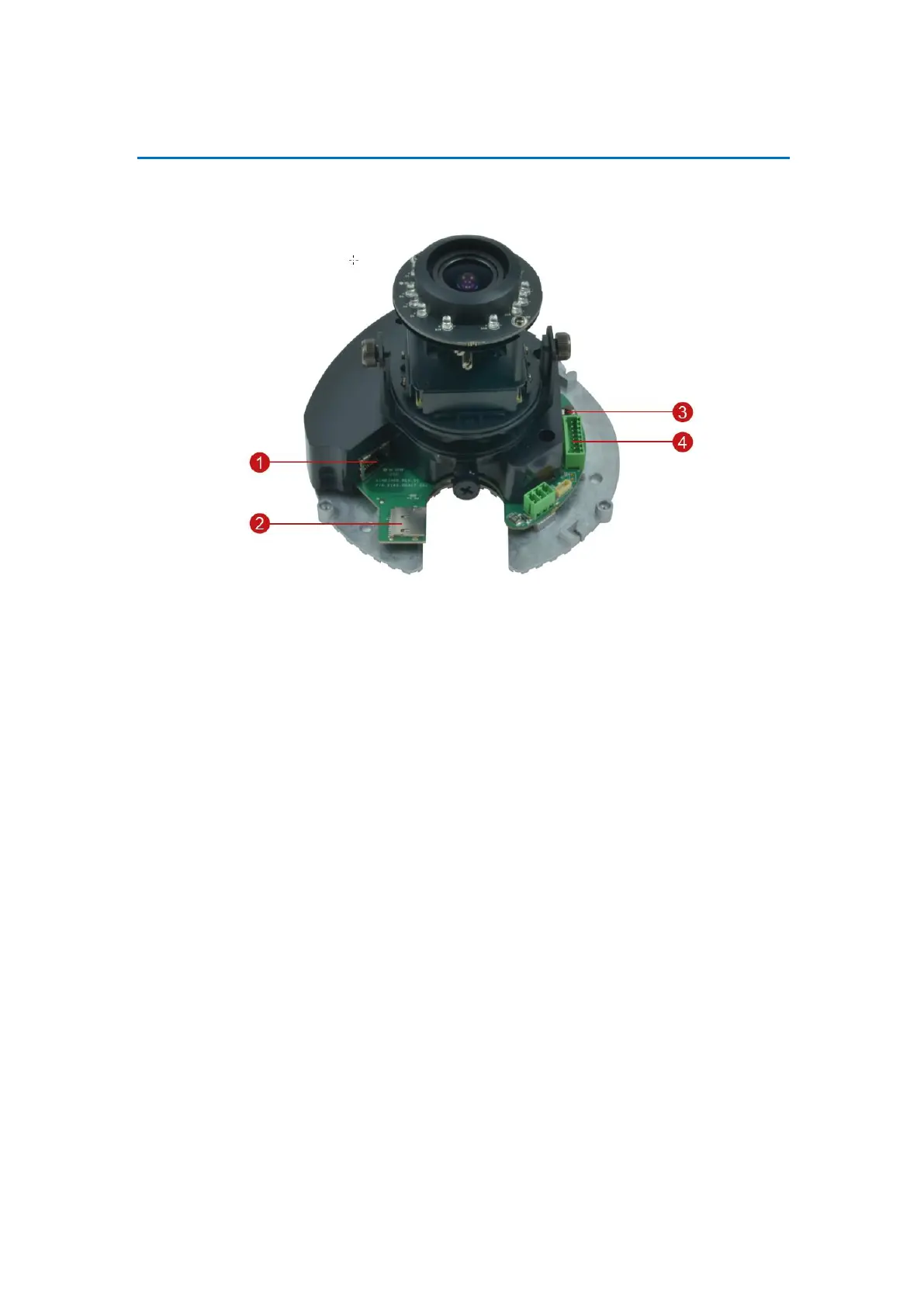
Physical Description
FCS-3056, FCS-3064
NOTE: Actual camera may slightly differ.
1) Ethernet Port
Connects to a network using an Ethernet cable.
2) Memory Card Slot
Insert a memory card into this slot for local recording purposes. See How to Use a Memory Card
on page 25 for more information.
NOTE: Supports microSDHC and microSDXC cards.
3) Reset Button
The purpose of reset button is to restore the factory default settings of the camera, including
the administrator’s password.
The reset button can be used for following purposes:
The administrator’s password has been forgotten and therefore the camera cannot be
accessed.
1. In case of IP address, mask, or allow/deny filter related issues, resulting with inability to
modify these settings.
2. In case of connectivity issues or abnormal video quality.


 To Next Page