- 31 -
Network
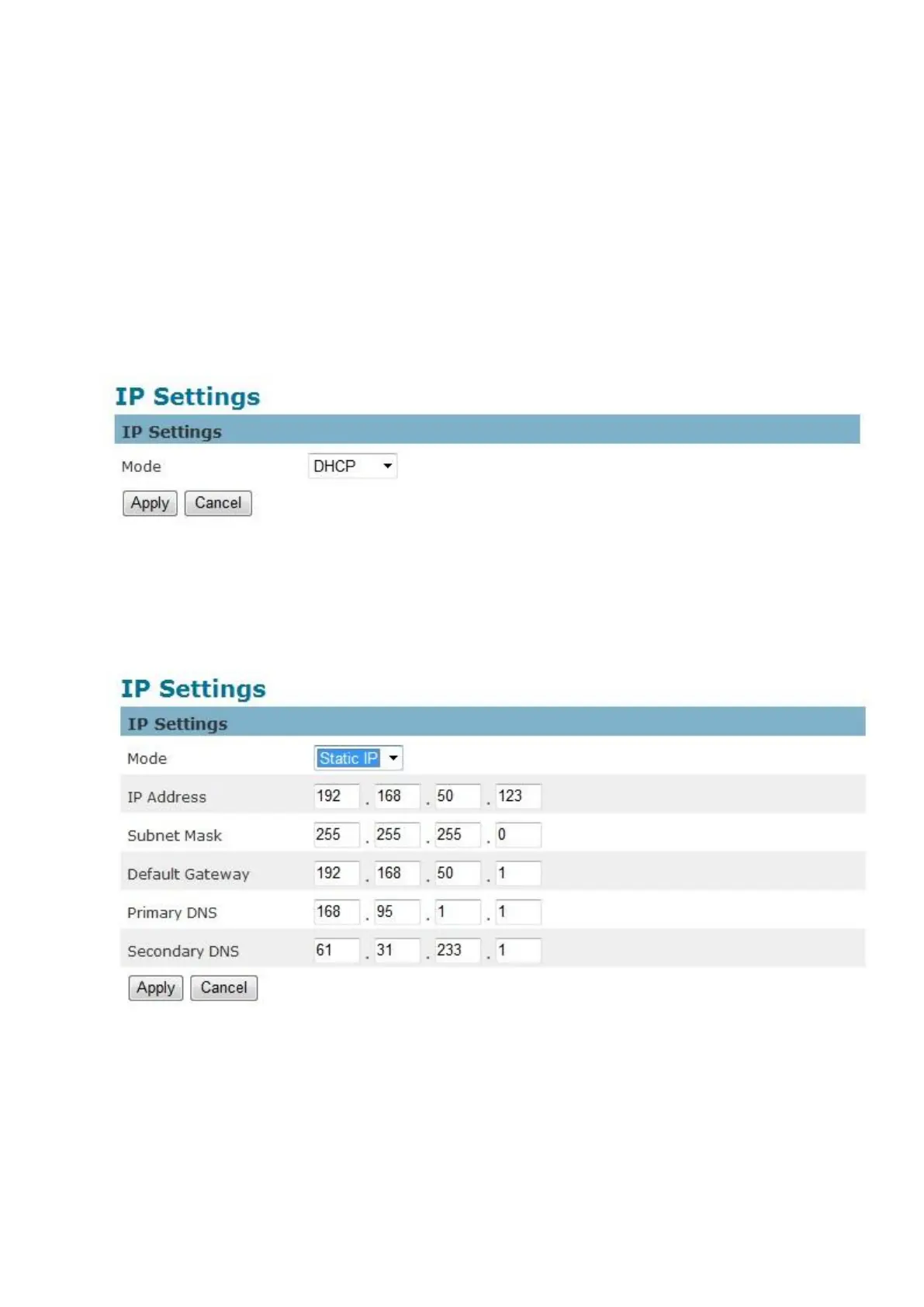
IP Settings
This section explains how to configure a wired network connection for the camera. There are
several ways to setup the camera over the Internet: (1) obtain an available dynamic IP address
assigned by a DHCP server, (2) use a static IP, or use PPPoE (Point-to-point over Ethernet).
Select the desire setup mode from the IP settings drop-down menu.
1. DHCP –If this option is selected, the camera will automatically obtain an available
dynamic IP address from the DHCP server each time it connects to the LAN.
2. Static IP - Select this option to manually assign a static IP address to the camera. Enter
the static IP address, Subnet mask, Default Gateway, Primary and Secondary DNS
provided by the ISP.


 To Next Page